
Crea video cinematográfico Modelos de video compatibles
Elige un modelo de video de texto o imagen compatible
Veo no está disponible en heydots. Usa un modelo Kling o Seedance habilitado en la página de Video con IA para texto a video o imagen a video. Estos ejemplos son inspiración creativa general, no demostraciones de Veo.
Prompt verificado
First-person action-camera POV, wide-angle lens with mild distortion — NOT a fisheye: no black or vignetted corners — camera mounted at the wearer's chest: very shaky handheld throughout — constant hard jitter and bounce, the frame bobbing and swaying violently with every step, whipping hard on impacts and sprints, never smooth, never stabilized, never tripod-still. The wearer is a medieval peasant man; his weathered hands with dirt-caked nails and coarse brown wool sleeves enter the frame constantly and stay consistent in every shot. Cold medieval England, early-morning soft light, wet deep mud everywhere with sheen and ruts, chimney smoke, thatched and timber-framed village below a massive grey stone castle on a hill. Mud behaves physically: splatter arcs, heavy clinging clumps, wet squelch. Raw unedited camera footage, natural light only, no color grading, not cinematic. No on-screen text, no subtitles. No background music, diegetic sound only. No cuts within a shot. the woman is @ Shot: First-person action-camera POV, wide-angle lens with mild distortion (no fisheye, no black corners). Waking at dawn in a timber barn loft, thin blades of light through gaps in the plank walls, straw and grey fur. The wearer's head turns and his young wife is right there beside and close him — early 20s, loose brown braid, freckled skin — just waking herself: she rubs one eye with the back of her hand, breaks into a wide sleepy yawn, stretches a little, blinks slowly and settles into a soft drowsy smile. She murmurs, in a weak, soft, just-woken sleepy voice, half a yawn still in it, looking into the lens (on screen, lip-synced): "Stay a while... the day can wait." From behind the camera he answers, warm and low, off-screen POV (no lip-sync): "The lord's fields can't, love." She gives a lazy grin and hooks a hand behind his neck to pull him closer, his weathered hand rising into frame to her cheek, and she teases, still sleepy and soft: "Then let the lord plough his own field." He leans in and kisses her, the frame dipping in close, her hand sliding to the back of his head, a soft shared laugh. Warm, unhurried, natural soft daylight. No cuts within a shot. No background music.
First-person action-camera POV, wide-angle lens with mild distortion — NOT a fisheye: no black or vignetted corners — camera mounted at the wearer's chest: very shaky handheld throughout — constant hard jitter and bounce, the frame bobbing and swaying violently with every step, whipping hard on impacts and sprints, never smooth, never stabilized, never tripod-still. The wearer is a medieval peasant man; his weathered hands with dirt-caked nails and coarse brown wool sleeves enter the frame constantly and stay consistent in every shot. Cold medieval England, early-morning soft light, wet deep mud everywhere with sheen and ruts, chimney smoke, thatched and timber-framed village below a massive grey stone castle on a hill. Mud behaves physically: splatter arcs, heavy clinging clumps, wet squelch. Raw unedited camera footage, natural light only, no color grading, not cinematic. No on-screen text, no subtitles. No background music, diegetic sound only. No cuts within a shot. the woman is @ Shot: First-person action-camera POV, wide-angle lens with mild distortion (no fisheye, no black corners). Waking at dawn in a timber barn loft, thin blades of light through gaps in the plank walls, straw and grey fur. The wearer's head turns and his young wife is right there beside and close him — early 20s, loose brown braid, freckled skin — just waking herself: she rubs one eye with the back of her hand, breaks into a wide sleepy yawn, stretches a little, blinks slowly and settles into a soft drowsy smile. She murmurs, in a weak, soft, just-woken sleepy voice, half a yawn still in it, looking into the lens (on screen, lip-synced): "Stay a while... the day can wait." From behind the camera he answers, warm and low, off-screen POV (no lip-sync): "The lord's fields can't, love." She gives a lazy grin and hooks a hand behind his neck to pull him closer, his weathered hand rising into frame to her cheek, and she teases, still sleepy and soft: "Then let the lord plough his own field." He leans in and kisses her, the frame dipping in close, her hand sliding to the back of his head, a soft shared laugh. Warm, unhurried, natural soft daylight. No cuts within a shot. No background music.
Prompt verificado
Main Subject: Young Korean female aerospace engineer, late 20s, realistic EVA suit with scratches, transparent helmet, magnetic boots, repair toolkit, calm but determined. Location: Exterior of a drifting abandoned space station above Earth during orbital sunrise. Floating debris, damaged solar panels, glowing Earth below, endless stars. Visual Style: Hyper-realistic IMAX sci-fi documentary, physically accurate zero gravity, cinematic sunrise lighting, HDR, subtle lens imperfections. Camera Style: Handheld helmet-cam feel, gentle floating motion, natural shake, autofocus breathing, realistic lens flare, no stabilization. Timeline (15 sec): 00:00–00:03 → She magnetically walks across the station hull, glances at Earth, smiles "Worth every mission," then her wrist computer suddenly flashes POWER FAILURE. She sighs, clips her safety tether, and pushes toward the damaged solar array. 00:03–00:06 → Floating beside twisted panels, she catches a drifting bolt mid-air, opens the repair hatch as colorful cables float out, laughs softly, "Why is it never simple?" while scanning the damaged circuit. 00:06–00:09 → Sparks burst as she reconnects power lines, the station shudders from a distant impact, warning alarms accelerate, tiny ice crystals drift past her visor, and she whispers, "Stay with me..." 00:09–00:12 → She forcefully locks a replacement power module into place with a loud metallic click. Massive solar panels unfold, lights ripple across the station, and systems begin rebooting one by one. 00:12–00:15 → Her display changes to SYSTEM ONLINE. She laughs with relief, slowly floats backward as the fully restored station glows against Earth, salutes the camera, and says, "Mission complete." Audio: Suit breathing, radio static, metallic clanks, warning alarms, electrical sparks, mechanical deployment, subtle communication, no music. Goal: A tense yet inspiring space-repair documentary with constant motion, believable physics, natural dialogue, and a satisfying cinematic payoff.
Main Subject: Young Korean female aerospace engineer, late 20s, realistic EVA suit with scratches, transparent helmet, magnetic boots, repair toolkit, calm but determined. Location: Exterior of a drifting abandoned space station above Earth during orbital sunrise. Floating debris, damaged solar panels, glowing Earth below, endless stars. Visual Style: Hyper-realistic IMAX sci-fi documentary, physically accurate zero gravity, cinematic sunrise lighting, HDR, subtle lens imperfections. Camera Style: Handheld helmet-cam feel, gentle floating motion, natural shake, autofocus breathing, realistic lens flare, no stabilization. Timeline (15 sec): 00:00–00:03 → She magnetically walks across the station hull, glances at Earth, smiles "Worth every mission," then her wrist computer suddenly flashes POWER FAILURE. She sighs, clips her safety tether, and pushes toward the damaged solar array. 00:03–00:06 → Floating beside twisted panels, she catches a drifting bolt mid-air, opens the repair hatch as colorful cables float out, laughs softly, "Why is it never simple?" while scanning the damaged circuit. 00:06–00:09 → Sparks burst as she reconnects power lines, the station shudders from a distant impact, warning alarms accelerate, tiny ice crystals drift past her visor, and she whispers, "Stay with me..." 00:09–00:12 → She forcefully locks a replacement power module into place with a loud metallic click. Massive solar panels unfold, lights ripple across the station, and systems begin rebooting one by one. 00:12–00:15 → Her display changes to SYSTEM ONLINE. She laughs with relief, slowly floats backward as the fully restored station glows against Earth, salutes the camera, and says, "Mission complete." Audio: Suit breathing, radio static, metallic clanks, warning alarms, electrical sparks, mechanical deployment, subtle communication, no music. Goal: A tense yet inspiring space-repair documentary with constant motion, believable physics, natural dialogue, and a satisfying cinematic payoff.
Prompt verificado
10-second cinematic POV video. Nighttime in a dark outdoor area. A bright flashlight beam slowly scans the ground and stops on a small brown plastic bucket with a tightly closed lid sitting on a dirt path surrounded by short grass. The camera slowly walks closer with subtle handheld movement, creating suspense. A human hand reaches down and lifts the lid. Inside the bucket is a cute fluffy white-and-orange kitten sitting upright, looking directly at the camera with big sparkling eyes. The kitten slowly raises one paw and gives a clear 👍 thumbs-up gesture while smiling adorably. Hold a close-up on the kitten for a moment. Audio: Quiet nighttime ambience with crickets and soft suspenseful music during the approach. As soon as the kitten gives the thumbs-up, the music turns cheerful and a natural voice enthusiastically says, "Wow, wonderful!" synchronized exactly with the thumbs-up gesture. Ultra-realistic, cinematic lighting, detailed fur, expressive eyes, realistic paw movement, shallow depth of field, smooth camera motion, highly believable, no subtitles, no text, no watermark.
10-second cinematic POV video. Nighttime in a dark outdoor area. A bright flashlight beam slowly scans the ground and stops on a small brown plastic bucket with a tightly closed lid sitting on a dirt path surrounded by short grass. The camera slowly walks closer with subtle handheld movement, creating suspense. A human hand reaches down and lifts the lid. Inside the bucket is a cute fluffy white-and-orange kitten sitting upright, looking directly at the camera with big sparkling eyes. The kitten slowly raises one paw and gives a clear 👍 thumbs-up gesture while smiling adorably. Hold a close-up on the kitten for a moment. Audio: Quiet nighttime ambience with crickets and soft suspenseful music during the approach. As soon as the kitten gives the thumbs-up, the music turns cheerful and a natural voice enthusiastically says, "Wow, wonderful!" synchronized exactly with the thumbs-up gesture. Ultra-realistic, cinematic lighting, detailed fur, expressive eyes, realistic paw movement, shallow depth of field, smooth camera motion, highly believable, no subtitles, no text, no watermark.
Prompt verificado
Monochromatic black-and-white manga aesthetic, rough ink sketch animation, 2D anime style, high contrast, moody, cinematic, and atmospheric. Scene 1 (Setup): Close-up profile of a young anime girl with short dark hair smoking a cigarette. She wears a dark, oversized hoodie. She is standing on a bleak rooftop balcony. Scene 2 (Interaction): A young anime boy with a scuffed, bruised face and messy dark hair approaches her. He is wearing a two-toned hoodie. Close-up on their hands as he takes the cigarette from her. He speaks to her with a frustrated, intense expression. Scene 3 (Emotion): Close-up on the girl's face. She looks stoic, then sheds a single tear. As the boy leans in close to her face, she gives a faint, gentle smile. Scene 4 (Surreal Transformation): The girl suddenly dissolves into abstract black ink splatters and transforms into a silhouette of a swallow. The bird flies away off the rooftop, joining a flock of birds in the pale, overcast sky above brutalist apartment buildings.
Monochromatic black-and-white manga aesthetic, rough ink sketch animation, 2D anime style, high contrast, moody, cinematic, and atmospheric. Scene 1 (Setup): Close-up profile of a young anime girl with short dark hair smoking a cigarette. She wears a dark, oversized hoodie. She is standing on a bleak rooftop balcony. Scene 2 (Interaction): A young anime boy with a scuffed, bruised face and messy dark hair approaches her. He is wearing a two-toned hoodie. Close-up on their hands as he takes the cigarette from her. He speaks to her with a frustrated, intense expression. Scene 3 (Emotion): Close-up on the girl's face. She looks stoic, then sheds a single tear. As the boy leans in close to her face, she gives a faint, gentle smile. Scene 4 (Surreal Transformation): The girl suddenly dissolves into abstract black ink splatters and transforms into a silhouette of a swallow. The bird flies away off the rooftop, joining a flock of birds in the pale, overcast sky above brutalist apartment buildings.
Prompt verificado
CAMERA / LOOK: Handheld mini DV camcorder footage filmed by the subject herself. Slight hand shake, occasional focus hunting, imperfect framing, natural zoom adjustments, soft tape-like image quality, subtle grain, realistic auto-exposure shifts from indoor evening lighting. STYLE: Cozy plant-care vlog with gentle ASMR elements. Relaxed pacing, minimal dialogue, candid moments. Focus on satisfying sounds: soil scooping, pot scraping, water pouring, leaves rustling, scissors snipping, gloves being pulled on. SUBJECT: Young man in his mid-20s, casual t-shirt, rolled-up sleeves, apron, tousled hair. Calm, content energy while tending to plants. SETTING: Small balcony/kitchen corner on a quiet evening. Warm hanging light, small table covered in newspaper, terracotta pots, bags of soil, watering can. STORYBOARD: → (2s, propped medium shot) Places camera on shelf, sits at the table. "Time to repot a couple of my plants." → (2s, overhead shot) Scoops soil into a fresh pot. Only soil and scooping sounds. → (2s, close-up) Gently loosens plant roots from old pot. Soft rustling. → (2s, handheld shot) Holds two pots side by side, deciding. "This one's definitely outgrown its home." → (2s, detail shot) Trims a few dry leaves with small scissors. No dialogue. → (2s, medium shot) Pats soil down around the base of the plant. "There, much better." → (2s, macro shot) Label tag being written and pushed into soil. Pen and paper sounds only. → (2s, propped shot) Waters the plant slowly, water sound clear and steady. → (2s, warm ending shot) Steps back, admires the row of freshly potted plants. "I love how this corner is coming together." → (1.5s, final shot) Walks toward camera, reaches for the lens. "Catch you next time." Hand covers lens as recording ends. AUDIO NOTES: Natural ambience soil, water pouring, scissors, leaf rustling, footsteps should be clearly audible. Dialogue quiet and casual. REALISM NOTES: Authentic body language, natural blinking, genuine smiles, occasional thinking pauses, realistic small mistakes (soil spill, leaf drop), imperfect framing, focus breathing, warm evening lighting. Should feel like a real personal plant vlog on a consumer camcorder, not AI-generated or commercial.
CAMERA / LOOK: Handheld mini DV camcorder footage filmed by the subject herself. Slight hand shake, occasional focus hunting, imperfect framing, natural zoom adjustments, soft tape-like image quality, subtle grain, realistic auto-exposure shifts from indoor evening lighting. STYLE: Cozy plant-care vlog with gentle ASMR elements. Relaxed pacing, minimal dialogue, candid moments. Focus on satisfying sounds: soil scooping, pot scraping, water pouring, leaves rustling, scissors snipping, gloves being pulled on. SUBJECT: Young man in his mid-20s, casual t-shirt, rolled-up sleeves, apron, tousled hair. Calm, content energy while tending to plants. SETTING: Small balcony/kitchen corner on a quiet evening. Warm hanging light, small table covered in newspaper, terracotta pots, bags of soil, watering can. STORYBOARD: → (2s, propped medium shot) Places camera on shelf, sits at the table. "Time to repot a couple of my plants." → (2s, overhead shot) Scoops soil into a fresh pot. Only soil and scooping sounds. → (2s, close-up) Gently loosens plant roots from old pot. Soft rustling. → (2s, handheld shot) Holds two pots side by side, deciding. "This one's definitely outgrown its home." → (2s, detail shot) Trims a few dry leaves with small scissors. No dialogue. → (2s, medium shot) Pats soil down around the base of the plant. "There, much better." → (2s, macro shot) Label tag being written and pushed into soil. Pen and paper sounds only. → (2s, propped shot) Waters the plant slowly, water sound clear and steady. → (2s, warm ending shot) Steps back, admires the row of freshly potted plants. "I love how this corner is coming together." → (1.5s, final shot) Walks toward camera, reaches for the lens. "Catch you next time." Hand covers lens as recording ends. AUDIO NOTES: Natural ambience soil, water pouring, scissors, leaf rustling, footsteps should be clearly audible. Dialogue quiet and casual. REALISM NOTES: Authentic body language, natural blinking, genuine smiles, occasional thinking pauses, realistic small mistakes (soil spill, leaf drop), imperfect framing, focus breathing, warm evening lighting. Should feel like a real personal plant vlog on a consumer camcorder, not AI-generated or commercial.
Prompt verificado
A cinematic 10-second sequence of a lone astronaut standing at the open airlock of a massive space station, taking one final look at Earth before fearlessly leaping into space, free-falling toward the planet as the camera follows from multiple epic angles, with realistic zero-gravity physics, breathtaking views of Earth, dramatic sunlight, and the astronaut igniting into a blazing trail upon entering the atmosphere, rendered in ultra-realistic IMAX quality with cinematic lighting and seamless motion.
A cinematic 10-second sequence of a lone astronaut standing at the open airlock of a massive space station, taking one final look at Earth before fearlessly leaping into space, free-falling toward the planet as the camera follows from multiple epic angles, with realistic zero-gravity physics, breathtaking views of Earth, dramatic sunlight, and the astronaut igniting into a blazing trail upon entering the atmosphere, rendered in ultra-realistic IMAX quality with cinematic lighting and seamless motion.
Prompt verificado
Cinematic photorealistic viral "epic entrance" video, 15 seconds, single continuous story beat with 4 distinct camera angles, high-energy surreal-but-grounded style, shot for 9:16 vertical. Reference: SUBJECT (@img1), matching his exact face, build, and white suit throughout. (0:00–0:04) — The Run: He sprints confidently across a rooftop at night toward its edge, a dense glowing city skyline behind him, his white three-piece suit and white fedora catching cool ambient city light, dark hair moving with his stride. Camera: a low three-quarter rear tracking shot, positioned just behind and slightly below him, matching his sprint pace, building kinetic energy. Shallow depth of field, cinematic contrast, fine film grain. Audio: driving bass-and-drum build, footsteps on concrete, distant city hum. (0:04–0:06) — The Leap: He reaches the rooftop edge and launches off into open air, arms beginning to spread, the city skyline sprawling dramatically below him. Camera: a wide shot from behind, holding on the suspended mid-air moment just after the jump. Audio: music drops to near silence, wind beginning to rush in. (0:06–0:11) — The Fall: He free-falls facing straight down in a controlled, confident superhero-style pose, arms spread wide, white suit and fedora staying crisp and controlled against the wind (fedora does not blow off), plunging past a dizzying canyon of illuminated skyscraper windows rushing by on both sides. A glowing neon-blue square portal frame grows rapidly larger, centered directly below him. Camera: a vertical top-down POV chase-cam, diving straight down in perfect sync with his fall, creating a vertigo-inducing straight-down perspective the entire beat. Audio: rushing wind, a rising synth swell, a heartbeat-like bass pulse building tension toward the portal. (0:11–0:15) — The Landing: He drops through the glowing neon square portal and lands in a perfect crouched landing pose on a rooftop party space, instantly rising to full height with arms thrown open wide, confident triumphant expression. A crowd of stylish friends surrounding him erupts — cheering, clapping, some recording on phones, several rushing in to hug and swarm him. Camera: a static wide shot at ground level, the neon portal frame centered in the background, holding steady to let the crowd's energy and his landing read clearly with no camera movement — a deliberate stillness payoff after the vertiginous fall. Audio: music hits its full drop, crowd cheering and laughing, celebratory energy, quick overlapping voices. Overall: photorealistic, premium viral-commercial quality, a deliberately different camera angle per beat (low rear tracking → wide suspended shot → vertical POV dive → static landing wide), consistent cinematic color grade and film grain throughout, high contrast night lighting with neon accents, 9:16 vertical, no on-screen text, no watermark, no logos.
Cinematic photorealistic viral "epic entrance" video, 15 seconds, single continuous story beat with 4 distinct camera angles, high-energy surreal-but-grounded style, shot for 9:16 vertical. Reference: SUBJECT (@img1), matching his exact face, build, and white suit throughout. (0:00–0:04) — The Run: He sprints confidently across a rooftop at night toward its edge, a dense glowing city skyline behind him, his white three-piece suit and white fedora catching cool ambient city light, dark hair moving with his stride. Camera: a low three-quarter rear tracking shot, positioned just behind and slightly below him, matching his sprint pace, building kinetic energy. Shallow depth of field, cinematic contrast, fine film grain. Audio: driving bass-and-drum build, footsteps on concrete, distant city hum. (0:04–0:06) — The Leap: He reaches the rooftop edge and launches off into open air, arms beginning to spread, the city skyline sprawling dramatically below him. Camera: a wide shot from behind, holding on the suspended mid-air moment just after the jump. Audio: music drops to near silence, wind beginning to rush in. (0:06–0:11) — The Fall: He free-falls facing straight down in a controlled, confident superhero-style pose, arms spread wide, white suit and fedora staying crisp and controlled against the wind (fedora does not blow off), plunging past a dizzying canyon of illuminated skyscraper windows rushing by on both sides. A glowing neon-blue square portal frame grows rapidly larger, centered directly below him. Camera: a vertical top-down POV chase-cam, diving straight down in perfect sync with his fall, creating a vertigo-inducing straight-down perspective the entire beat. Audio: rushing wind, a rising synth swell, a heartbeat-like bass pulse building tension toward the portal. (0:11–0:15) — The Landing: He drops through the glowing neon square portal and lands in a perfect crouched landing pose on a rooftop party space, instantly rising to full height with arms thrown open wide, confident triumphant expression. A crowd of stylish friends surrounding him erupts — cheering, clapping, some recording on phones, several rushing in to hug and swarm him. Camera: a static wide shot at ground level, the neon portal frame centered in the background, holding steady to let the crowd's energy and his landing read clearly with no camera movement — a deliberate stillness payoff after the vertiginous fall. Audio: music hits its full drop, crowd cheering and laughing, celebratory energy, quick overlapping voices. Overall: photorealistic, premium viral-commercial quality, a deliberately different camera angle per beat (low rear tracking → wide suspended shot → vertical POV dive → static landing wide), consistent cinematic color grade and film grain throughout, high contrast night lighting with neon accents, 9:16 vertical, no on-screen text, no watermark, no logos.
Prompt verificado
Pure first-person flying camera perspective, no visible drone, no aircraft, no propellers. The camera races through a collapsing crystal canyon, skimming over glowing rivers, weaving between floating shards, then diving into a huge mirror portal. Final reveal: the canyon reflects into infinite copies of itself, exploding into a kaleidoscope universe of light. Seamless one-take, aggressive banking, realistic inertia, ultra-fast POV, high-end VFX, cinematic motion blur, volumetric glow, hyper-realistic.
Pure first-person flying camera perspective, no visible drone, no aircraft, no propellers. The camera races through a collapsing crystal canyon, skimming over glowing rivers, weaving between floating shards, then diving into a huge mirror portal. Final reveal: the canyon reflects into infinite copies of itself, exploding into a kaleidoscope universe of light. Seamless one-take, aggressive banking, realistic inertia, ultra-fast POV, high-end VFX, cinematic motion blur, volumetric glow, hyper-realistic.
Prompt verificado
A young creator walks into a bright living room holding a pair of sleek wireless earbuds still inside their charging case. Looking directly into the camera, they smile and say, "These have honestly become my everyday essential." They open the case, put the earbuds in, and instantly transition into a quick montage of working on a laptop, making coffee, and taking a short walk outside while music plays. Close-up shots highlight the earbuds' premium design and secure fit. The creator finishes by holding the charging case toward the camera and says, "Great sound, all-day comfort, and I barely need to recharge them." End with a clean product hero shot on a table and on-screen text: "Upgrade your everyday audio." Natural facial expressions, smooth handheld camera movement, cinematic depth of field, authentic UGC feel, high-quality audio, realistic lighting, premium commercial quality.
A young creator walks into a bright living room holding a pair of sleek wireless earbuds still inside their charging case. Looking directly into the camera, they smile and say, "These have honestly become my everyday essential." They open the case, put the earbuds in, and instantly transition into a quick montage of working on a laptop, making coffee, and taking a short walk outside while music plays. Close-up shots highlight the earbuds' premium design and secure fit. The creator finishes by holding the charging case toward the camera and says, "Great sound, all-day comfort, and I barely need to recharge them." End with a clean product hero shot on a table and on-screen text: "Upgrade your everyday audio." Natural facial expressions, smooth handheld camera movement, cinematic depth of field, authentic UGC feel, high-quality audio, realistic lighting, premium commercial quality.
Prompt verificado
Prompt verificado
**CAMERA:** DV 16mm handheld camcorder POV. CHASE holds the camera or props it on the treadmill/bike console. Natural shake, soft focus, delayed focus pulls, clumsy zooms, imperfect framing. Camcorder never visible. **LOOK:** Soft vintage tape quality, slight blur, tape noise, bloomed gym lights, flickering auto-exposure, muted contrast. **STYLE:** High-energy cardio vlog. Upbeat, breathless, camera bouncing with movement, building to a sweaty, satisfying finish. **CHARACTER:** CHASE — Korean woman in her 20s. High ponytail, glowing skin with increasing sweat, slim athletic build. Modest long-sleeve athletic top, loose joggers/leggings, sneakers. **SETTING:** Evening gym cardio area with treadmill/bike, mirrors, cardio machines, phone playing music, soft lighting. **SCENES:** 1. Starts treadmill. "Okay, cardio time!" 2. Running. "This song's so good." 3. Wipes sweat. "Five minutes in and I already regret this." 4. Close-up of feet, sweat, treadmill. 5. Faster sprint. "Almost... done..." 6. Slows down, towel. "I survived." 7. Sweaty grin. "That actually felt really good." 8. Steps off, thumbs up. "Cardio done—see you guys."
**CAMERA:** DV 16mm handheld camcorder POV. CHASE holds the camera or props it on the treadmill/bike console. Natural shake, soft focus, delayed focus pulls, clumsy zooms, imperfect framing. Camcorder never visible. **LOOK:** Soft vintage tape quality, slight blur, tape noise, bloomed gym lights, flickering auto-exposure, muted contrast. **STYLE:** High-energy cardio vlog. Upbeat, breathless, camera bouncing with movement, building to a sweaty, satisfying finish. **CHARACTER:** CHASE — Korean woman in her 20s. High ponytail, glowing skin with increasing sweat, slim athletic build. Modest long-sleeve athletic top, loose joggers/leggings, sneakers. **SETTING:** Evening gym cardio area with treadmill/bike, mirrors, cardio machines, phone playing music, soft lighting. **SCENES:** 1. Starts treadmill. "Okay, cardio time!" 2. Running. "This song's so good." 3. Wipes sweat. "Five minutes in and I already regret this." 4. Close-up of feet, sweat, treadmill. 5. Faster sprint. "Almost... done..." 6. Slows down, towel. "I survived." 7. Sweaty grin. "That actually felt really good." 8. Steps off, thumbs up. "Cardio done—see you guys."
Prompt verificado
Towering sandstone cliffs crack under the pressure of a violent sandstorm. From a sweeping aerial over a vast desert basin, the camera dives aggressively toward a high-speed off-road buggy tearing through collapsing dunes. It slingshots past the front grill, whips around the roll cage, then drops tight to the spinning tires as sand blasts outward in golden waves. Chunks of rock tumble from above, dust spirals across the route, and the driver threads through narrow canyon gaps as entire ridgelines slump into avalanches of sand. The buggy surges through a curtain of blowing grit, bursts free, and races onto a surreal salt flat glowing in sunset orange. The camera rockets upward into a giant reveal as the storm fades behind. The engine cuts. Silence swallows the desert.
Towering sandstone cliffs crack under the pressure of a violent sandstorm. From a sweeping aerial over a vast desert basin, the camera dives aggressively toward a high-speed off-road buggy tearing through collapsing dunes. It slingshots past the front grill, whips around the roll cage, then drops tight to the spinning tires as sand blasts outward in golden waves. Chunks of rock tumble from above, dust spirals across the route, and the driver threads through narrow canyon gaps as entire ridgelines slump into avalanches of sand. The buggy surges through a curtain of blowing grit, bursts free, and races onto a surreal salt flat glowing in sunset orange. The camera rockets upward into a giant reveal as the storm fades behind. The engine cuts. Silence swallows the desert.
Explora flujos de trabajo de video
Explora los flujos de trabajo de video disponibles y compáralo con las páginas de video relacionadas. El generador es la fuente de verdad sobre el acceso actual a los modelos y la configuración. Usa la biblioteca de prompts para estudiar los resultados publicados y el modelo que los creó.
Planifica una escena con los modelos de video disponibles
Elige solo la resolución y la relación de aspecto que se muestran para el modelo seleccionado. Revisa el encuadre, los detalles finos y cualquier texto en el video terminado. Un tamaño de salida mayor no garantiza un resultado más preciso.
Describe el habla, el sonido ambiente y la música como indicaciones separadas en tu brief de video. La salida de audio depende del modelo seleccionado y de las opciones que se muestran en el generador; revisa el clip final en lugar de asumir que el sonido está incluido.
Elige modelos de video disponibles
Explora ideas de video de Veo con Heydots
Para tu brief de video, describe cómo debe moverse el sujeto desde su pose inicial. Si el modelo seleccionado admite una imagen o un fotograma final, úsalo para explicar la composición y la continuidad. No asumas que se acepta cada tipo de referencia.
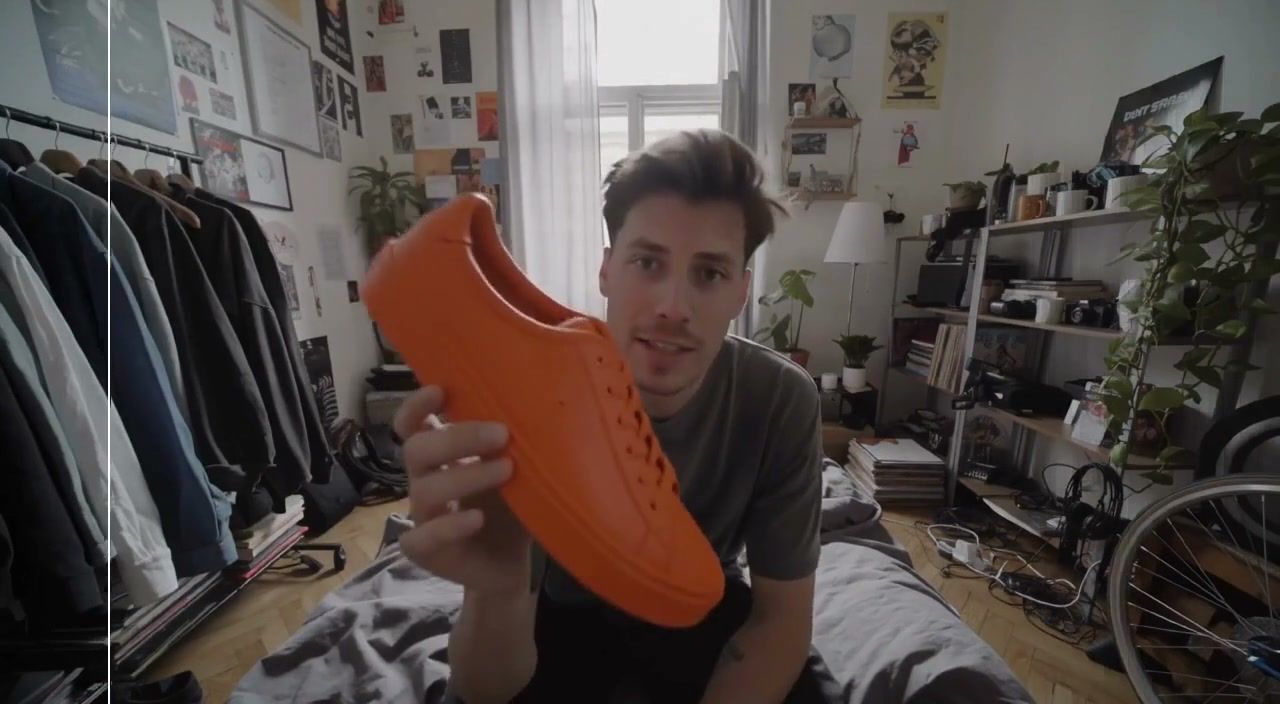
Modo de texto a vídeo
Escribe tu brief de video en torno a una acción visible. Añade el entorno, el tamaño de plano, el movimiento de cámara y la iluminación. Mantén el diálogo y las indicaciones de sonido separados de las instrucciones visuales para que la escena prevista sea fácil de entender.
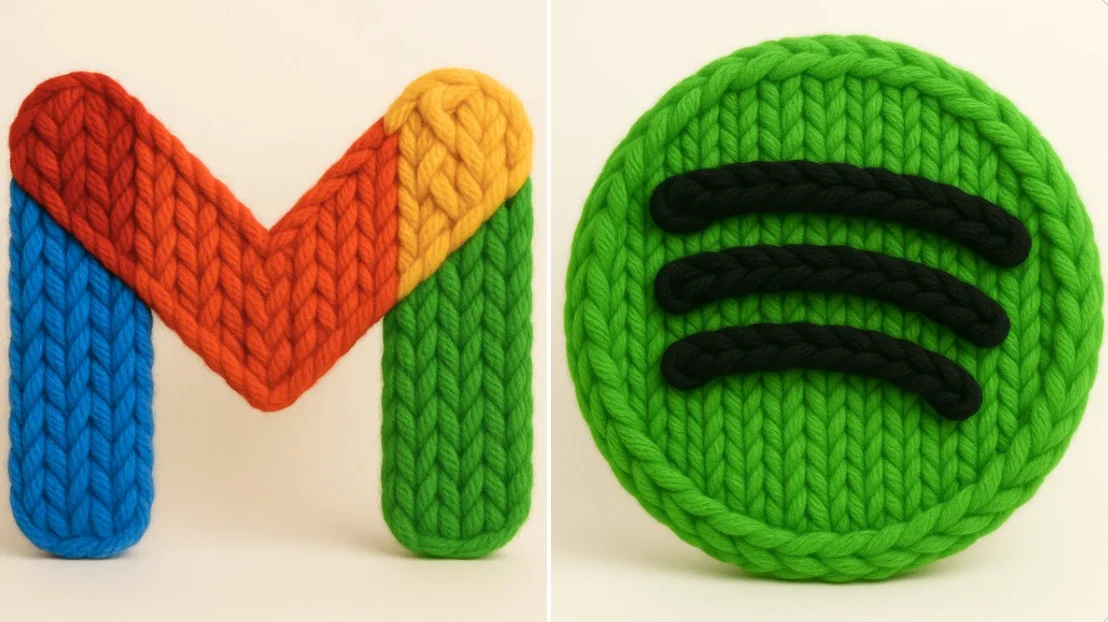
Modo de imagen a vídeo
Para tu brief de video, describe cómo debe moverse el sujeto desde su pose inicial. Si el modelo seleccionado admite una imagen o un fotograma final, úsalo para explicar la composición y la continuidad. No asumas que se acepta cada tipo de referencia.
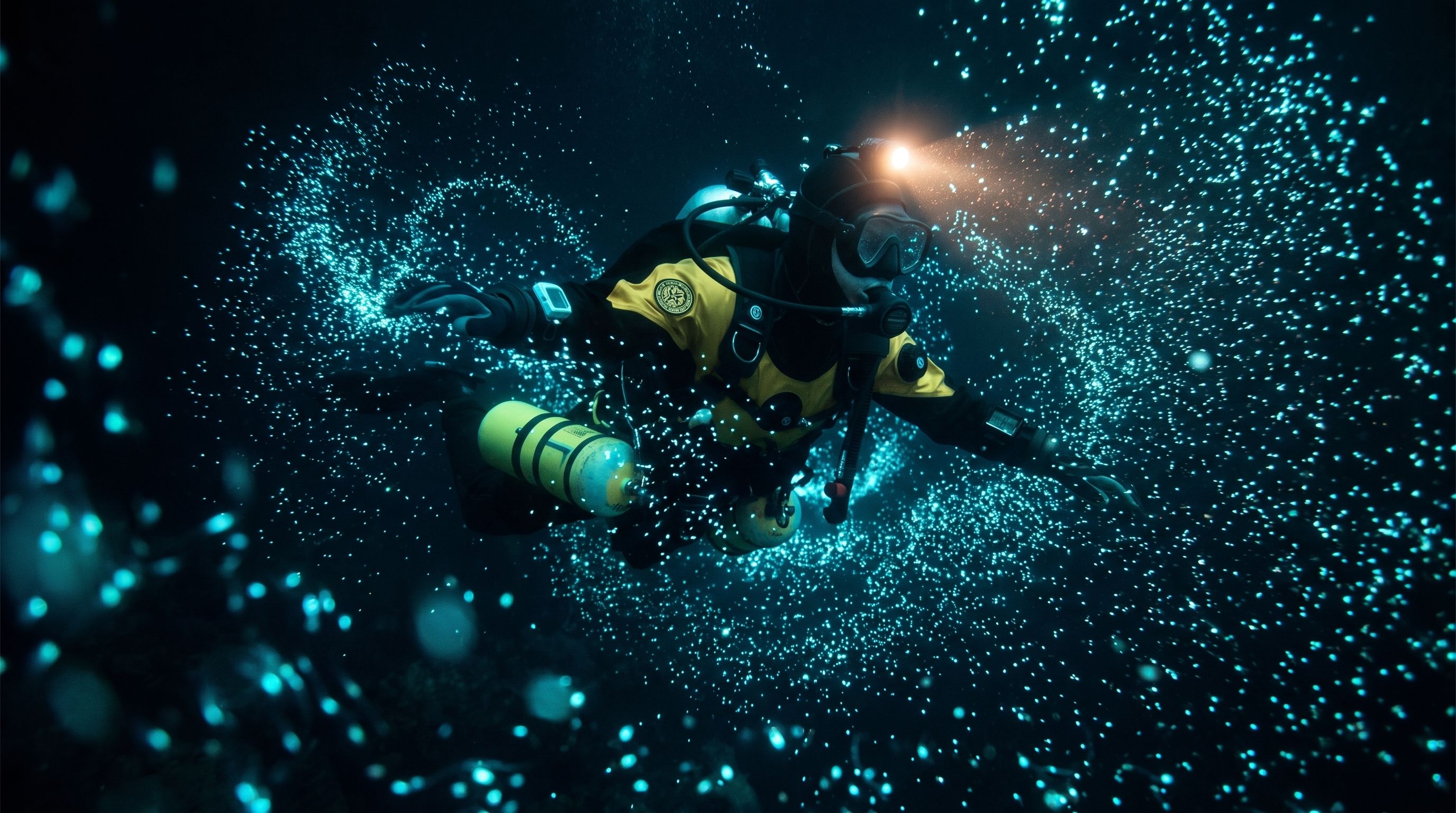
Revisa y descarga los resultados completados
Cuando se complete una solicitud, inspecciona el video en tus recursos y descarga el resultado que quieras conservar. Revisa la composición y cualquier detalle no intencionado antes de compartirlo con tu equipo o publicarlo.
Explora flujos de trabajo de video relacionados
Explora los flujos de trabajo de video disponibles y compáralo con las páginas de video relacionadas. El generador es la fuente de verdad sobre el acceso actual a los modelos y la configuración. Usa la biblioteca de prompts para estudiar los resultados publicados y el modelo que los creó.
Elige un modelo habilitado en la página AI Video. Revisa su configuración compatible y el presupuesto de créditos antes de generar un clip a partir de texto o una imagen.
Para un concepto de video de producto, especifica la forma del producto, el material, el detalle clave y el entorno. Mantén los logotipos y las afirmaciones precisos, deja espacio para tu propia tipografía y revisa el resultado antes de usarlo en un anuncio.
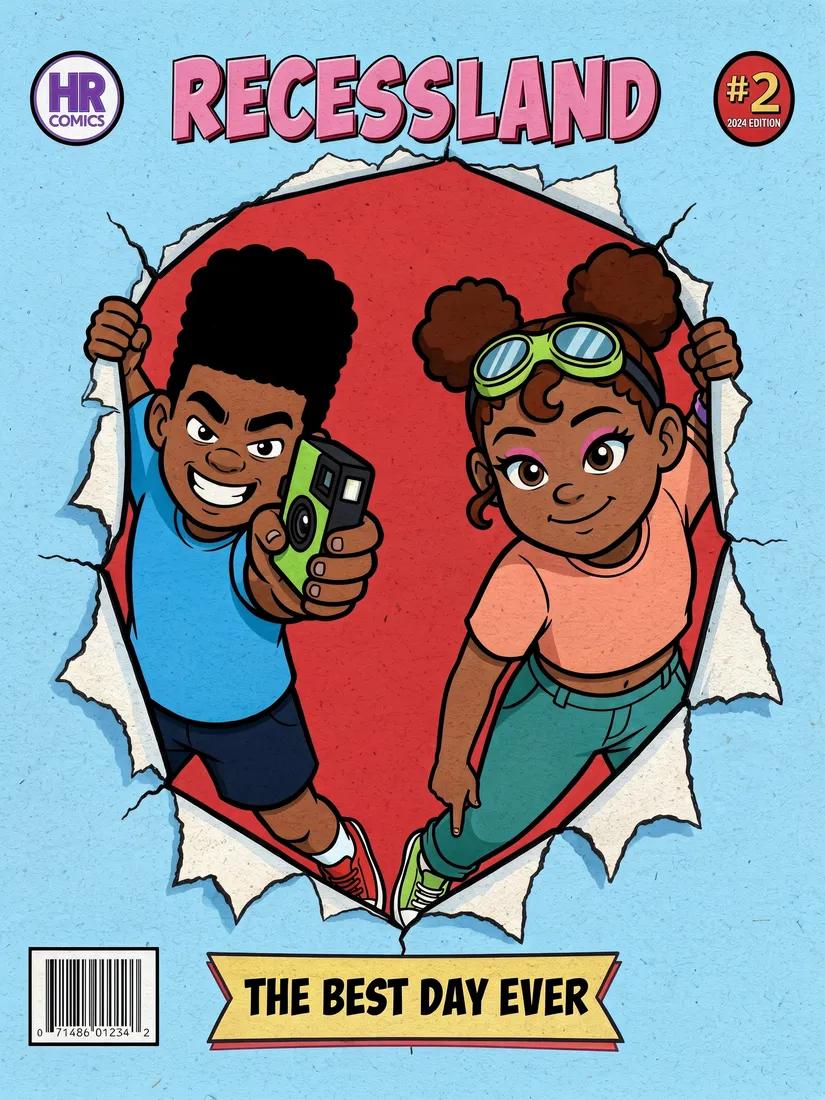
Elige un tamaño de salida compatible
Elige solo la resolución y la relación de aspecto que se muestran para el modelo seleccionado. Revisa el encuadre, los detalles finos y cualquier texto en el video terminado. Un tamaño de salida mayor no garantiza un resultado más preciso.
Escribe tu brief de video en torno a una acción visible. Añade el entorno, el tamaño de plano, el movimiento de cámara y la iluminación. Mantén el diálogo y las indicaciones de sonido separados de las instrucciones visuales para que la escena prevista sea fácil de entender.
Describe el resultado que necesitas, selecciona un modelo Veo disponible y envía tu solicitud desde el generador. Revisa los resultados de video completados en tus recursos, refina el prompt cuando sea necesario y descarga la versión que se ajuste a tu proyecto.
Describe el resultado que necesitas, selecciona un modelo Veo disponible y envía tu solicitud desde el generador. Revisa los resultados de video completados en tus recursos, refina el prompt cuando sea necesario y descarga la versión que se ajuste a tu proyecto.
Elige un modelo habilitado en la página AI Video. Revisa su configuración compatible y el presupuesto de créditos antes de generar un clip a partir de texto o una imagen.
Describe el habla, el sonido ambiente y la música como indicaciones separadas en tu brief de video. La salida de audio depende del modelo seleccionado y de las opciones que se muestran en el generador; revisa el clip final en lugar de asumir que el sonido está incluido.
Escribe tu brief de video en torno a una acción visible. Añade el entorno, el tamaño de plano, el movimiento de cámara y la iluminación. Mantén el diálogo y las indicaciones de sonido separados de las instrucciones visuales para que la escena prevista sea fácil de entender.
Describe el habla, el sonido ambiente y la música como indicaciones separadas en tu brief de video. La salida de audio depende del modelo seleccionado y de las opciones que se muestran en el generador; revisa el clip final en lugar de asumir que el sonido está incluido.
Describe el habla, el sonido ambiente y la música como indicaciones separadas en tu brief de video. La salida de audio depende del modelo seleccionado y de las opciones que se muestran en el generador; revisa el clip final en lugar de asumir que el sonido está incluido.
Usa referencias para explicar el resultado previsto
Para tu brief de video, describe cómo debe moverse el sujeto desde su pose inicial. Si el modelo seleccionado admite una imagen o un fotograma final, úsalo para explicar la composición y la continuidad. No asumas que se acepta cada tipo de referencia.
Para tu brief de video, describe cómo debe moverse el sujeto desde su pose inicial. Si el modelo seleccionado admite una imagen o un fotograma final, úsalo para explicar la composición y la continuidad. No asumas que se acepta cada tipo de referencia.
Escribe tu brief de video en torno a una acción visible. Añade el entorno, el tamaño de plano, el movimiento de cámara y la iluminación. Mantén el diálogo y las indicaciones de sonido separados de las instrucciones visuales para que la escena prevista sea fácil de entender.
Describe el resultado que necesitas, selecciona un modelo Veo disponible y envía tu solicitud desde el generador. Revisa los resultados de video completados en tus recursos, refina el prompt cuando sea necesario y descarga la versión que se ajuste a tu proyecto.
Revisa y descarga los resultados completados
Elige solo la resolución y la relación de aspecto que se muestran para el modelo seleccionado. Revisa el encuadre, los detalles finos y cualquier texto en el video terminado. Un tamaño de salida mayor no garantiza un resultado más preciso.
Para un concepto de video de producto, especifica la forma del producto, el material, el detalle clave y el entorno. Mantén los logotipos y las afirmaciones precisos, deja espacio para tu propia tipografía y revisa el resultado antes de usarlo en un anuncio.
Elige solo la resolución y la relación de aspecto que se muestran para el modelo seleccionado. Revisa el encuadre, los detalles finos y cualquier texto en el video terminado. Un tamaño de salida mayor no garantiza un resultado más preciso.
Dedica tiempo a inspeccionar cada resultado de video y a refinar tu brief. El tiempo de procesamiento varía según el modelo, la solicitud y la carga del servicio. Cambia una indicación a la vez para que puedas juzgar qué edición mejora el resultado.
Un brief creativo más claro para Veo
Para un concepto de video de producto, especifica la forma del producto, el material, el detalle clave y el entorno. Mantén los logotipos y las afirmaciones precisos, deja espacio para tu propia tipografía y revisa el resultado antes de usarlo en un anuncio.

Planifica una acción clara por toma
Enumera los detalles que importan en tu brief de video: identidad, forma, colores, ropa y fondo. Usa las referencias compatibles cuando corresponda y compara cada resultado; no se garantiza una consistencia exacta.
Modos de producción flexibles
Para un concepto de video de producto, especifica la forma del producto, el material, el detalle clave y el entorno. Mantén los logotipos y las afirmaciones precisos, deja espacio para tu propia tipografía y revisa el resultado antes de usarlo en un anuncio.
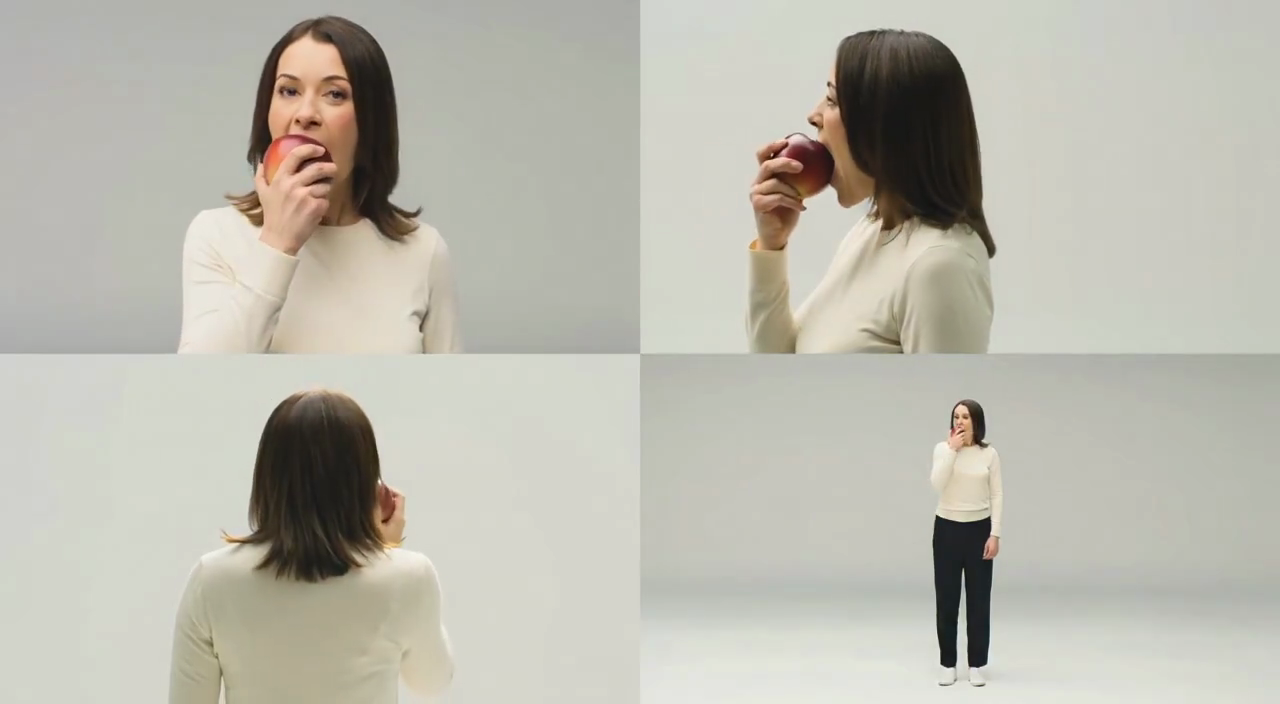
Escribe indicaciones precisas de edición y estilo
Para un concepto de video de producto, especifica la forma del producto, el material, el detalle clave y el entorno. Mantén los logotipos y las afirmaciones precisos, deja espacio para tu propia tipografía y revisa el resultado antes de usarlo en un anuncio.
Explora variaciones con un brief enfocado
Explora los flujos de trabajo de video disponibles y compáralo con las páginas de video relacionadas. El generador es la fuente de verdad sobre el acceso actual a los modelos y la configuración. Usa la biblioteca de prompts para estudiar los resultados publicados y el modelo que los creó.
Elige un modelo habilitado en la página AI Video. Revisa su configuración compatible y el presupuesto de créditos antes de generar un clip a partir de texto o una imagen.
Dale al sujeto principal una acción clara. Para un concepto de video, un brief preciso es más fácil de evaluar que una lista de efectos que compiten entre sí.

Flujo de trabajo de video de Veo: preguntas y respuestas
Para un concepto de video de producto, especifica la forma del producto, el material, el detalle clave y el entorno. Mantén los logotipos y las afirmaciones precisos, deja espacio para tu propia tipografía y revisa el resultado antes de usarlo en un anuncio.
Heydots reúne el flujo de trabajo de video en un solo espacio: escribe tu prompt, elige un modelo disponible, revisa el costo en créditos y genera. Los resultados completados permanecen en tus recursos para revisión y descarga. El generador muestra qué modelos e inputs aceptan solicitudes.
Escribe tu brief de video en torno a una acción visible. Añade el entorno, el tamaño de plano, el movimiento de cámara y la iluminación. Mantén el diálogo y las indicaciones de sonido separados de las instrucciones visuales para que la escena prevista sea fácil de entender.
Describe el resultado que necesitas, selecciona un modelo Veo disponible y envía tu solicitud desde el generador. Revisa los resultados de video completados en tus recursos, refina el prompt cuando sea necesario y descarga la versión que se ajuste a tu proyecto.
Elige solo la resolución y la relación de aspecto que se muestran para el modelo seleccionado. Revisa el encuadre, los detalles finos y cualquier texto en el video terminado. Un tamaño de salida mayor no garantiza un resultado más preciso.
Describe el habla, el sonido ambiente y la música como indicaciones separadas en tu brief de video. La salida de audio depende del modelo seleccionado y de las opciones que se muestran en el generador; revisa el clip final en lugar de asumir que el sonido está incluido.
Enumera los detalles que importan en tu brief de video: identidad, forma, colores, ropa y fondo. Usa las referencias compatibles cuando corresponda y compara cada resultado; no se garantiza una consistencia exacta.
Puedes solicitar un reembolso dentro de los 10 días posteriores a la compra si tienes créditos sin usar de esa compra y proporcionas un motivo claro, sujeto a nuestra Política de Reembolsos. Si cumples los requisitos, una compra sin usar puede reembolsarse íntegramente; una compra parcialmente usada se reembolsa en proporción a sus créditos restantes sin usar. Las compras totalmente usadas y los créditos gratuitos o promocionales no son reembolsables.
La validez de los créditos depende del paquete, la suscripción o la promoción que los emitió. Revisa los términos de compra y las fechas de caducidad en Configuración > Créditos. Una renovación o una nueva compra no amplía los créditos anteriores. Usa los créditos antes de su fecha de caducidad indicada; no asumas que los créditos de suscripción sin usar se acumulan indefinidamente.
Los créditos cobrados por una tarea que se confirma como fallida debido a un error del sistema se devuelven automáticamente. Una tarea que aún se está procesando todavía no se ha confirmado como fallida. Comprueba su estado y tu historial de créditos antes de volver a enviarla. Si una falla confirmada sigue mostrando un cobro sin resolver, escribe a support@heydots.app con el ID de la tarea.
Los resultados de IA pueden variar, por lo que un resultado completado que difiere de tus expectativas no se trata automáticamente como un fallo técnico. Las tareas de imagen completadas que cumplan los requisitos se pueden enviar para revisión de reembolso de créditos mediante la opción de reembolso cuando esté disponible; se requiere aprobación. Para un vídeo u otro problema, contacta con support@heydots.app con el ID de la tarea y los detalles. Un reembolso de créditos devuelve créditos, no dinero a tu método de pago.
Escribe a support@heydots.app. Para facturación, incluye el correo de tu cuenta y el ID de pedido; para generación, incluye el ID de la tarea, la descripción del problema y las capturas de pantalla relevantes. Si compraste como invitado, conserva los datos del navegador original y el recibo de pago para que podamos ayudarte a localizar la compra.
Explora tu próxima idea de video de Veo
Elige solo la resolución y la relación de aspecto que se muestran para el modelo seleccionado. Revisa el encuadre, los detalles finos y cualquier texto en el video terminado. Un tamaño de salida mayor no garantiza un resultado más preciso.
heydots.app · Actualizado
Ver el historial de actualizaciones
- — Se añadieron ejemplos de prompts editables, borradores separados para los modos de texto y referencia y una opción para restaurar el ejemplo.
- — Textos y contenido de la página actualizados.
- — Contenido de la página publicado.