
Crea video cinematografici Modelli video supportati
Scegli un modello video da testo o da immagine supportato
Veo non è disponibile su heydots. Usa un modello Kling o Seedance abilitato nella pagina AI Video per la generazione da testo a video o da immagine a video. Questi esempi sono ispirazioni creative generali, non dimostrazioni di Veo.
Prompt verificato
A crystal-clear swimming pool made entirely of translucent amber orange jello on a clean white gradient background. A powerful tiger made from the same amber jello sprints across the jello surface before launching into a dramatic leap over the pool. Every movement creates satisfying wobbles, stretchy splashes, and glossy ripples. The camera follows the tiger in a smooth cinematic tracking shot with soft studio lighting, realistic jello physics, premium food photography style, mesmerizing ASMR visuals, and a seamless 10-second sequence.
A crystal-clear swimming pool made entirely of translucent amber orange jello on a clean white gradient background. A powerful tiger made from the same amber jello sprints across the jello surface before launching into a dramatic leap over the pool. Every movement creates satisfying wobbles, stretchy splashes, and glossy ripples. The camera follows the tiger in a smooth cinematic tracking shot with soft studio lighting, realistic jello physics, premium food photography style, mesmerizing ASMR visuals, and a seamless 10-second sequence.
Prompt verificato
A cinematic, high-action fantasy video sequence. An enormous, menacing dragon made of cracked volcanic rock and glowing orange magma attacks a floating, ancient Greek ruin high above the clouds. A young woman with long brown hair, wearing a simple white dress, is thrown to the ground as stone pillars collapse around her. She has blood on her lip but a defiant expression. She raises a golden, ornate hand mirror toward the sky, and a bright, blinding beam of golden sunlight shoots down from the heavens, engulfing her. The camera cuts to a macro close-up portrait of her transformation: her eyes glow with an intense, striking golden-orange color and reptilian-like irises, showing a small beauty mark on her left cheek and perfect skin texture under an intricate, sharp golden tiara with a prominent turquoise gemstone. The scene cuts back to a wide shot as she hovers high in the air above the ruins, now wearing a premium green and gold royal warrior uniform, ready to fight the lava dragon coiling around the floating platform. Dark smoky atmospheric background, epic scale, dramatic studio lighting, cinematic color grading, hyper-realistic production details, high-end CGI, 8K ultra-realism.
A cinematic, high-action fantasy video sequence. An enormous, menacing dragon made of cracked volcanic rock and glowing orange magma attacks a floating, ancient Greek ruin high above the clouds. A young woman with long brown hair, wearing a simple white dress, is thrown to the ground as stone pillars collapse around her. She has blood on her lip but a defiant expression. She raises a golden, ornate hand mirror toward the sky, and a bright, blinding beam of golden sunlight shoots down from the heavens, engulfing her. The camera cuts to a macro close-up portrait of her transformation: her eyes glow with an intense, striking golden-orange color and reptilian-like irises, showing a small beauty mark on her left cheek and perfect skin texture under an intricate, sharp golden tiara with a prominent turquoise gemstone. The scene cuts back to a wide shot as she hovers high in the air above the ruins, now wearing a premium green and gold royal warrior uniform, ready to fight the lava dragon coiling around the floating platform. Dark smoky atmospheric background, epic scale, dramatic studio lighting, cinematic color grading, hyper-realistic production details, high-end CGI, 8K ultra-realism.
Prompt verificato
A colossal dark horned monster towers over a collapsed city at dusk, lightning splitting the sky behind its skull as buildings crumble and ash rains down, a lone female warrior stands in the foreground in cracked blood-stained battle armor with glowing blue energy crackling around her fists — she explodes into a hyper-speed sprint toward the monster as the camera tracks alongside her at ground level with motion blur, she leaps and strikes its jaw in a rapid close-combat sequence with whip-cut camera angles showing every punch, dodge and energy burst in slow-motion detail, she launches 50 feet into the air in an overhead drone shot hanging weightless at peak height before diving down and slamming the monster with a 360-degree shockwave explosion that shatters concrete and flips cars, the monster staggers and roars one final time as she stands completely still staring it down with eyes glowing gold, she drives her energy blade straight through its chest in ultra slow-motion as glowing cracks spread across its entire body like shattered glass filled with light, it explodes in a massive pillar of golden white energy captured in a wide pulling overhead shot showing the full scale destruction, final frame — she stands alone in the smoking crater back to camera wind blowing embers falling like snow — SMASH CUT TO BLACK — cinematic 4K anamorphic widescreen 2.39:1, teal-orange Hollywood color grade, volumetric fog, heavy lens flares, explosive particle VFX, ultra slow-motion impact frames, dark fantasy action blockbuster visual style.
A colossal dark horned monster towers over a collapsed city at dusk, lightning splitting the sky behind its skull as buildings crumble and ash rains down, a lone female warrior stands in the foreground in cracked blood-stained battle armor with glowing blue energy crackling around her fists — she explodes into a hyper-speed sprint toward the monster as the camera tracks alongside her at ground level with motion blur, she leaps and strikes its jaw in a rapid close-combat sequence with whip-cut camera angles showing every punch, dodge and energy burst in slow-motion detail, she launches 50 feet into the air in an overhead drone shot hanging weightless at peak height before diving down and slamming the monster with a 360-degree shockwave explosion that shatters concrete and flips cars, the monster staggers and roars one final time as she stands completely still staring it down with eyes glowing gold, she drives her energy blade straight through its chest in ultra slow-motion as glowing cracks spread across its entire body like shattered glass filled with light, it explodes in a massive pillar of golden white energy captured in a wide pulling overhead shot showing the full scale destruction, final frame — she stands alone in the smoking crater back to camera wind blowing embers falling like snow — SMASH CUT TO BLACK — cinematic 4K anamorphic widescreen 2.39:1, teal-orange Hollywood color grade, volumetric fog, heavy lens flares, explosive particle VFX, ultra slow-motion impact frames, dark fantasy action blockbuster visual style.
Prompt verificato
SUBJECT : Young Japanese woman, early 20s, natural refined everyday look. Oversized cream cardigan over a white tee, wide-leg light denim, plain leather loafers, hair in a low loose ponytail with a few soft strands framing her face. Minimal makeup, realistic skin, calm and warm reflective presence. Keep her identity, clothing, and hair consistent all the way through. SETTING: A quiet Japanese shitamachi neighborhood, soft overcast late afternoon. Narrow lanes between low houses, potted plants along the doorsteps, a small canal with a low footbridge, power lines overhead, a parked mamachari, a quiet corner shrine, a red mailbox on the corner. Lived-in and peaceful — no stores, no crowds, no tourists. LOOK: Cinematic slice-of-life vlog. Composed, intentional framing, quiet and observational. Soft muted natural tones, cool and gentle, realistic skin. Shallow depth of field, fine film grain, soft natural light. Smooth cinematic camera movement throughout — calm, unhurried, letting each moment breathe. SEQUENCE: [0–3s] She rides a mamachari slowly down the quiet lane, cardigan and loose strands drifting in the breeze. The camera travels beside her, power lines sliding past overhead. sound: soft bicycle wheels / distant cicadas / gentle wind / faint neighborhood ambience [3–5s] She stops at the low footbridge over the canal, rests her arms on the railing, and gazes down at the still water. The camera moves gently toward her and past her shoulder to the water. sound: quiet water / cicadas / a faraway train / soft wind [5–8s] She sits on the shrine steps, opens a small notebook, and writes something slowly, pausing to think. The camera moves evenly around her, focus soft on her hands then her face. sound: pen on paper / cicadas softening / wind through leaves / distant wind chime [8–11s] She crouches by a doorway and gently lifts a red furin wind chime, watching it turn. The camera rises slowly from the chime up to her face. sound: single clear furin chime / soft breeze / cicadas / faint chatter [11–13s] She walks along the lane holding a cold canned tea, the red mailbox passing softly behind her. The camera moves ahead of her at an even pace, keeping her centered. sound: unhurried footsteps / cicadas / distant bicycle bell / wind [13–15s] She reaches a quiet stone stairway, climbs the first steps, and glances back over her shoulder with a small calm smile before continuing up into the softening light. sound: footsteps on stone / cicadas / soft wind / slow fade AUDIO: Natural ambient only — summer cicadas, quiet canal water, a distant train, wind through the power lines, a single furin chime, unhurried footsteps, faint neighborhood ambience. FEEL: A serene, composed afternoon in a quiet Japanese neighborhood — smooth, warm in feeling but cool in tone, an unhurried and beautiful slice of everyday life.
SUBJECT : Young Japanese woman, early 20s, natural refined everyday look. Oversized cream cardigan over a white tee, wide-leg light denim, plain leather loafers, hair in a low loose ponytail with a few soft strands framing her face. Minimal makeup, realistic skin, calm and warm reflective presence. Keep her identity, clothing, and hair consistent all the way through. SETTING: A quiet Japanese shitamachi neighborhood, soft overcast late afternoon. Narrow lanes between low houses, potted plants along the doorsteps, a small canal with a low footbridge, power lines overhead, a parked mamachari, a quiet corner shrine, a red mailbox on the corner. Lived-in and peaceful — no stores, no crowds, no tourists. LOOK: Cinematic slice-of-life vlog. Composed, intentional framing, quiet and observational. Soft muted natural tones, cool and gentle, realistic skin. Shallow depth of field, fine film grain, soft natural light. Smooth cinematic camera movement throughout — calm, unhurried, letting each moment breathe. SEQUENCE: [0–3s] She rides a mamachari slowly down the quiet lane, cardigan and loose strands drifting in the breeze. The camera travels beside her, power lines sliding past overhead. sound: soft bicycle wheels / distant cicadas / gentle wind / faint neighborhood ambience [3–5s] She stops at the low footbridge over the canal, rests her arms on the railing, and gazes down at the still water. The camera moves gently toward her and past her shoulder to the water. sound: quiet water / cicadas / a faraway train / soft wind [5–8s] She sits on the shrine steps, opens a small notebook, and writes something slowly, pausing to think. The camera moves evenly around her, focus soft on her hands then her face. sound: pen on paper / cicadas softening / wind through leaves / distant wind chime [8–11s] She crouches by a doorway and gently lifts a red furin wind chime, watching it turn. The camera rises slowly from the chime up to her face. sound: single clear furin chime / soft breeze / cicadas / faint chatter [11–13s] She walks along the lane holding a cold canned tea, the red mailbox passing softly behind her. The camera moves ahead of her at an even pace, keeping her centered. sound: unhurried footsteps / cicadas / distant bicycle bell / wind [13–15s] She reaches a quiet stone stairway, climbs the first steps, and glances back over her shoulder with a small calm smile before continuing up into the softening light. sound: footsteps on stone / cicadas / soft wind / slow fade AUDIO: Natural ambient only — summer cicadas, quiet canal water, a distant train, wind through the power lines, a single furin chime, unhurried footsteps, faint neighborhood ambience. FEEL: A serene, composed afternoon in a quiet Japanese neighborhood — smooth, warm in feeling but cool in tone, an unhurried and beautiful slice of everyday life.
Prompt verificato
Main Subject: Young Korean woman, early 20s, light windbreaker, ponytail, small backpack, energetic and talkative personality. Location : Riverside cycling path in Seoul during a breezy afternoon. River view, distant bridge, benches, tall grass swaying, cyclists' path markings. No crowds, no branding. Visual Style : Bright realistic outdoor documentary tone, breezy and lively, natural daylight. Camera Style : Early 2010s digital camcorder, handheld with light shake, autofocus adjusting to movement, natural color, occasional lens flare from sun on water. No stabilization. Timeline (15 sec, each slot = 2 compressed beats): 00:00–00:03 → She rides up and stops her bike, then turns to the camera saying "여기 경치 진짜 좋다" ("The view here is really nice"). 00:03–00:06 → She parks the bike, then walks toward the railing to look at the river. 00:06–00:09 → She points at the bridge, then says "저기까지 같이 갈래?" ("Want to go over there together?"). 00:09–00:12 → She laughs, brushing wind-blown hair back, then leans on the railing. 00:12–00:15 → She waves at the camera saying "빨리 와!" ("Hurry up and come!"), then hops back on her bike as it fades. Audio : River flowing, wind, distant bicycle bells, birds chirping. Her dialogue as noted above. No music. Goal : A lively riverside afternoon energetic, friendly, authentic.
Main Subject: Young Korean woman, early 20s, light windbreaker, ponytail, small backpack, energetic and talkative personality. Location : Riverside cycling path in Seoul during a breezy afternoon. River view, distant bridge, benches, tall grass swaying, cyclists' path markings. No crowds, no branding. Visual Style : Bright realistic outdoor documentary tone, breezy and lively, natural daylight. Camera Style : Early 2010s digital camcorder, handheld with light shake, autofocus adjusting to movement, natural color, occasional lens flare from sun on water. No stabilization. Timeline (15 sec, each slot = 2 compressed beats): 00:00–00:03 → She rides up and stops her bike, then turns to the camera saying "여기 경치 진짜 좋다" ("The view here is really nice"). 00:03–00:06 → She parks the bike, then walks toward the railing to look at the river. 00:06–00:09 → She points at the bridge, then says "저기까지 같이 갈래?" ("Want to go over there together?"). 00:09–00:12 → She laughs, brushing wind-blown hair back, then leans on the railing. 00:12–00:15 → She waves at the camera saying "빨리 와!" ("Hurry up and come!"), then hops back on her bike as it fades. Audio : River flowing, wind, distant bicycle bells, birds chirping. Her dialogue as noted above. No music. Goal : A lively riverside afternoon energetic, friendly, authentic.
Prompt verificato
CAMERA / LOOK: Handheld mini DV camcorder footage filmed by the subject herself. Slight hand shake, occasional focus hunting, imperfect framing, natural zoom adjustments, soft tape-like image quality, subtle grain, realistic auto-exposure shifts from dorm fluorescent-mixed daylight. Natural skin tones, mild motion blur, authentic consumer camcorder aesthetic. STYLE: Cozy dorm-setup vlog with gentle ASMR elements. Relaxed pacing, minimal dialogue, candid moments. Focus on satisfying sounds: cardboard box unpacking, tape peeling, string lights unraveling, bedsheet snapping, drawer sliding. SUBJECT: Young woman in her late teens/early 20s, oversized university hoodie, ponytail, minimal jewelry, casual American college style. Excited, hopeful energy on move-in day. SETTING: Small US college dorm room on a late-summer move-in day. Bare walls, cardboard boxes stacked, twin bed frame, small desk, window with campus view. STORYBOARD: → (2s, propped medium shot) Places camera on the desk, looks around the empty room. "First day in my dorm room." → (2s, overhead shot) Opens a cardboard box, pulls out folded bedsheets. → (2s, close-up) Snaps a fitted sheet onto the twin mattress. → (2s, handheld shot) Hangs string lights along the wall. "This is gonna make it feel more like home." → (2s, detail shot) Unpacks books and organizes them on a small shelf. No dialogue. → (2s, medium shot) Tapes a small poster to the wall. "Okay, adding some personality now." → (2s, macro shot) Arranges pens and supplies in a desk organizer. → (2s, propped shot) Plugs in a small desk lamp, turns it on. → (2s, warm ending shot) Sits on the bed, looks around the finished room, happy smile. "Feels like mine now." → (1.5s, final shot) Reaches toward camera. "See you at class." Hand covers lens as recording ends. AUDIO NOTES: Natural ambience cardboard unpacking, tape peeling, string lights unraveling should be clearly audible. Dialogue quiet and casual. REALISM NOTES: Authentic body language, natural blinking, genuine excited smiles, occasional pauses while deciding placement, imperfect framing, focus breathing, mixed dorm lighting shifts. Should resemble a genuine personal move-in vlog on a consumer camcorder, not a commercial production.
CAMERA / LOOK: Handheld mini DV camcorder footage filmed by the subject herself. Slight hand shake, occasional focus hunting, imperfect framing, natural zoom adjustments, soft tape-like image quality, subtle grain, realistic auto-exposure shifts from dorm fluorescent-mixed daylight. Natural skin tones, mild motion blur, authentic consumer camcorder aesthetic. STYLE: Cozy dorm-setup vlog with gentle ASMR elements. Relaxed pacing, minimal dialogue, candid moments. Focus on satisfying sounds: cardboard box unpacking, tape peeling, string lights unraveling, bedsheet snapping, drawer sliding. SUBJECT: Young woman in her late teens/early 20s, oversized university hoodie, ponytail, minimal jewelry, casual American college style. Excited, hopeful energy on move-in day. SETTING: Small US college dorm room on a late-summer move-in day. Bare walls, cardboard boxes stacked, twin bed frame, small desk, window with campus view. STORYBOARD: → (2s, propped medium shot) Places camera on the desk, looks around the empty room. "First day in my dorm room." → (2s, overhead shot) Opens a cardboard box, pulls out folded bedsheets. → (2s, close-up) Snaps a fitted sheet onto the twin mattress. → (2s, handheld shot) Hangs string lights along the wall. "This is gonna make it feel more like home." → (2s, detail shot) Unpacks books and organizes them on a small shelf. No dialogue. → (2s, medium shot) Tapes a small poster to the wall. "Okay, adding some personality now." → (2s, macro shot) Arranges pens and supplies in a desk organizer. → (2s, propped shot) Plugs in a small desk lamp, turns it on. → (2s, warm ending shot) Sits on the bed, looks around the finished room, happy smile. "Feels like mine now." → (1.5s, final shot) Reaches toward camera. "See you at class." Hand covers lens as recording ends. AUDIO NOTES: Natural ambience cardboard unpacking, tape peeling, string lights unraveling should be clearly audible. Dialogue quiet and casual. REALISM NOTES: Authentic body language, natural blinking, genuine excited smiles, occasional pauses while deciding placement, imperfect framing, focus breathing, mixed dorm lighting shifts. Should resemble a genuine personal move-in vlog on a consumer camcorder, not a commercial production.
Prompt verificato
A clay pirate captain duck with a tiny hat, wooden sword, eye patch and dramatic pose Sails across a bathtub ocean, battling giant soap waves and riding a sponge ship toward a rubber duck treasure island Bathroom fantasy world with bubbles, towels as cliffs and warm light reflecting on water 3D clay , Pixar-style playful adventure, soft clay textures, rounded props, dynamic camera glide over water, bright cheerful atmosphere, ending with the duck discovering a golden bath plug treasure.
A clay pirate captain duck with a tiny hat, wooden sword, eye patch and dramatic pose Sails across a bathtub ocean, battling giant soap waves and riding a sponge ship toward a rubber duck treasure island Bathroom fantasy world with bubbles, towels as cliffs and warm light reflecting on water 3D clay , Pixar-style playful adventure, soft clay textures, rounded props, dynamic camera glide over water, bright cheerful atmosphere, ending with the duck discovering a golden bath plug treasure.
Prompt verificato
Style: Ultra-realistic cinematic fashion reel, luxury editorial, premium Instagram creator aesthetic, smooth camera movement, natural lighting, 4K, highly detailed fabrics, realistic clothing physics. Scene Overview A stylish male model showcases five iconic fashion eras from the 1920s to the 1960s. The video takes place in the same modern studio with soft daylight and a clean architectural background. The same model appears throughout the video while only the clothing changes between decades. Every outfit change happens naturally during camera movement, creating a smooth and satisfying visual flow. The only on-screen text is the decade name. Music is a modern electronic fashion track that builds continuously without vocals. Character Use the reference image as the model. Young adult male. Confident but relaxed. Friendly expression. Natural walking pace. The same model appears in every scene. Environment Minimalist fashion studio. Large windows. Warm daylight. Neutral beige walls. Polished concrete floor. Luxury editorial atmosphere. Keep the background consistent throughout the video. 0:00–0:03 — 1920s The video opens with the model standing confidently in the center of the studio. The camera slowly moves closer. He adjusts his cufflinks before looking toward the camera. Outfit Charcoal pinstripe three-piece suit White dress shirt Dark tie Waistcoat Pocket watch chain Oxford shoes Grey newsboy cap On-screen text: 1920s As the camera quickly pans to the right, the clothing smoothly changes into the next decade. 0:03–0:06 — 1930s The camera finishes the movement. The model now wears a cream double-breasted suit with wide lapels, pleated trousers, spectator shoes, and a fedora. He places one hand in his pocket and takes a confident step forward. On-screen text: 1930s The camera gently circles around him, and during the movement the outfit changes into the next style. 0:06–0:09 — 1940s The camera completes the circle. The model now wears an olive green utility jacket with tailored trousers, brown leather boots, and a classic wristwatch. He buttons the jacket while walking slowly toward the camera. On-screen text: 1940s A warm light sweep crosses the frame, leading naturally into the next outfit. 0:09–0:12 — 1950s The model now wears a fitted white T-shirt, dark blue cuffed jeans, a brown leather belt, leather boots, and classic sunglasses. He casually adjusts the sunglasses before taking two relaxed steps forward. On-screen text: 1950s The camera briefly moves closer, then pulls back, allowing the clothing to change smoothly. 0:12–0:15 — 1960s The model now wears a black turtleneck, camel overcoat, slim trousers, Chelsea boots, and a simple wristwatch. He walks confidently toward the camera with both hands in his coat pockets. On-screen text: 1960s During the final second, the camera begins a slow clockwise circle around him. His coat moves naturally as he lightly adjusts the collar. The music continues to build instead of ending. 0:15–0:18 — 1970s The video begins exactly where Part 1 ended. The camera continues its slow clockwise movement around the model before settling into a smooth front-facing angle. The music hits the next beat naturally. Outfit Brown suede jacket Patterned open-collar shirt Flared trousers Brown leather belt Platform shoes Gold wristwatch Aviator sunglasses The model adjusts his sunglasses before removing them with a confident smile. On-screen text: 1970s As the camera moves slightly closer, the outfit changes naturally into the next decade. 0:18–0:21 — 1980s The camera continues tracking forward. The model now wears a charcoal oversized business suit with a patterned tie, pleated trousers, polished loafers, and a classic dress watch. He straightens his tie while walking confidently toward the camera. On-screen text: 1980s The camera briefly passes beside him, creating a smooth transition into the next outfit. 0:21–0:24 — 1990s The camera emerges on the opposite side. The model now wears an oversized light-wash denim jacket over a graphic T-shirt, relaxed jeans, chunky white sneakers, and a simple silver chain. He smiles naturally while walking across the frame with both hands in his jacket pockets. On-screen text: 1990s The camera follows his movement before quickly swinging to reveal the next decade. 0:24–0:27 — 2000s The camera settles into a smooth tracking shot. The model now wears a black leather jacket over a fitted white T-shirt, slim dark jeans, white high-top sneakers, and aviator sunglasses. He casually removes the jacket from one shoulder while continuing to walk. The movement of the jacket naturally fills part of the frame as the clothing changes into the final look. On-screen text: 2000s 0:27–0:30 — 2020s The jacket clears the frame. The camera slowly pushes toward the model. He now wears a modern quiet luxury outfit. Outfit Beige overshirt Premium white T-shirt Relaxed tailored trousers White minimalist sneakers Luxury stainless steel watch Simple silver ring The model walks toward the camera before stopping naturally. He smiles confidently while looking directly into the lens. On-screen text: 2020s The decade text gently fades into: 100 YEARS OF MEN'S FASHION Then below it: 1920 → 2020 The music reaches its final peak before fading smoothly. The camera holds on the model for a brief moment before fading to black. Camera Style Smooth cinematic movement Gentle dolly shots Slow orbit around the model Occasional push-in Natural handheld feel Soft depth of field Luxury fashion commercial look Visual Style Premium editorial photography Warm natural colors Soft contrast Highly detailed fabrics Clean tailoring Realistic lighting Crisp facial details Natural movement Elegant pacing
Style: Ultra-realistic cinematic fashion reel, luxury editorial, premium Instagram creator aesthetic, smooth camera movement, natural lighting, 4K, highly detailed fabrics, realistic clothing physics. Scene Overview A stylish male model showcases five iconic fashion eras from the 1920s to the 1960s. The video takes place in the same modern studio with soft daylight and a clean architectural background. The same model appears throughout the video while only the clothing changes between decades. Every outfit change happens naturally during camera movement, creating a smooth and satisfying visual flow. The only on-screen text is the decade name. Music is a modern electronic fashion track that builds continuously without vocals. Character Use the reference image as the model. Young adult male. Confident but relaxed. Friendly expression. Natural walking pace. The same model appears in every scene. Environment Minimalist fashion studio. Large windows. Warm daylight. Neutral beige walls. Polished concrete floor. Luxury editorial atmosphere. Keep the background consistent throughout the video. 0:00–0:03 — 1920s The video opens with the model standing confidently in the center of the studio. The camera slowly moves closer. He adjusts his cufflinks before looking toward the camera. Outfit Charcoal pinstripe three-piece suit White dress shirt Dark tie Waistcoat Pocket watch chain Oxford shoes Grey newsboy cap On-screen text: 1920s As the camera quickly pans to the right, the clothing smoothly changes into the next decade. 0:03–0:06 — 1930s The camera finishes the movement. The model now wears a cream double-breasted suit with wide lapels, pleated trousers, spectator shoes, and a fedora. He places one hand in his pocket and takes a confident step forward. On-screen text: 1930s The camera gently circles around him, and during the movement the outfit changes into the next style. 0:06–0:09 — 1940s The camera completes the circle. The model now wears an olive green utility jacket with tailored trousers, brown leather boots, and a classic wristwatch. He buttons the jacket while walking slowly toward the camera. On-screen text: 1940s A warm light sweep crosses the frame, leading naturally into the next outfit. 0:09–0:12 — 1950s The model now wears a fitted white T-shirt, dark blue cuffed jeans, a brown leather belt, leather boots, and classic sunglasses. He casually adjusts the sunglasses before taking two relaxed steps forward. On-screen text: 1950s The camera briefly moves closer, then pulls back, allowing the clothing to change smoothly. 0:12–0:15 — 1960s The model now wears a black turtleneck, camel overcoat, slim trousers, Chelsea boots, and a simple wristwatch. He walks confidently toward the camera with both hands in his coat pockets. On-screen text: 1960s During the final second, the camera begins a slow clockwise circle around him. His coat moves naturally as he lightly adjusts the collar. The music continues to build instead of ending. 0:15–0:18 — 1970s The video begins exactly where Part 1 ended. The camera continues its slow clockwise movement around the model before settling into a smooth front-facing angle. The music hits the next beat naturally. Outfit Brown suede jacket Patterned open-collar shirt Flared trousers Brown leather belt Platform shoes Gold wristwatch Aviator sunglasses The model adjusts his sunglasses before removing them with a confident smile. On-screen text: 1970s As the camera moves slightly closer, the outfit changes naturally into the next decade. 0:18–0:21 — 1980s The camera continues tracking forward. The model now wears a charcoal oversized business suit with a patterned tie, pleated trousers, polished loafers, and a classic dress watch. He straightens his tie while walking confidently toward the camera. On-screen text: 1980s The camera briefly passes beside him, creating a smooth transition into the next outfit. 0:21–0:24 — 1990s The camera emerges on the opposite side. The model now wears an oversized light-wash denim jacket over a graphic T-shirt, relaxed jeans, chunky white sneakers, and a simple silver chain. He smiles naturally while walking across the frame with both hands in his jacket pockets. On-screen text: 1990s The camera follows his movement before quickly swinging to reveal the next decade. 0:24–0:27 — 2000s The camera settles into a smooth tracking shot. The model now wears a black leather jacket over a fitted white T-shirt, slim dark jeans, white high-top sneakers, and aviator sunglasses. He casually removes the jacket from one shoulder while continuing to walk. The movement of the jacket naturally fills part of the frame as the clothing changes into the final look. On-screen text: 2000s 0:27–0:30 — 2020s The jacket clears the frame. The camera slowly pushes toward the model. He now wears a modern quiet luxury outfit. Outfit Beige overshirt Premium white T-shirt Relaxed tailored trousers White minimalist sneakers Luxury stainless steel watch Simple silver ring The model walks toward the camera before stopping naturally. He smiles confidently while looking directly into the lens. On-screen text: 2020s The decade text gently fades into: 100 YEARS OF MEN'S FASHION Then below it: 1920 → 2020 The music reaches its final peak before fading smoothly. The camera holds on the model for a brief moment before fading to black. Camera Style Smooth cinematic movement Gentle dolly shots Slow orbit around the model Occasional push-in Natural handheld feel Soft depth of field Luxury fashion commercial look Visual Style Premium editorial photography Warm natural colors Soft contrast Highly detailed fabrics Clean tailoring Realistic lighting Crisp facial details Natural movement Elegant pacing
Prompt verificato
Dark realistic tokusatsu transformation on an apocalyptic battlefield. A gloomy heroine in the reference image with a torn wasteland dress stands under a gray-blue sky filled with smoke and flying demons. A matte metal ring with a golden crystal on her finger. Single continuous shot, handheld, cinematic IMAX style. She slowly raises her hand-eyes suddenly glow white-gold, cracking with light. She shouts: "Henshin!" The crystal shatters-blue energy erupts. Shockwaves distort the air. Her body tears apart-red smoke, blue lightning, golden particles spreading across her flesh. Clothes burn away. Biological armor grows like iridescent scales. Metal plates collide with sparks. A golden mask forms unevenly-compound eyes flicker to life. Final form: flame-gold Thunder Dragon armor, glowing cracks, horned helmet, unstable energy pulsing. She lowers into a fighting stance-draws a lightning blade from her hand. Instant burst forward-ground shatters, explosions everywhere.
Dark realistic tokusatsu transformation on an apocalyptic battlefield. A gloomy heroine in the reference image with a torn wasteland dress stands under a gray-blue sky filled with smoke and flying demons. A matte metal ring with a golden crystal on her finger. Single continuous shot, handheld, cinematic IMAX style. She slowly raises her hand-eyes suddenly glow white-gold, cracking with light. She shouts: "Henshin!" The crystal shatters-blue energy erupts. Shockwaves distort the air. Her body tears apart-red smoke, blue lightning, golden particles spreading across her flesh. Clothes burn away. Biological armor grows like iridescent scales. Metal plates collide with sparks. A golden mask forms unevenly-compound eyes flicker to life. Final form: flame-gold Thunder Dragon armor, glowing cracks, horned helmet, unstable energy pulsing. She lowers into a fighting stance-draws a lightning blade from her hand. Instant burst forward-ground shatters, explosions everywhere.
Prompt verificato
A cinematic, hyper-realistic action sequence set in a sprawling, sunlit metropolis. A colossal, giant lion with a mane made of flowing, glowing fire stands on one side of a wide city avenue. On the opposite side stands a massive, heavily armored metallic mech warrior with a glowing orange core reactor in its chest. The camera captures a wide shot as the two behemoths charge at each other, causing the ground to shake. They clash violently, shattering nearby concrete and sending cars flying. The mech throws a heavy punch, but the giant fire-lion retaliates, tackling the mech into a skyscraper. Debris and smoke fill the air. The sequence ends with the giant lion standing victorious, letting out a powerful roar as smoke clears around it. Photorealistic textures, dramatic golden hour lighting, intense motion blur, studio-quality rendering, 8k resolution.
A cinematic, hyper-realistic action sequence set in a sprawling, sunlit metropolis. A colossal, giant lion with a mane made of flowing, glowing fire stands on one side of a wide city avenue. On the opposite side stands a massive, heavily armored metallic mech warrior with a glowing orange core reactor in its chest. The camera captures a wide shot as the two behemoths charge at each other, causing the ground to shake. They clash violently, shattering nearby concrete and sending cars flying. The mech throws a heavy punch, but the giant fire-lion retaliates, tackling the mech into a skyscraper. Debris and smoke fill the air. The sequence ends with the giant lion standing victorious, letting out a powerful roar as smoke clears around it. Photorealistic textures, dramatic golden hour lighting, intense motion blur, studio-quality rendering, 8k resolution.
Prompt verificato
A man walks through a cold winter street before dawn. He enters an old café. A barista makes coffee in silence. He takes one slow sip. Nothing is explained. Something still returns.
A man walks through a cold winter street before dawn. He enters an old café. A barista makes coffee in silence. He takes one slow sip. Nothing is explained. Something still returns.
Prompt verificato
[STYLE + CAMERA + ATMOSPHERE] Ultra-photorealistic cinematic 15-second action sequence from a grounded ancient adventure film. Nighttime inside a massive sandstone temple complex during a sandstorm. Torch-lit pillars, hieroglyph-covered walls, golden artifacts, and blowing sand. Tense realistic atmosphere with hyper-realistic practical destruction. Camera is handheld-dynamic with motivated moves. [IMAGE REFERENCES] No reference images provided. Generate a fully consistent lead character: a fierce female Egyptian thief in her early 30s, focused expression. She wears dark linen wrappings, leather straps, and gold accents. Maintain exact same appearance and clothing throughout the clip. [TIMELINE SECOND BY SECOND] 0-3s: [Dynamic handheld tracking shot from side-rear] The woman sprints between massive temple pillars as a giant stone statue topples from above. The enormous statue crashes down, sending stone fragments, dust, and artifacts flying in all directions. The camera tracks her urgently as the statue impacts. 3-7s: [Slow continuous orbiting camera moving around the frozen destruction] At the moment the statue hits the ground and shatters, everything freezes in perfect realistic physics. The massive statue pieces, flying stones, and swirling sand clouds hang motionless in the air with accurate weight and trajectories. The camera performs a smooth, continuous orbit around the frozen destruction, moving between large suspended stone sections and passing close to flying artifacts while the woman remains visible. 7-15s: [Dynamic tracking shot as time resumes] At the 7-second mark time snaps back to forward motion with a slight realistic temporal residue. Some outer debris shows a very subtle reverse lag before continuing. The woman has used the frozen moment to sprint and slide under a fallen beam. When motion resumes, several large stone pieces miss her. She stays low and keeps running between pillars as debris finally crashes down. The camera tracks with her through the sand and dust. [STYLE & QUALITY BOOSTERS] Photorealistic 8K, hyper-realistic rigid body destruction with correct material properties (sandstone, gold, linen), perfect frozen mid-air physics, seamless transition from freeze to resume, natural sand and dust interaction, heavy cinematic motion blur on fast debris, stable character performance, movie-level practical destruction VFX quality.
[STYLE + CAMERA + ATMOSPHERE] Ultra-photorealistic cinematic 15-second action sequence from a grounded ancient adventure film. Nighttime inside a massive sandstone temple complex during a sandstorm. Torch-lit pillars, hieroglyph-covered walls, golden artifacts, and blowing sand. Tense realistic atmosphere with hyper-realistic practical destruction. Camera is handheld-dynamic with motivated moves. [IMAGE REFERENCES] No reference images provided. Generate a fully consistent lead character: a fierce female Egyptian thief in her early 30s, focused expression. She wears dark linen wrappings, leather straps, and gold accents. Maintain exact same appearance and clothing throughout the clip. [TIMELINE SECOND BY SECOND] 0-3s: [Dynamic handheld tracking shot from side-rear] The woman sprints between massive temple pillars as a giant stone statue topples from above. The enormous statue crashes down, sending stone fragments, dust, and artifacts flying in all directions. The camera tracks her urgently as the statue impacts. 3-7s: [Slow continuous orbiting camera moving around the frozen destruction] At the moment the statue hits the ground and shatters, everything freezes in perfect realistic physics. The massive statue pieces, flying stones, and swirling sand clouds hang motionless in the air with accurate weight and trajectories. The camera performs a smooth, continuous orbit around the frozen destruction, moving between large suspended stone sections and passing close to flying artifacts while the woman remains visible. 7-15s: [Dynamic tracking shot as time resumes] At the 7-second mark time snaps back to forward motion with a slight realistic temporal residue. Some outer debris shows a very subtle reverse lag before continuing. The woman has used the frozen moment to sprint and slide under a fallen beam. When motion resumes, several large stone pieces miss her. She stays low and keeps running between pillars as debris finally crashes down. The camera tracks with her through the sand and dust. [STYLE & QUALITY BOOSTERS] Photorealistic 8K, hyper-realistic rigid body destruction with correct material properties (sandstone, gold, linen), perfect frozen mid-air physics, seamless transition from freeze to resume, natural sand and dust interaction, heavy cinematic motion blur on fast debris, stable character performance, movie-level practical destruction VFX quality.
Esplora i flussi di lavoro video
Esplora i flussi di lavoro video disponibili e confrontali con le pagine video correlate. Il generatore è la fonte di verità per l'accesso attuale ai modelli e le impostazioni. Usa la libreria di prompt per studiare i risultati pubblicati e il modello che li ha creati.
Pianifica una scena con i modelli video disponibili
Scegli solo la risoluzione e le proporzioni mostrate per il modello selezionato. Controlla l'inquadratura, i dettagli fini e qualsiasi testo nel video completato. Una dimensione di output maggiore non garantisce un risultato più accurato.
Descrivi parlato, suono ambientale e musica come indicazioni separate nel tuo brief video. L'output audio dipende dal modello selezionato e dalle opzioni mostrate nel generatore; controlla la clip finita invece di presumere che l'audio sia incluso.
Scegli i modelli video disponibili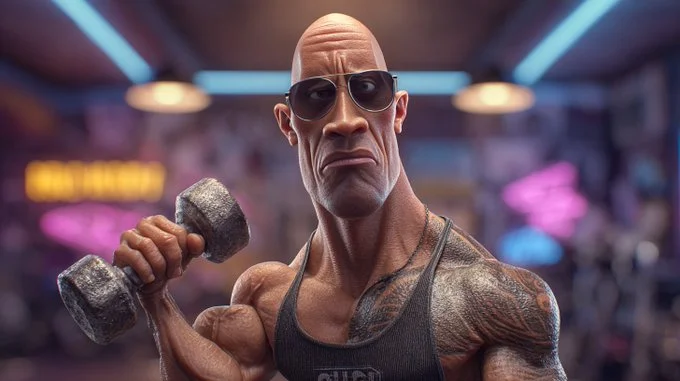
Esplora idee video con Veo su Heydots
Per il tuo brief video, descrivi come il soggetto dovrebbe muoversi dalla posa iniziale. Se il modello selezionato supporta un'immagine o un fotogramma finale, usalo per spiegare composizione e continuità. Non presumere che ogni tipo di riferimento sia accettato.
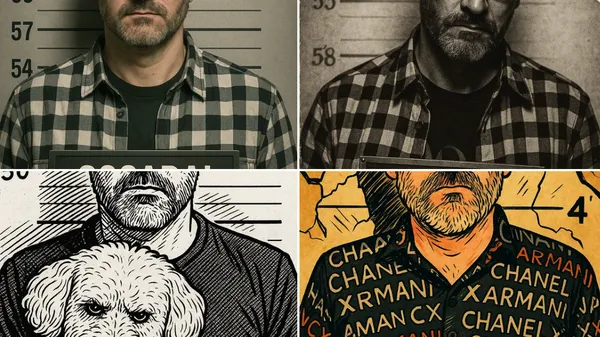
Modalità Da Testo a Video
Scrivi il tuo brief video intorno a un'azione visibile. Aggiungi l'ambientazione, la dimensione dell'inquadratura, il movimento della camera e l'illuminazione. Mantieni dialogo e indicazioni sonore separati dalle istruzioni visive così che la scena prevista sia facile da comprendere.
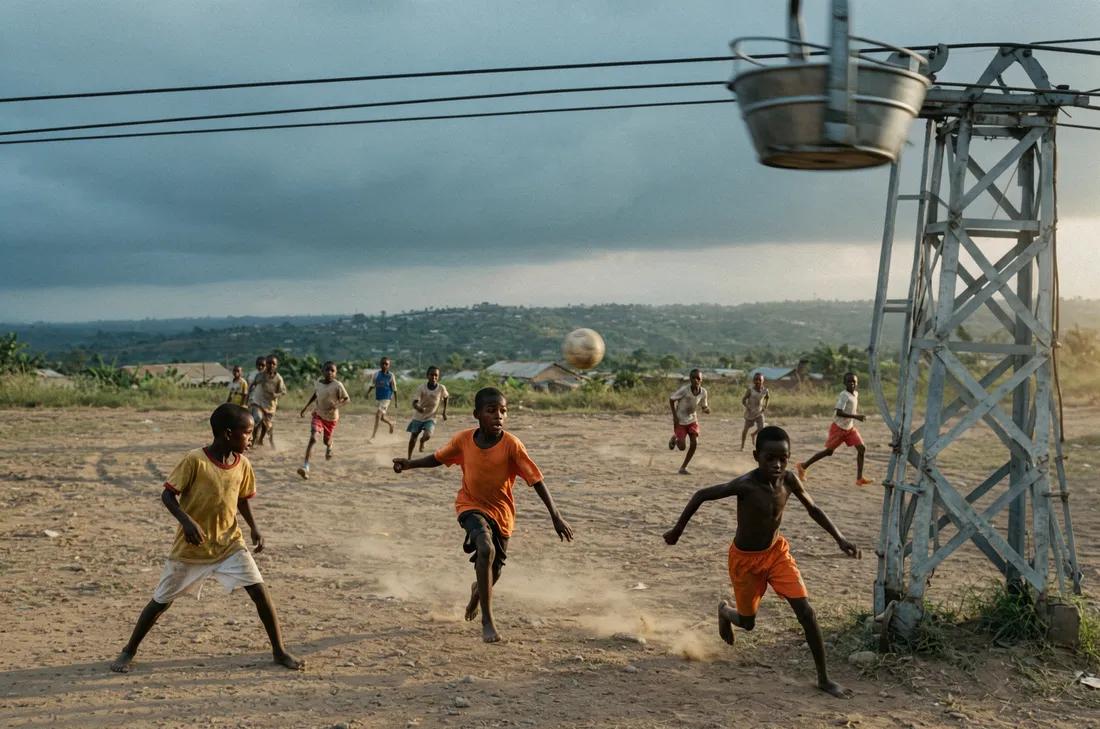
Modalità Da Immagine a Video
Per il tuo brief video, descrivi come il soggetto dovrebbe muoversi dalla posa iniziale. Se il modello selezionato supporta un'immagine o un fotogramma finale, usalo per spiegare composizione e continuità. Non presumere che ogni tipo di riferimento sia accettato.

Rivedi e scarica i risultati completati
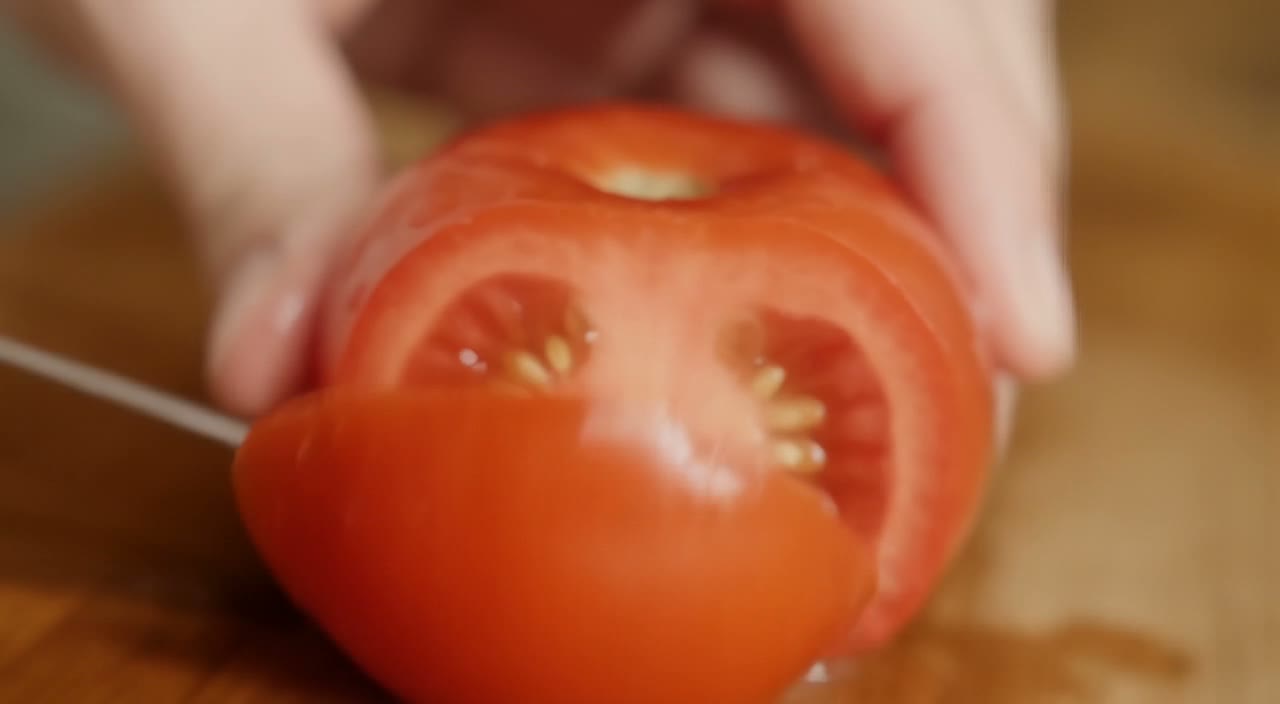
Quando una richiesta viene completata, ispeziona il video nei tuoi asset e scarica il risultato che vuoi conservare. Rivedi la composizione e eventuali dettagli indesiderati prima di condividerlo con il tuo team o pubblicarlo.
Esplora i flussi di lavoro video correlati
Esplora i flussi di lavoro video disponibili e confrontali con le pagine video correlate. Il generatore è la fonte di verità per l'accesso attuale ai modelli e le impostazioni. Usa la libreria di prompt per studiare i risultati pubblicati e il modello che li ha creati.
Scegli un modello abilitato nella pagina AI Video. Rivedi le sue impostazioni supportate e il preventivo crediti prima di generare una clip da testo o da un'immagine.
Per un concept video di prodotto, specifica la forma del prodotto, il materiale, il dettaglio chiave e l'ambientazione. Mantieni loghi e affermazioni accurati, lascia spazio per la tua tipografia e rivedi il risultato prima di usarlo in una pubblicità.

Scegli una dimensione di output supportata
Scegli solo la risoluzione e le proporzioni mostrate per il modello selezionato. Controlla l'inquadratura, i dettagli fini e qualsiasi testo nel video completato. Una dimensione di output maggiore non garantisce un risultato più accurato.
Scrivi il tuo brief video intorno a un'azione visibile. Aggiungi l'ambientazione, la dimensione dell'inquadratura, il movimento della camera e l'illuminazione. Mantieni dialogo e indicazioni sonore separati dalle istruzioni visive così che la scena prevista sia facile da comprendere.
Descrivi il risultato che ti serve, seleziona un modello Veo disponibile e invia la tua richiesta dal generatore. Rivedi i video completati nelle tue risorse, perfeziona il prompt quando necessario e scarica la versione adatta al tuo progetto.
Descrivi il risultato che ti serve, seleziona un modello Veo disponibile e invia la tua richiesta dal generatore. Rivedi i video completati nelle tue risorse, perfeziona il prompt quando necessario e scarica la versione adatta al tuo progetto.
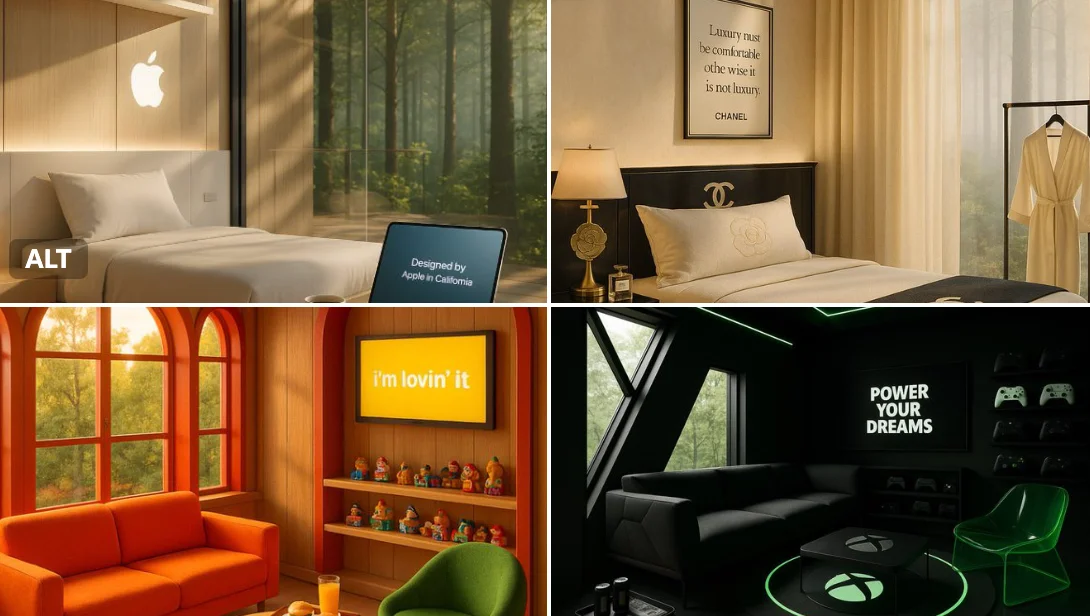
Scegli un modello abilitato nella pagina AI Video. Rivedi le sue impostazioni supportate e il preventivo crediti prima di generare una clip da testo o da un'immagine.
Descrivi parlato, suono ambientale e musica come indicazioni separate nel tuo brief video. L'output audio dipende dal modello selezionato e dalle opzioni mostrate nel generatore; controlla la clip finita invece di presumere che l'audio sia incluso.
Scrivi il tuo brief video intorno a un'azione visibile. Aggiungi l'ambientazione, la dimensione dell'inquadratura, il movimento della camera e l'illuminazione. Mantieni dialogo e indicazioni sonore separati dalle istruzioni visive così che la scena prevista sia facile da comprendere.
Descrivi parlato, suono ambientale e musica come indicazioni separate nel tuo brief video. L'output audio dipende dal modello selezionato e dalle opzioni mostrate nel generatore; controlla la clip finita invece di presumere che l'audio sia incluso.
Descrivi parlato, suono ambientale e musica come indicazioni separate nel tuo brief video. L'output audio dipende dal modello selezionato e dalle opzioni mostrate nel generatore; controlla la clip finita invece di presumere che l'audio sia incluso.
Usa i riferimenti per spiegare il risultato desiderato
Per il tuo brief video, descrivi come il soggetto dovrebbe muoversi dalla posa iniziale. Se il modello selezionato supporta un'immagine o un fotogramma finale, usalo per spiegare composizione e continuità. Non presumere che ogni tipo di riferimento sia accettato.
Per il tuo brief video, descrivi come il soggetto dovrebbe muoversi dalla posa iniziale. Se il modello selezionato supporta un'immagine o un fotogramma finale, usalo per spiegare composizione e continuità. Non presumere che ogni tipo di riferimento sia accettato.
Scrivi il tuo brief video intorno a un'azione visibile. Aggiungi l'ambientazione, la dimensione dell'inquadratura, il movimento della camera e l'illuminazione. Mantieni dialogo e indicazioni sonore separati dalle istruzioni visive così che la scena prevista sia facile da comprendere.
Descrivi il risultato che ti serve, seleziona un modello Veo disponibile e invia la tua richiesta dal generatore. Rivedi i video completati nelle tue risorse, perfeziona il prompt quando necessario e scarica la versione adatta al tuo progetto.
Rivedi e scarica i risultati completati
Scegli solo la risoluzione e le proporzioni mostrate per il modello selezionato. Controlla l'inquadratura, i dettagli fini e qualsiasi testo nel video completato. Una dimensione di output maggiore non garantisce un risultato più accurato.
Per un concept video di prodotto, specifica la forma del prodotto, il materiale, il dettaglio chiave e l'ambientazione. Mantieni loghi e affermazioni accurati, lascia spazio per la tua tipografia e rivedi il risultato prima di usarlo in una pubblicità.
Scegli solo la risoluzione e le proporzioni mostrate per il modello selezionato. Controlla l'inquadratura, i dettagli fini e qualsiasi testo nel video completato. Una dimensione di output maggiore non garantisce un risultato più accurato.
Concediti il tempo di esaminare ogni risultato video e perfezionare il tuo brief. I tempi di elaborazione variano in base al modello, alla richiesta e al carico del servizio. Modifica una direzione alla volta, così puoi valutare quale modifica migliora il risultato.
Un brief creativo più chiaro per Veo
Per un concept video di prodotto, specifica la forma del prodotto, il materiale, il dettaglio chiave e l'ambientazione. Mantieni loghi e affermazioni accurati, lascia spazio per la tua tipografia e rivedi il risultato prima di usarlo in una pubblicità.

Pianifica un'azione chiara per inquadratura
Elenca i dettagli che contano nel tuo brief video: identità, forma, colori, abbigliamento e sfondo. Usa i riferimenti supportati dove appropriato e confronta ogni risultato; la coerenza esatta non è garantita.

Modalità di produzione flessibili
Per un concept video di prodotto, specifica la forma del prodotto, il materiale, il dettaglio chiave e l'ambientazione. Mantieni loghi e affermazioni accurati, lascia spazio per la tua tipografia e rivedi il risultato prima di usarlo in una pubblicità.
Scrivi indicazioni precise di modifica e stile
Per un concept video di prodotto, specifica la forma del prodotto, il materiale, il dettaglio chiave e l'ambientazione. Mantieni loghi e affermazioni accurati, lascia spazio per la tua tipografia e rivedi il risultato prima di usarlo in una pubblicità.
Esplora varianti con un brief mirato
Esplora i flussi di lavoro video disponibili e confrontali con le pagine video correlate. Il generatore è la fonte di verità per l'accesso attuale ai modelli e le impostazioni. Usa la libreria di prompt per studiare i risultati pubblicati e il modello che li ha creati.
Scegli un modello abilitato nella pagina AI Video. Rivedi le sue impostazioni supportate e il preventivo crediti prima di generare una clip da testo o da un'immagine.
Assegna al soggetto principale un'azione chiara. Per un concept video, un brief preciso è più facile da valutare rispetto a un elenco di effetti in competizione.
Flusso di lavoro video Veo: domande e risposte
Per un concept video di prodotto, specifica la forma del prodotto, il materiale, il dettaglio chiave e l'ambientazione. Mantieni loghi e affermazioni accurati, lascia spazio per la tua tipografia e rivedi il risultato prima di usarlo in una pubblicità.
Heydots riunisce il flusso di lavoro video in un unico spazio: scrivi il prompt, scegli un modello disponibile, controlla il costo in crediti e genera. I risultati completati restano nelle tue risorse per la revisione e il download. Il generatore mostra quali modelli e input accettano richieste.
Scrivi il tuo brief video intorno a un'azione visibile. Aggiungi l'ambientazione, la dimensione dell'inquadratura, il movimento della camera e l'illuminazione. Mantieni dialogo e indicazioni sonore separati dalle istruzioni visive così che la scena prevista sia facile da comprendere.
Descrivi il risultato che ti serve, seleziona un modello Veo disponibile e invia la tua richiesta dal generatore. Rivedi i video completati nelle tue risorse, perfeziona il prompt quando necessario e scarica la versione adatta al tuo progetto.
Scegli solo la risoluzione e le proporzioni mostrate per il modello selezionato. Controlla l'inquadratura, i dettagli fini e qualsiasi testo nel video completato. Una dimensione di output maggiore non garantisce un risultato più accurato.
Descrivi parlato, suono ambientale e musica come indicazioni separate nel tuo brief video. L'output audio dipende dal modello selezionato e dalle opzioni mostrate nel generatore; controlla la clip finita invece di presumere che l'audio sia incluso.
Elenca i dettagli che contano nel tuo brief video: identità, forma, colori, abbigliamento e sfondo. Usa i riferimenti supportati dove appropriato e confronta ogni risultato; la coerenza esatta non è garantita.
Puoi richiedere un rimborso entro 10 giorni dall'acquisto se hai crediti non utilizzati da quell'acquisto e fornisci un motivo chiaro, in base alla nostra Politica di rimborso. Se idoneo, un acquisto non utilizzato può essere rimborsato integralmente; un acquisto parzialmente utilizzato viene rimborsato in proporzione ai crediti non utilizzati rimanenti. Gli acquisti completamente utilizzati e i crediti gratuiti o promozionali non sono rimborsabili.
La validità dei crediti dipende dal pacchetto, dall'abbonamento o dalla promozione che li ha emessi. Consulta i termini di acquisto e le date di scadenza in Impostazioni > Crediti. Un rinnovo o un nuovo acquisto non prolunga i crediti più vecchi. Usa i crediti prima della scadenza indicata; non dare per scontato che i crediti dell'abbonamento non utilizzati si riportino indefinitamente.
I crediti addebitati per un'attività confermata come non riuscita a causa di un errore di sistema vengono restituiti automaticamente. Un'attività ancora in elaborazione non è stata ancora confermata come non riuscita. Controlla il suo stato e la cronologia dei crediti prima di inviare di nuovo. Se un'attività confermata come non riuscita mostra ancora un addebito irrisolto, scrivi a support@heydots.app indicando l'ID dell'attività.
I risultati dell'IA possono variare, quindi un risultato completato che differisce dalle tue aspettative non viene automaticamente trattato come un errore tecnico. Le attività di immagini completate idonee possono essere inviate per la revisione del rimborso in crediti utilizzando l'opzione di rimborso, ove disponibile; è richiesta l'approvazione. Per un video o un altro problema, contatta support@heydots.app indicando l'ID dell'attività e i dettagli. Un rimborso in crediti restituisce crediti, non denaro sul tuo metodo di pagamento.
Scrivi a support@heydots.app. Per la fatturazione, includi l'email del tuo account e l'ID dell'ordine; per la generazione, includi l'ID dell'attività, la descrizione del problema e le schermate pertinenti. Se hai acquistato come ospite, conserva i dati del browser originale e la ricevuta di pagamento, così possiamo aiutarti a individuare l'acquisto.
Esplora la tua prossima idea video Veo
Scegli solo la risoluzione e le proporzioni mostrate per il modello selezionato. Controlla l'inquadratura, i dettagli fini e qualsiasi testo nel video completato. Una dimensione di output maggiore non garantisce un risultato più accurato.
heydots.app · Aggiornato
Consulta la cronologia degli aggiornamenti
- — Aggiunti prompt di esempio modificabili, bozze separate per le modalità testo e riferimento e un comando per ripristinare l’esempio.
- — Testi e contenuto della pagina aggiornati.
- — Contenuto della pagina pubblicato.