
Studieren Sie visuelles Storytelling mit Seedance 2.5
Erwecken Sie Ihre kreative Vision zum Leben
Dieser Generator verwendet das aktivierte Modell Seedance 2.5 für Videos aus Text und Bildern. Prüfe die unterstützten Einstellungen und die Credit-Kosten. Veröffentlichte Beispiele dienen der Inspiration; prüfe bei jedem Beispiel das tatsächlich verwendete Modell.
Verifizierter Prompt
Main Subject: Young Korean woman, early 20s, loose knit sweater, straight-leg jeans, hair down and slightly tousled, curious relaxed expression. Location: Small residential street corner near her home, mid-morning. Low garden walls, potted flowers, a parked delivery bicycle nearby, quiet street with mild morning haze. No commercial signage, no crowds. Visual Style: Ultra-realistic documentary realism, unscripted candid feeling, natural soft daylight. Camera Style: Early 2000s DV camcorder, handheld sway, autofocus struggling on distant delivery bike, faded soft contrast, mild sensor noise. No stabilization. Timeline (15 sec, each slot = 2 compressed beats): 00:00–00:03 → She stands by the gate, then checks her phone briefly for the time. 00:03–00:06 → A delivery bicycle approaches in the distance; she waves, saying "여기요!" ("Over here!"). 00:06–00:09 → She receives a small paper bag, then peeks inside curiously. 00:09–00:12 → She thanks the delivery person with a small bow, then turns back toward the house. 00:12–00:15 → She looks at camera saying "아직 따뜻하다, 좋아" ("It's still warm, nice"), smiling as she walks inside. Audio: Bicycle bell, distant birds, faint wind, paper bag rustling. Her dialogue as noted above. No music. Goal: A small, genuine everyday errand moment warm, ordinary, believable.
Main Subject: Young Korean woman, early 20s, loose knit sweater, straight-leg jeans, hair down and slightly tousled, curious relaxed expression. Location: Small residential street corner near her home, mid-morning. Low garden walls, potted flowers, a parked delivery bicycle nearby, quiet street with mild morning haze. No commercial signage, no crowds. Visual Style: Ultra-realistic documentary realism, unscripted candid feeling, natural soft daylight. Camera Style: Early 2000s DV camcorder, handheld sway, autofocus struggling on distant delivery bike, faded soft contrast, mild sensor noise. No stabilization. Timeline (15 sec, each slot = 2 compressed beats): 00:00–00:03 → She stands by the gate, then checks her phone briefly for the time. 00:03–00:06 → A delivery bicycle approaches in the distance; she waves, saying "여기요!" ("Over here!"). 00:06–00:09 → She receives a small paper bag, then peeks inside curiously. 00:09–00:12 → She thanks the delivery person with a small bow, then turns back toward the house. 00:12–00:15 → She looks at camera saying "아직 따뜻하다, 좋아" ("It's still warm, nice"), smiling as she walks inside. Audio: Bicycle bell, distant birds, faint wind, paper bag rustling. Her dialogue as noted above. No music. Goal: A small, genuine everyday errand moment warm, ordinary, believable.
Verifizierter Prompt
Pixar 3D animated [kitchen / food setting]. [Lighting description]. CHARACTERS: [describe main chef/character(s) with exaggerated Pixar traits] SEQUENCE: 0-3s — [first action, e.g. dramatic chopping or ingredient reveal] 3-6s — [next step…] … CAMERA: [specific shots, slow-mo, pans, etc.] SOUND: [whooshes, sizzles, clinks, character sounds, music mood]
Pixar 3D animated [kitchen / food setting]. [Lighting description]. CHARACTERS: [describe main chef/character(s) with exaggerated Pixar traits] SEQUENCE: 0-3s — [first action, e.g. dramatic chopping or ingredient reveal] 3-6s — [next step…] … CAMERA: [specific shots, slow-mo, pans, etc.] SOUND: [whooshes, sizzles, clinks, character sounds, music mood]
Verifizierter Prompt
Epic anime-style action sequence, determined young hero with spiky hair and glowing eyes dashing through a crumbling cyberpunk Tokyo street at dusk, wielding a massive energy sword, slashing neon-lit mechs and flying drones, colorful energy explosions and particle sparks everywhere, cherry blossoms mixed with debris in slow motion, dynamic camera angles with dramatic zooms and speed lines, vibrant cel-shaded animation, bold outlines, lens flares, motion blur, ultra-detailed hair and fabric physics, blockbuster anime movie VFX, sakuga quality, cinematic color grading with high contrast and saturated hues.
Epic anime-style action sequence, determined young hero with spiky hair and glowing eyes dashing through a crumbling cyberpunk Tokyo street at dusk, wielding a massive energy sword, slashing neon-lit mechs and flying drones, colorful energy explosions and particle sparks everywhere, cherry blossoms mixed with debris in slow motion, dynamic camera angles with dramatic zooms and speed lines, vibrant cel-shaded animation, bold outlines, lens flares, motion blur, ultra-detailed hair and fabric physics, blockbuster anime movie VFX, sakuga quality, cinematic color grading with high contrast and saturated hues.
Verifizierter Prompt
Create a 15 second cinematic fashion transformation reel in 16:9 landscape. Use one fictional stylish young man throughout, with warm medium skin, short dark hair, a neatly trimmed beard, subtle forearm tattoos, a gold bracelet, a fine chain, and white sneakers. Preserve the exact same face, body proportions, hairstyle, beard, tattoo placement, jewelry, and natural skin texture in every shot.Set the scene in a bright modern living room with white curved lounge chairs, a cream patterned rug, sheer white curtains, a small round coffee table with books and ceramic objects, a black pendant lamp, and a few dark dining chairs in the rear. Late afternoon sunlight enters from camera left and creates sharp geometric patches across the rug and furniture. Keep all furniture and shadows perfectly fixed during every transformation. Film from a locked ceiling mounted camera looking steeply downward with an 18 millimeter ultra wide lens and realistic barrel distortion. The model stands directly beneath the lens in the center of frame and looks upward. Keep deep focus, crisp room detail, realistic exposure, mild lens softness at the corners, subtle sensor grain, natural motion blur, and believable hand anatomy. The camera never moves.From 0.0 to 2.2 seconds, create a rapid sequence of seamless match cuts. The model repeatedly reaches one open palm or loose fist toward the lens until his hand nearly fills the frame. Every half beat, the hand briefly hides his face and reveals a different outfit while his body position remains continuous. Cycle quickly through a burgundy football jersey with olive cargo pants, a cobalt sports jersey with faded loose jeans, a gray open hoodie over a white vest with dark trousers and a blue cap, a slate gray long sleeve wrap shirt with wide black trousers, a navy knit top with loose gray pants, and a clean black shirt with black trousers. Use genuine hand blur and tiny timing imperfections so the transitions feel physically performed rather than digitally morphed.From 2.2 to 12.5 seconds, slow the rhythm and present each outfit for about two beats. First show the burgundy jersey with a camouflage cap and dark sunglasses as he adjusts the glasses and turns his head. Cut to the gray hoodie look as he lightly bounces, folds his arms, and touches the brim of the blue cap. Cut to the slate gray wrap shirt as he clasps his hands and glances to the side. Cut to the cobalt jersey as he crosses his arms and gives a restrained smile. Cut to the navy knit outfit as he looks down and adjusts the waistband. Cut to the all black outfit as he smooths the shirt and takes one small step in place. Return briefly to the burgundy jersey, then the cobalt jersey, then the slate gray shirt, ending on the gray hoodie look with a confident cap tip. Every cut must happen on a strong musical beat with identical floor position and stable room geometry.From 12.5 to 15.0 seconds, freeze on the final cap tip, gradually darken the room while retaining faint detail, and leave a clean empty central area for a logo to be added later. Do not generate any letters, captions, watermarks, or brand marks. Music should be an energetic fashion edit instrumental at about 144 BPM with punchy kick drums, dry claps, tight hi hats, warm bass, and a polished modern streetwear mood. No vocals. Synchronize the opening hand changes to half beats and the later outfit cuts to every second beat. Add very soft cloth movement, shoe taps, bracelet movement, and room tone beneath the music.The result must look professionally filmed. Avoid face changes, body morphing, extra fingers, warped clothing, floating accessories, shifting furniture, changing sunlight, fake skin, excessive sharpening, artificial slow motion, or random camera movement.
Create a 15 second cinematic fashion transformation reel in 16:9 landscape. Use one fictional stylish young man throughout, with warm medium skin, short dark hair, a neatly trimmed beard, subtle forearm tattoos, a gold bracelet, a fine chain, and white sneakers. Preserve the exact same face, body proportions, hairstyle, beard, tattoo placement, jewelry, and natural skin texture in every shot.Set the scene in a bright modern living room with white curved lounge chairs, a cream patterned rug, sheer white curtains, a small round coffee table with books and ceramic objects, a black pendant lamp, and a few dark dining chairs in the rear. Late afternoon sunlight enters from camera left and creates sharp geometric patches across the rug and furniture. Keep all furniture and shadows perfectly fixed during every transformation. Film from a locked ceiling mounted camera looking steeply downward with an 18 millimeter ultra wide lens and realistic barrel distortion. The model stands directly beneath the lens in the center of frame and looks upward. Keep deep focus, crisp room detail, realistic exposure, mild lens softness at the corners, subtle sensor grain, natural motion blur, and believable hand anatomy. The camera never moves.From 0.0 to 2.2 seconds, create a rapid sequence of seamless match cuts. The model repeatedly reaches one open palm or loose fist toward the lens until his hand nearly fills the frame. Every half beat, the hand briefly hides his face and reveals a different outfit while his body position remains continuous. Cycle quickly through a burgundy football jersey with olive cargo pants, a cobalt sports jersey with faded loose jeans, a gray open hoodie over a white vest with dark trousers and a blue cap, a slate gray long sleeve wrap shirt with wide black trousers, a navy knit top with loose gray pants, and a clean black shirt with black trousers. Use genuine hand blur and tiny timing imperfections so the transitions feel physically performed rather than digitally morphed.From 2.2 to 12.5 seconds, slow the rhythm and present each outfit for about two beats. First show the burgundy jersey with a camouflage cap and dark sunglasses as he adjusts the glasses and turns his head. Cut to the gray hoodie look as he lightly bounces, folds his arms, and touches the brim of the blue cap. Cut to the slate gray wrap shirt as he clasps his hands and glances to the side. Cut to the cobalt jersey as he crosses his arms and gives a restrained smile. Cut to the navy knit outfit as he looks down and adjusts the waistband. Cut to the all black outfit as he smooths the shirt and takes one small step in place. Return briefly to the burgundy jersey, then the cobalt jersey, then the slate gray shirt, ending on the gray hoodie look with a confident cap tip. Every cut must happen on a strong musical beat with identical floor position and stable room geometry.From 12.5 to 15.0 seconds, freeze on the final cap tip, gradually darken the room while retaining faint detail, and leave a clean empty central area for a logo to be added later. Do not generate any letters, captions, watermarks, or brand marks. Music should be an energetic fashion edit instrumental at about 144 BPM with punchy kick drums, dry claps, tight hi hats, warm bass, and a polished modern streetwear mood. No vocals. Synchronize the opening hand changes to half beats and the later outfit cuts to every second beat. Add very soft cloth movement, shoe taps, bracelet movement, and room tone beneath the music.The result must look professionally filmed. Avoid face changes, body morphing, extra fingers, warped clothing, floating accessories, shifting furniture, changing sunlight, fake skin, excessive sharpening, artificial slow motion, or random camera movement.
Verifizierter Prompt
Main Subject: Young Korean woman, early 20s, delivery helmet with visor up, windbreaker uniform jacket, fingerless gloves, focused determined energy, quick reflexes. Location: Narrow winding hillside streets in a Korean city at dusk, delivery route. Steep alleys, glowing streetlamps flickering on, scooters parked along walls, distant city lights below. No heavy traffic. Visual Style: Fast-paced realistic documentary tone, urgent urban energy, dusky transitional lighting. Camera Style: Early 2010s action-mounted camcorder feel but handheld, heavy shake from bike vibration, motion blur on turns, exposure shifting rapidly between streetlights and shadow. No stabilization. Timeline (15 sec, each slot = 2 compressed beats): 00:00–00:03 → She revs the scooter, then speeds off down a steep alley, engine whining. 00:03–00:06 → She leans hard into a sharp turn, then narrowly avoids a parked bicycle, laughing nervously after. 00:06–00:09 → She glances at a delivery bag on the back seat, then mutters "늦으면 안 되는데!" ("I really can't be late!"). 00:09–00:12 → She speeds up a final hill, then screeches to a stop in front of a doorway. 00:12–00:15 → She grabs the bag, running to the door, then turns back grinning "배달 완료!" ("Delivery complete!"), as the scene cuts. Audio: Engine revving, wind rushing past, tires skidding, distant city dusk ambience. Her dialogue as noted above. No music. Goal: A fast, urgent delivery dash thrilling, focused, alive with motion.
Main Subject: Young Korean woman, early 20s, delivery helmet with visor up, windbreaker uniform jacket, fingerless gloves, focused determined energy, quick reflexes. Location: Narrow winding hillside streets in a Korean city at dusk, delivery route. Steep alleys, glowing streetlamps flickering on, scooters parked along walls, distant city lights below. No heavy traffic. Visual Style: Fast-paced realistic documentary tone, urgent urban energy, dusky transitional lighting. Camera Style: Early 2010s action-mounted camcorder feel but handheld, heavy shake from bike vibration, motion blur on turns, exposure shifting rapidly between streetlights and shadow. No stabilization. Timeline (15 sec, each slot = 2 compressed beats): 00:00–00:03 → She revs the scooter, then speeds off down a steep alley, engine whining. 00:03–00:06 → She leans hard into a sharp turn, then narrowly avoids a parked bicycle, laughing nervously after. 00:06–00:09 → She glances at a delivery bag on the back seat, then mutters "늦으면 안 되는데!" ("I really can't be late!"). 00:09–00:12 → She speeds up a final hill, then screeches to a stop in front of a doorway. 00:12–00:15 → She grabs the bag, running to the door, then turns back grinning "배달 완료!" ("Delivery complete!"), as the scene cuts. Audio: Engine revving, wind rushing past, tires skidding, distant city dusk ambience. Her dialogue as noted above. No music. Goal: A fast, urgent delivery dash thrilling, focused, alive with motion.
Verifizierter Prompt
{ "prompt": "Cinematic sci-fi horror scene in a dimly lit, high-tech hospital emergency room during a heavy storm. An eerie, slender alien entity with dark, symbiotic armor and glowing accents stands tall in the center of the room, surrounded by terrified medical staff in scrubs and white coats. Moody, desaturated teal and charcoal color grading with harsh emergency lighting, dramatic backlighting, volumetric smoke and haze, high-contrast shadows, photorealistic textures, shot on 35mm lens, anamorphic depth of field, suspenseful and chilling atmosphere, 8k resolution.", "negative_prompt": "cartoon, illustration, low resolution, bright cheerful lighting, poorly rendered faces, extra limbs, blurry", "aspect_ratio": "16:9" }
{ "prompt": "Cinematic sci-fi horror scene in a dimly lit, high-tech hospital emergency room during a heavy storm. An eerie, slender alien entity with dark, symbiotic armor and glowing accents stands tall in the center of the room, surrounded by terrified medical staff in scrubs and white coats. Moody, desaturated teal and charcoal color grading with harsh emergency lighting, dramatic backlighting, volumetric smoke and haze, high-contrast shadows, photorealistic textures, shot on 35mm lens, anamorphic depth of field, suspenseful and chilling atmosphere, 8k resolution.", "negative_prompt": "cartoon, illustration, low resolution, bright cheerful lighting, poorly rendered faces, extra limbs, blurry", "aspect_ratio": "16:9" }
Verifizierter Prompt
Create a 15 second, 16:9 photorealistic cinematic street fashion shot in a dense Japanese commercial district during late afternoon. One continuous take, no cuts, no text, arrows, cursor, tutorial graphics or logos. The core visual is a subtle fake dolly zoom made through diagonal camera movement plus a controlled zoom out while the subject keeps walking naturally. SUBJECT: one consistent young East Asian man, mid 20s, slim build, short slightly messy black hair, thick black rectangular glasses, calm neutral expression. Loose muted sage olive overshirt with matching wide leg trousers, dark simple shoes, deep red canvas shoulder tote on his left shoulder. Keep face, hair, outfit, bag, proportions and glasses identical throughout. He never poses. ENVIRONMENT: broad zebra crossing at a busy city intersection, mid rise buildings packed with colourful Japanese style shop signs and billboards, dark taxis and compact cars along the curb, a few distant pedestrians, overhead traffic lights, leafy street trees, worn road paint and realistic asphalt. Avoid readable brand names. Bright hazy sky with soft cloud detail. Diffused slightly warm daylight, gentle shadows, realistic reflections and atmospheric depth. 0–3s: start at low-to-chest height with a wide 22–24mm perspective from the edge of the crossing. The man enters mid-ground and walks calmly left to right. Camera rides a real gimbal but retains tiny operator sway, natural footstep rise-and-fall and slight horizon breathing. Keep him near the lower-middle third while the street canyon opens behind. 3–10s: operator walks diagonally forward toward him, matching his sideways motion rather than moving straight at him. Simultaneously zoom smoothly out from roughly a 45–50mm-equivalent cropped view toward 22–24mm, timed so the man stays almost the same apparent height. The result is a convincing dolly-zoom sensation: crossing stripes stretch outward, nearby taxis slide laterally with strong parallax, buildings recede and widen, and the street suddenly feels deeper while the subject remains visually anchored. Keep it gradual and optically plausible, never warped or supernatural. Use authentic 24fps motion, 180-degree shutter blur, mild rolling shutter on small corrections, realistic autofocus micro-adjustments and subtle lens breathing. 10–13s: continue approaching until he is close. The background perspective has expanded dramatically but remains coherent. He briefly glances toward camera with an understated curious look, then keeps walking. Preserve natural gait, cloth movement, tote swing and believable foot contact. 13–15s: finish around waist-to-chest framing as he passes beside the lens. He briefly raises one hand near camera, creating a soft foreground occlusion and momentary focus shift. End with an organic gimbal settle, not a freeze. IMAGE QUALITY: high-end full-frame mirrorless realism, natural dynamic range, fine skin texture, slight sensor grain, restrained contrast, soft highlight roll-off, no oversharpening, plastic skin, duplicated people or cars, bent architecture, floating objects or inconsistent limbs. MUSIC: understated modern lo-fi/electronic city beat, 92–100 BPM, warm kick, soft rim clicks, muted bass and airy synth. Let the track subtly swell during the dolly-zoom section and land on a clean final hit as he passes the lens. No vocals.
Create a 15 second, 16:9 photorealistic cinematic street fashion shot in a dense Japanese commercial district during late afternoon. One continuous take, no cuts, no text, arrows, cursor, tutorial graphics or logos. The core visual is a subtle fake dolly zoom made through diagonal camera movement plus a controlled zoom out while the subject keeps walking naturally. SUBJECT: one consistent young East Asian man, mid 20s, slim build, short slightly messy black hair, thick black rectangular glasses, calm neutral expression. Loose muted sage olive overshirt with matching wide leg trousers, dark simple shoes, deep red canvas shoulder tote on his left shoulder. Keep face, hair, outfit, bag, proportions and glasses identical throughout. He never poses. ENVIRONMENT: broad zebra crossing at a busy city intersection, mid rise buildings packed with colourful Japanese style shop signs and billboards, dark taxis and compact cars along the curb, a few distant pedestrians, overhead traffic lights, leafy street trees, worn road paint and realistic asphalt. Avoid readable brand names. Bright hazy sky with soft cloud detail. Diffused slightly warm daylight, gentle shadows, realistic reflections and atmospheric depth. 0–3s: start at low-to-chest height with a wide 22–24mm perspective from the edge of the crossing. The man enters mid-ground and walks calmly left to right. Camera rides a real gimbal but retains tiny operator sway, natural footstep rise-and-fall and slight horizon breathing. Keep him near the lower-middle third while the street canyon opens behind. 3–10s: operator walks diagonally forward toward him, matching his sideways motion rather than moving straight at him. Simultaneously zoom smoothly out from roughly a 45–50mm-equivalent cropped view toward 22–24mm, timed so the man stays almost the same apparent height. The result is a convincing dolly-zoom sensation: crossing stripes stretch outward, nearby taxis slide laterally with strong parallax, buildings recede and widen, and the street suddenly feels deeper while the subject remains visually anchored. Keep it gradual and optically plausible, never warped or supernatural. Use authentic 24fps motion, 180-degree shutter blur, mild rolling shutter on small corrections, realistic autofocus micro-adjustments and subtle lens breathing. 10–13s: continue approaching until he is close. The background perspective has expanded dramatically but remains coherent. He briefly glances toward camera with an understated curious look, then keeps walking. Preserve natural gait, cloth movement, tote swing and believable foot contact. 13–15s: finish around waist-to-chest framing as he passes beside the lens. He briefly raises one hand near camera, creating a soft foreground occlusion and momentary focus shift. End with an organic gimbal settle, not a freeze. IMAGE QUALITY: high-end full-frame mirrorless realism, natural dynamic range, fine skin texture, slight sensor grain, restrained contrast, soft highlight roll-off, no oversharpening, plastic skin, duplicated people or cars, bent architecture, floating objects or inconsistent limbs. MUSIC: understated modern lo-fi/electronic city beat, 92–100 BPM, warm kick, soft rim clicks, muted bass and airy synth. Let the track subtly swell during the dolly-zoom section and land on a clean final hit as he passes the lens. No vocals.
Verifizierter Prompt
TITLE: MONSTER INVASION High-energy premium anime cinematic inspired by My Hero Academia, Jujutsu Kaisen, Studio Trigger, MAPPA, and Arcane. Ultra-fluid 24-30fps animation. Bright daylight only. Vibrant cerulean sky, fluffy clouds, powerful sunlight, volumetric god rays, heroic rim lighting, cinematic motion blur, speed lines, smoke, debris, particles, feature-film quality. CUT SCENE 1 A massive floating special-forces headquarters hovers above the clouds. Peaceful futuristic civilian districts are visible around the station. Suddenly emergency alarms activate. Red warning lights flash throughout the facility. CUT SCENE 2 Inside a futuristic command cabin, a baby pink-haired heroine wearing a sleek white combat suit and flowing red scarf studies a glowing holographic map. The display reveals a giant hostile entity called Vecna moving toward populated areas. Large warning text flashes: "MONSTER INVASION DETECTED" Satellite footage shows Vecna advancing toward the city. The heroine speaks: "Vecna is preparing to attack. If I don't stop him, everyone down there is in danger." CUT SCENE 3 Fast cinematic montage. The heroine grabs her combat gear. Runs through futuristic corridors. Boards a sleek drop pod spacecraft. Engines ignite with brilliant blue energy. She says: "I'm going to stop this invasion." CUT SCENE 4 The spacecraft launches from the floating headquarters and accelerates through the bright sky. Dynamic camera tracking. Clouds split apart. Powerful speed lines and cinematic aerial shots. CUT SCENE 5 Far below, the colossal Vecna stands among skyscrapers. He notices the incoming spacecraft. Vecna slowly raises one massive hand. A gigantic glowing blue energy sphere forms above his palm. Vecna smirks. "Foolish human." He fires the energy blast upward. The beam tears through the sky and directly strikes the spacecraft. Massive explosion. Fireball. Shockwave. Shattered metal and burning debris scatter across the clouds. END ON THE EXPLOSION.
TITLE: MONSTER INVASION High-energy premium anime cinematic inspired by My Hero Academia, Jujutsu Kaisen, Studio Trigger, MAPPA, and Arcane. Ultra-fluid 24-30fps animation. Bright daylight only. Vibrant cerulean sky, fluffy clouds, powerful sunlight, volumetric god rays, heroic rim lighting, cinematic motion blur, speed lines, smoke, debris, particles, feature-film quality. CUT SCENE 1 A massive floating special-forces headquarters hovers above the clouds. Peaceful futuristic civilian districts are visible around the station. Suddenly emergency alarms activate. Red warning lights flash throughout the facility. CUT SCENE 2 Inside a futuristic command cabin, a baby pink-haired heroine wearing a sleek white combat suit and flowing red scarf studies a glowing holographic map. The display reveals a giant hostile entity called Vecna moving toward populated areas. Large warning text flashes: "MONSTER INVASION DETECTED" Satellite footage shows Vecna advancing toward the city. The heroine speaks: "Vecna is preparing to attack. If I don't stop him, everyone down there is in danger." CUT SCENE 3 Fast cinematic montage. The heroine grabs her combat gear. Runs through futuristic corridors. Boards a sleek drop pod spacecraft. Engines ignite with brilliant blue energy. She says: "I'm going to stop this invasion." CUT SCENE 4 The spacecraft launches from the floating headquarters and accelerates through the bright sky. Dynamic camera tracking. Clouds split apart. Powerful speed lines and cinematic aerial shots. CUT SCENE 5 Far below, the colossal Vecna stands among skyscrapers. He notices the incoming spacecraft. Vecna slowly raises one massive hand. A gigantic glowing blue energy sphere forms above his palm. Vecna smirks. "Foolish human." He fires the energy blast upward. The beam tears through the sky and directly strikes the spacecraft. Massive explosion. Fireball. Shockwave. Shattered metal and burning debris scatter across the clouds. END ON THE EXPLOSION.
Verifizierter Prompt
宁静的动画风河边森林野炊场景,新鲜食材直接从自然采集。 手从清澈溪流捞出银鱼,采摘洗净青菜叶,砧板上切鱼片和蔬菜。 篝火上的铁锅里撒香料,放入鱼、青菜和蘑菇,在陶土锅里炖成浓郁热汤。 在木桌上盛饭,配一杯新鲜椰汁,头顶撒下温暖的树影斑驳阳光。 电影级动画画风、鲜艳色彩、柔和自然光线、超细节、宁静氛围、4K
宁静的动画风河边森林野炊场景,新鲜食材直接从自然采集。 手从清澈溪流捞出银鱼,采摘洗净青菜叶,砧板上切鱼片和蔬菜。 篝火上的铁锅里撒香料,放入鱼、青菜和蘑菇,在陶土锅里炖成浓郁热汤。 在木桌上盛饭,配一杯新鲜椰汁,头顶撒下温暖的树影斑驳阳光。 电影级动画画风、鲜艳色彩、柔和自然光线、超细节、宁静氛围、4K
Verifizierter Prompt
High crane shot descending from the fog line into a dense vertical mountain-valley city at blue dusk ,apartment towers squeezed between dark cliffs, windows lighting in scattered constellations, scaffolding clinging to unfinished high-rises, neon shop signs stacked above narrow streets far below. As the camera sinks, cable cars pass close to lens, rooftop water tanks slide upward out of frame, and mist curls between buildings like breath. Density as compression. Wind, echoing traffic, distant train brakes, a city waking inside stone walls.
High crane shot descending from the fog line into a dense vertical mountain-valley city at blue dusk ,apartment towers squeezed between dark cliffs, windows lighting in scattered constellations, scaffolding clinging to unfinished high-rises, neon shop signs stacked above narrow streets far below. As the camera sinks, cable cars pass close to lens, rooftop water tanks slide upward out of frame, and mist curls between buildings like breath. Density as compression. Wind, echoing traffic, distant train brakes, a city waking inside stone walls.
Verifizierter Prompt
SEGMENT 1 of 10 of one continuous music video. @Image1 is the performer — preserve her exact identity everywhere: cornrow braids flowing into long dark curls, silver chain-drop earring, thin gold pendant necklace, glossy lips. @Image2 is WARDROBE REFERENCE ONLY (ignore the mannequin head): black cropped boxy blazer, leopard-print skinny tie over black bodysuit, dark-blue denim ruffled micro mini skirt, gold chains, black loafers. @Audio1 is the master track — the only audio; no invented music or vocals. COMPOSITION RULE — CRITICAL: NO centered symmetrical frames. Every shot composes her on a lateral third (left or right of frame), uses negative space, foreground occlusion (railings, doorframes, parked cars, shoulders), leading lines of the street, over-shoulder angles, off-axis dutch tilts. The lens finds her, she never poses dead-center. PRECISE LIPSYNC — TOP PRIORITY, face sharp on every word: 0.0–2.0 "All— in!" / 3.0–4.0 "Lights up." / 5.0–6.5 "Deep breath." / 7.5–8.5 "Teeth out." / 10.0–10.5 "Yeah." / 10.5–15.0 "I don't do peace talks, I just do results — name…" Instrumental gaps: closed mouth. FILM CONTEXT: Act I cold open, LOCATION A — brownstone block, early golden morning, long shadows, burgundy 90s sedan planted down the street (returns in finale). Her 3 girls (Black women, Y2K street glam: baby tee + baggy denim, velour tracksuit, cropped puffer, bamboo hoops) wait below the stoop. Black girlie hustle vibe. Shot flow: 0–2s "All in!": shot from BEHIND the iron stoop railing — she bursts out the door framed in the right third through the bars; CRASH ZOOM IN keeping her off-center. 3–4s "Lights up": over-the-shoulder of one girl below — her face lands on the upper-left third. 5–6.5s "Deep breath": profile close-up hugging the left edge, the empty street filling the right two-thirds as negative space, she straightens the leopard tie. 7.5–8.5s "Teeth out": reflection framing — her face caught in a parked car's side window, off-axis. 10s "Yeah": whip to a low dutch wide from across the street — stoop and crew on the right diagonal, brownstone lines leading to her. 10.5–15s verse: she descends and walks the sidewalk hugging the frame's left third, camera tracking laterally with parked cars strobing the foreground; crash-zoom punch on "results" landing her mouth on a third, never center. Continuity: gold pendant visible; same crew whole film. Audio intent: @Audio1 only; faint morning city. Quality bar: expensive NYC rap film, editorial off-center cinematography, no AI gloss.
SEGMENT 1 of 10 of one continuous music video. @Image1 is the performer — preserve her exact identity everywhere: cornrow braids flowing into long dark curls, silver chain-drop earring, thin gold pendant necklace, glossy lips. @Image2 is WARDROBE REFERENCE ONLY (ignore the mannequin head): black cropped boxy blazer, leopard-print skinny tie over black bodysuit, dark-blue denim ruffled micro mini skirt, gold chains, black loafers. @Audio1 is the master track — the only audio; no invented music or vocals. COMPOSITION RULE — CRITICAL: NO centered symmetrical frames. Every shot composes her on a lateral third (left or right of frame), uses negative space, foreground occlusion (railings, doorframes, parked cars, shoulders), leading lines of the street, over-shoulder angles, off-axis dutch tilts. The lens finds her, she never poses dead-center. PRECISE LIPSYNC — TOP PRIORITY, face sharp on every word: 0.0–2.0 "All— in!" / 3.0–4.0 "Lights up." / 5.0–6.5 "Deep breath." / 7.5–8.5 "Teeth out." / 10.0–10.5 "Yeah." / 10.5–15.0 "I don't do peace talks, I just do results — name…" Instrumental gaps: closed mouth. FILM CONTEXT: Act I cold open, LOCATION A — brownstone block, early golden morning, long shadows, burgundy 90s sedan planted down the street (returns in finale). Her 3 girls (Black women, Y2K street glam: baby tee + baggy denim, velour tracksuit, cropped puffer, bamboo hoops) wait below the stoop. Black girlie hustle vibe. Shot flow: 0–2s "All in!": shot from BEHIND the iron stoop railing — she bursts out the door framed in the right third through the bars; CRASH ZOOM IN keeping her off-center. 3–4s "Lights up": over-the-shoulder of one girl below — her face lands on the upper-left third. 5–6.5s "Deep breath": profile close-up hugging the left edge, the empty street filling the right two-thirds as negative space, she straightens the leopard tie. 7.5–8.5s "Teeth out": reflection framing — her face caught in a parked car's side window, off-axis. 10s "Yeah": whip to a low dutch wide from across the street — stoop and crew on the right diagonal, brownstone lines leading to her. 10.5–15s verse: she descends and walks the sidewalk hugging the frame's left third, camera tracking laterally with parked cars strobing the foreground; crash-zoom punch on "results" landing her mouth on a third, never center. Continuity: gold pendant visible; same crew whole film. Audio intent: @Audio1 only; faint morning city. Quality bar: expensive NYC rap film, editorial off-center cinematography, no AI gloss.
Verifizierter Prompt
A hero locks eyes with a fitted sheet like it's a final boss. Epic struggle, dramatic music, sweat, slow-mo folding attempts… and the "satisfying reveal" is him stuffing a defeated crumpled ball into the closet and closing the door fast.
A hero locks eyes with a fitted sheet like it's a final boss. Epic struggle, dramatic music, sweat, slow-mo folding attempts… and the "satisfying reveal" is him stuffing a defeated crumpled ball into the closet and closing the door fast.
Video-Workflows erkunden
Erkunden Sie den Seedance 2.5-Workflow und vergleichen Sie ihn mit den zugehörigen Videoseiten. Der Generator ist die maßgebliche Quelle für aktuellen Modellzugriff und Einstellungen. Nutzen Sie die Prompt-Bibliothek, um veröffentlichte Ergebnisse und das Modell, das sie erstellt hat, zu studieren.
Seedance 2.5 KI-Videogenerator
Beschreibe das gewünschte Ergebnis, wähle ein verfügbares Seedance 2.5-Modell und sende deine Anfrage über den Generator. Prüfe fertige Videoergebnisse in deinen Assets, verfeinere den Prompt bei Bedarf und lade die Version herunter, die zu deinem Projekt passt.
Beschreiben Sie Sprache, Umgebungsgeräusche und Musik als getrennte Anweisungen in Ihrem Seedance 2.5 Video-Briefing. Die Audioausgabe hängt vom ausgewählten Modell und den im Generator angezeigten Optionen ab; prüfen Sie den fertigen Clip, statt anzunehmen, dass Ton enthalten ist.
Seedance 2.5 erkunden
Vom Prompt zum fertigen Video: Der Seedance 2.5 Workflow
Planen Sie Zeit ein, um jedes Videoergebnis zu prüfen und Ihr Briefing zu verfeinern. Die Verarbeitungszeit variiert je nach Modell, Anfrage und Serviceauslastung. Ändern Sie jeweils nur eine Richtung, damit Sie beurteilen können, welche Bearbeitung das Ergebnis verbessert.
Wählen Sie Text zu Video / Bild zu Video
Beschreiben Sie für Ihr Seedance 2.5 Video-Briefing, wie sich das Motiv von seiner Ausgangsposition bewegen soll. Wenn das ausgewählte Modell ein Bild oder ein Endbild unterstützt, verwenden Sie es, um Komposition und Kontinuität zu erklären. Gehen Sie nicht davon aus, dass jeder Referenztyp akzeptiert wird.
Eingabeaufforderung eingeben
Schreiben Sie Ihr Seedance 2.5 Video-Briefing rund um eine sichtbare Handlung. Fügen Sie die Umgebung, die Einstellungsgröße, die Kamerabewegung und die Beleuchtung hinzu. Halten Sie Dialog und Tonhinweise getrennt von den visuellen Anweisungen, damit die beabsichtigte Szene leicht zu verstehen ist.
Wähle Einstellungen und generiere
Beschreiben Sie Sprache, Umgebungsgeräusche und Musik als getrennte Anweisungen in Ihrem Seedance 2.5 Video-Briefing. Die Audioausgabe hängt vom ausgewählten Modell und den im Generator angezeigten Optionen ab; prüfen Sie den fertigen Clip, statt anzunehmen, dass Ton enthalten ist.
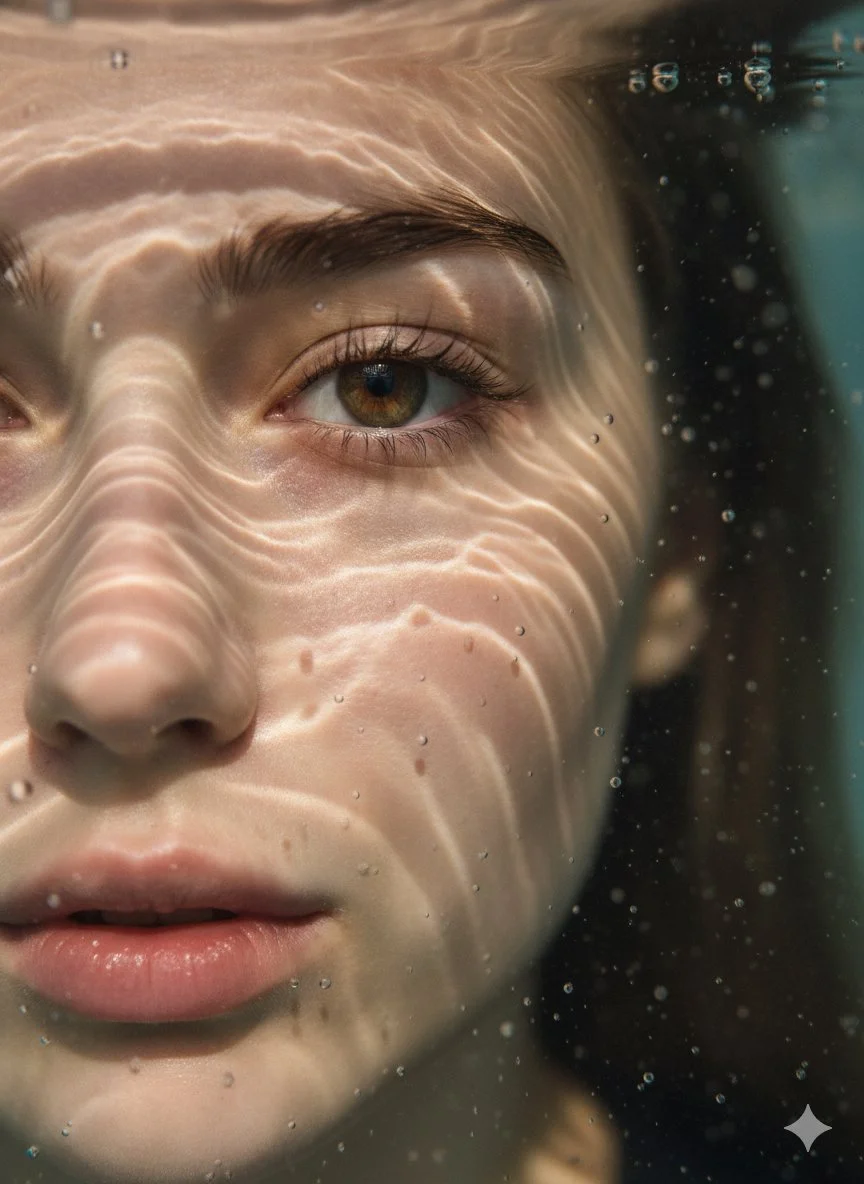
Fertige Ergebnisse prüfen und herunterladen
Wenn eine Anfrage abgeschlossen ist, prüfe das Video in deinen Assets und lade das Ergebnis herunter, das du behalten möchtest. Überprüfe die Komposition und eventuelle unbeabsichtigte Details, bevor du es mit deinem Team teilst oder veröffentlichst.
Zugehörige Video-Workflows erkunden
Erkunden Sie den Seedance 2.5-Workflow und vergleichen Sie ihn mit den zugehörigen Videoseiten. Der Generator ist die maßgebliche Quelle für aktuellen Modellzugriff und Einstellungen. Nutzen Sie die Prompt-Bibliothek, um veröffentlichte Ergebnisse und das Modell, das sie erstellt hat, zu studieren.
Erstelle dein Seedance 2.5-Video
Erkunden Sie den Seedance 2.5-Workflow und vergleichen Sie ihn mit den zugehörigen Videoseiten. Der Generator ist die maßgebliche Quelle für aktuellen Modellzugriff und Einstellungen. Nutzen Sie die Prompt-Bibliothek, um veröffentlichte Ergebnisse und das Modell, das sie erstellt hat, zu studieren.
Verwenden Sie Referenzen, um das gewünschte Ergebnis zu erklären
Beschreiben Sie Sprache, Umgebungsgeräusche und Musik als getrennte Anweisungen in Ihrem Seedance 2.5Video-Briefing. Die Audioausgabe hängt vom ausgewählten Modell und den angezeigten Optionen ab im Generator; prüfen Sie den fertigen Clip, statt anzunehmen, dass Ton enthalten ist.
- BenutzenSeedance 2.5 Text zu Videoum Konzepte schnell von Grund auf zu visualisieren.
- BewerbenSeedance 2.5 Bild zu VideoStandbildern und Fotos Leben einzuhauchen.
- Verlassen Sie sichSeedance 2.5 Bild zu VideoGeben Sie bei einem Seedance 2.5 Produktkonzept Produktform, Material, Schlüsseldetail und Umgebung an. Halten Sie Logos und Aussagen korrekt, lassen Sie Raum für Ihre eigene Typografie und prüfen Sie das Ergebnis, bevor Sie es in einer Anzeige verwenden.
Beschreibe Sound und Visuals für dein Seedance 2.5-Video
Beschreiben Sie Sprache, Umgebungsgeräusche und Musik als getrennte Anweisungen in Ihrem Seedance 2.5Video-Briefing. Die Audioausgabe hängt vom ausgewählten Modell und den angezeigten Optionen ab im Generator; prüfen Sie den fertigen Clip, statt anzunehmen, dass Ton enthalten ist.
- DieSeedance 2.5 KI-Video mit TonDer Generator zeigt die aktuelle Modellverfügbarkeit. Wenn ein Modell Anfragen annimmt, wähle seine unterstützten Einstellungen und prüfe die erforderlichen Credits, bevor du absendest. Prüfe deine Auswahl und dein Credit-Guthaben vor dem Generieren.
- Beschreiben Sie Sprache, Umgebungsgeräusche und Musik als getrennte Anweisungen in Ihrem Seedance 2.5 Video-Briefing. Die Audioausgabe hängt vom ausgewählten Modell und den im Generator angezeigten Optionen ab; prüfen Sie den fertigen Clip, statt anzunehmen, dass Ton enthalten ist.
- Beschreibe das gewünschte Ergebnis, wähle ein verfügbares Seedance 2.5-Modell und sende deine Anfrage über den Generator. Prüfe fertige Videoergebnisse in deinen Assets, verfeinere den Prompt bei Bedarf und lade die Version herunter, die zu deinem Projekt passt.
Beschreiben Sie Kamerabewegung und Timing
Zerlegen Sie ein Seedance 2.5 Story-Konzept in kurze, klar beschriebeneAufnahmen. Geben Sie jeder Aufnahme eine Aktion und eine Kameraführung. Prüfen Sie die Kontinuität zwischen den Ergebnissen, bevor Sie sie zu einer Sequenz zusammenfügen.
- MeisterSeedance 2.5 Kamerabewegungssteuerungum dynamische Schwenks, Zooms und Kamerafahrten zu erstellen.
- Bringen Sie lebensechte Authentizität mitSeedance 2.5 realistisches BewegungsvideoVerarbeitung, die die Physik versteht.
- Beschreibe das gewünschte Ergebnis, wähle ein verfügbares Seedance 2.5-Modell und sende deine Anfrage über den Generator. Prüfe fertige Videoergebnisse in deinen Assets, verfeinere den Prompt bei Bedarf und lade die Version herunter, die zu deinem Projekt passt.
Planen Sie eine klare Aktion pro Aufnahme
Beschreiben Sie für Ihr Seedance 2.5 Video-Briefing, wie sich das Motiv ausseiner Ausgangsposition bewegen soll. Wenn das ausgewählte Modell ein Bild oder einen Endframe unterstützt, nutzen Sie dies, um Komposition und Kontinuität zu erklären. Nehmen Sie nicht an, dass jeder Referenztyp akzeptiert wird.
- RezensionSeedance 2.5 Charakterdetailsund Szenenkontinuität in jedem fertigen Clip.
- Exportieren Sie erstklassige, ansprechende Content-Kreativinhalte, optimiert als Seedance 2.5 für Werbung und Social MediaKampagnen.
- Prüfen Sie die geltenden Modell- und Plattformbedingungen, bevor Sie ein Ergebnis kommerziell nutzen. Sie sind verantwortlich für die Rechte an hochgeladenen Bildern, identifizierbaren Personen, Logos und jeglichem anderen Ausgangsmaterial in Ihrem Seedance 2.5 Video-Briefing.
Ein klareres kreatives Briefing für Seedance 2.5
Beschreiben Sie Sprache, Umgebungsgeräusche und Musik als getrennte Anweisungen in Ihrem Seedance 2.5 Video-Briefing. Die Audioausgabe hängt vom ausgewählten Modell und den im Generator angezeigten Optionen ab; prüfen Sie den fertigen Clip, statt anzunehmen, dass Ton enthalten ist.
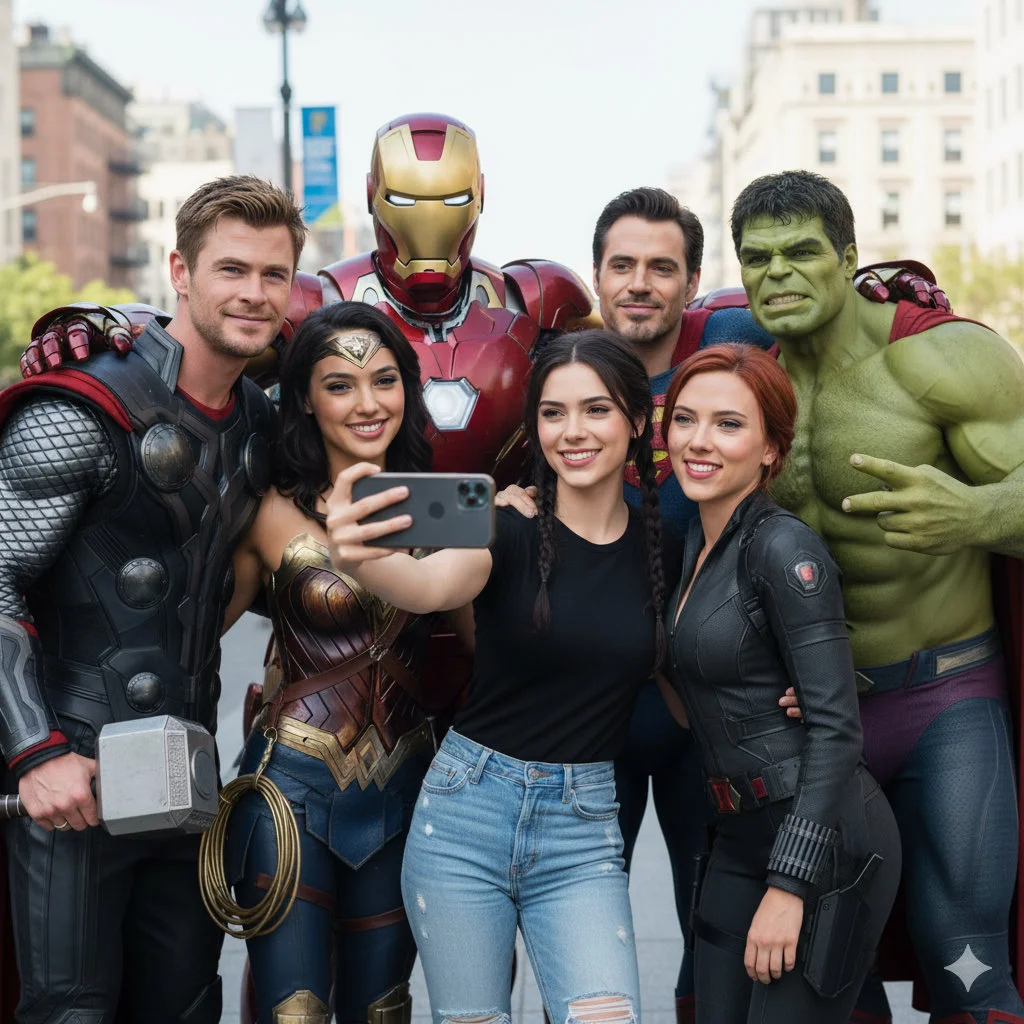
Verwenden Sie Referenzen, um das gewünschte Ergebnis zu erklären
Beschreiben Sie für Ihr Seedance 2.5 Video-Briefing, wie sich das Motiv von seiner Ausgangsposition bewegen soll. Wenn das ausgewählte Modell ein Bild oder ein Endbild unterstützt, verwenden Sie es, um Komposition und Kontinuität zu erklären. Gehen Sie nicht davon aus, dass jeder Referenztyp akzeptiert wird.
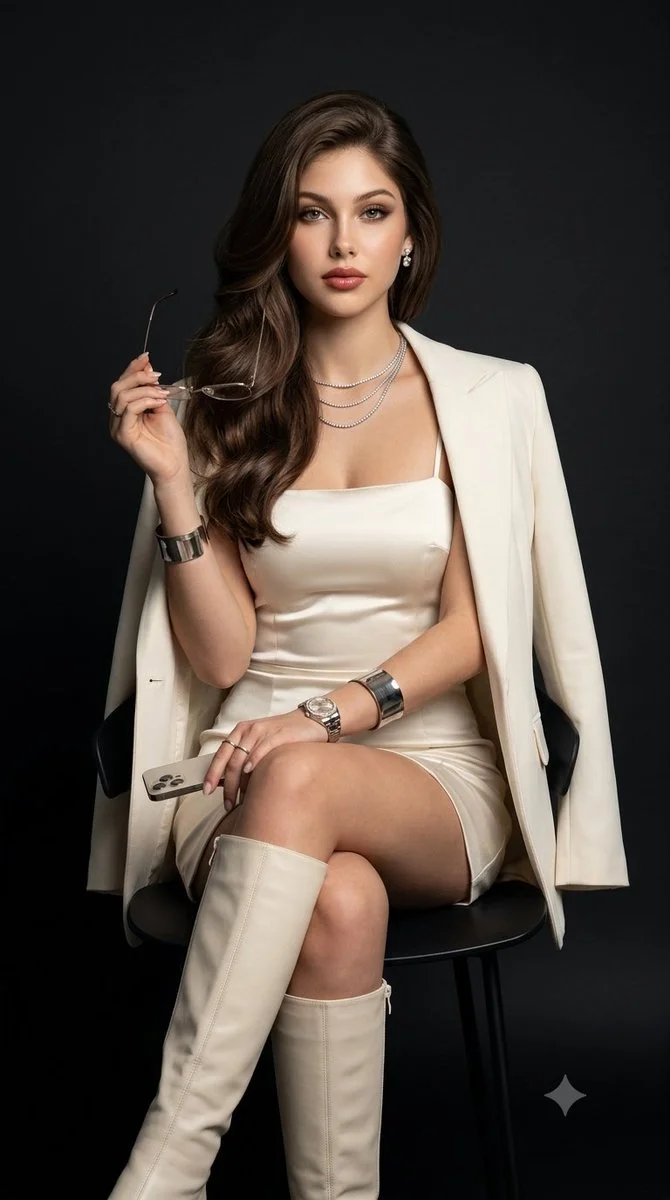
Beschreibe Sound und Visuals für dein Seedance 2.5-Video
Beschreiben Sie Sprache, Umgebungsgeräusche und Musik als getrennte Anweisungen in Ihrem Seedance 2.5 Video-Briefing. Die Audioausgabe hängt vom ausgewählten Modell und den im Generator angezeigten Optionen ab; prüfen Sie den fertigen Clip, statt anzunehmen, dass Ton enthalten ist.
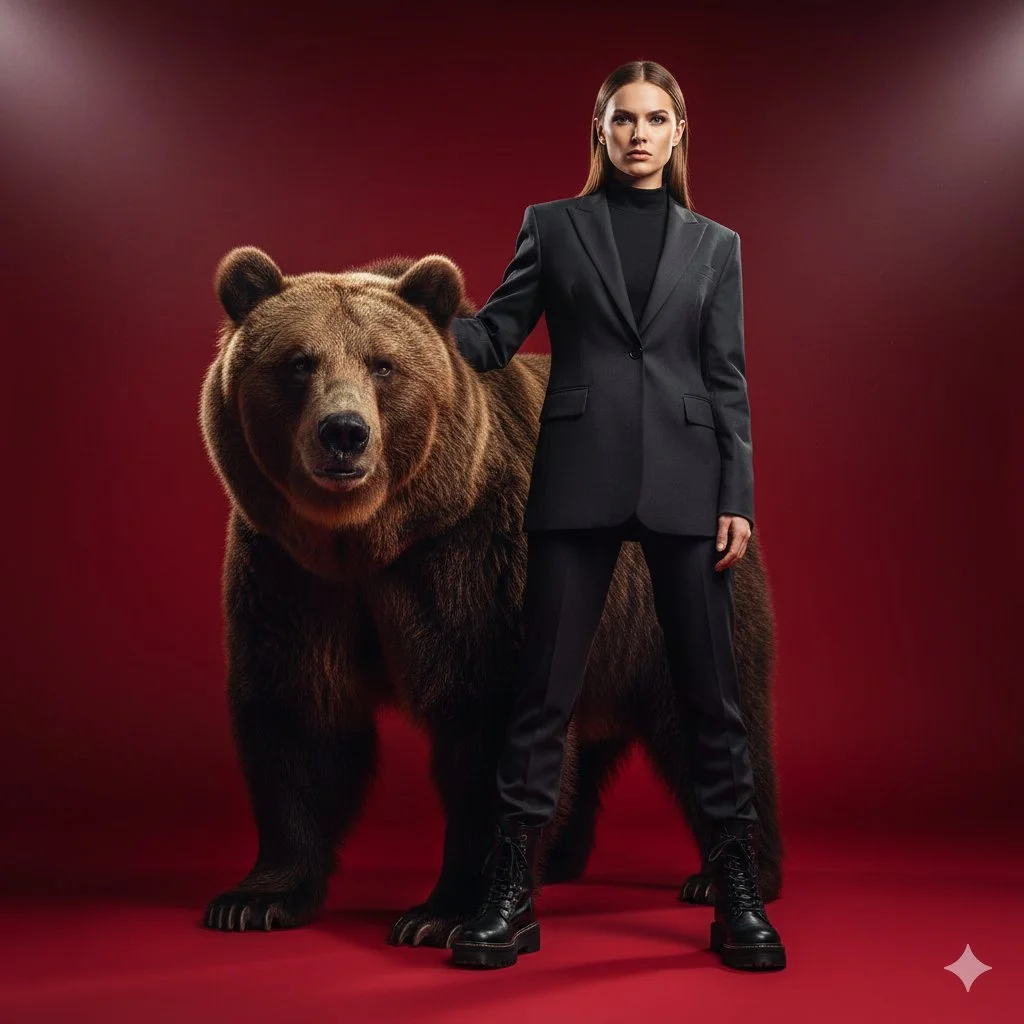
Beschreiben Sie Kamerabewegung und Timing
Wählen Sie nur die Auflösung und das Seitenverhältnis, die für das ausgewählte Modell angezeigt werden. Prüfen Sie Bildausschnitt, feine Details und eventuellen Text im fertigen Video. Eine größere Ausgabegröße garantiert kein genaueres Ergebnis.
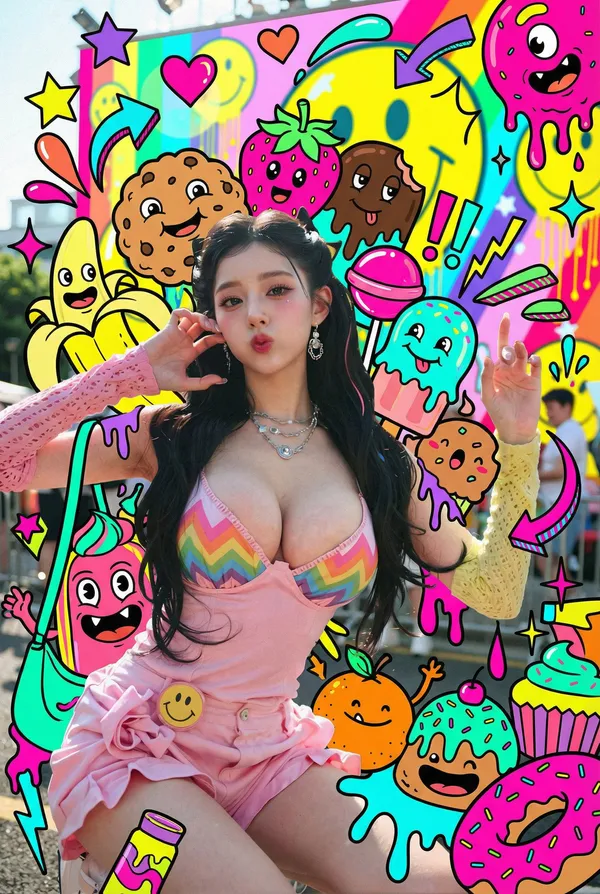
Planen Sie eine klare Aktion pro Aufnahme
Geben Sie bei einem Seedance 2.5 Produktkonzept Produktform, Material, Schlüsseldetail und Umgebung an. Halten Sie Logos und Aussagen korrekt, lassen Sie Raum für Ihre eigene Typografie und prüfen Sie das Ergebnis, bevor Sie es in einer Anzeige verwenden.
Kreative Notizen für Ihr Seedance 2.5 Video-Briefing
Geben Sie dem Hauptmotiv eine klare Handlung. Für ein Seedance 2.5-Konzept ist ein präzises Briefing leichter zu beurteilen als eine Liste konkurrierender Effekte.
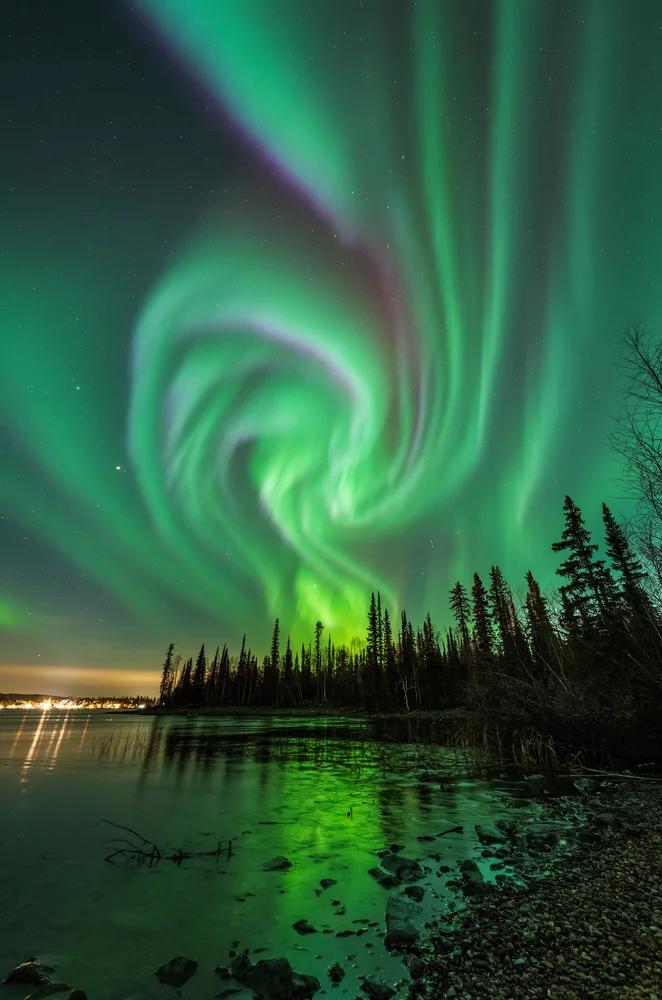
Seedance 2.5 Video-Workflow: Fragen und Antworten
Beschreibe das gewünschte Ergebnis, wähle ein verfügbares Seedance 2.5-Modell und sende deine Anfrage über den Generator. Prüfe fertige Videoergebnisse in deinen Assets, verfeinere den Prompt bei Bedarf und lade die Version herunter, die zu deinem Projekt passt.
Heydots bringt den Seedance 2.5-Video-Workflow in einen Arbeitsbereich: Schreibe deinen Prompt, wähle ein verfügbares Modell, prüfe die Credit-Kosten und generiere. Fertige Ergebnisse bleiben in deinen Assets zum Prüfen und Herunterladen. Der Generator zeigt, welche Modelle und Eingaben Anfragen akzeptieren.
Verwenden Sie nur die Eingabemodi und Steuerelemente, die das ausgewählte Modell anbietet. Beschreiben Sie das beabsichtigte Video klar und fügen Sie unterstützte Referenzen hinzu, wenn sie nützlich sind. Diese Seite verspricht keine separaten Motion-Brush-, Audio-Upload-, Restaurierungs- oder Bearbeitungswerkzeuge.
Beschreiben Sie Sprache, Umgebungsgeräusche und Musik als getrennte Anweisungen in Ihrem Seedance 2.5 Video-Briefing. Die Audioausgabe hängt vom ausgewählten Modell und den im Generator angezeigten Optionen ab; prüfen Sie den fertigen Clip, statt anzunehmen, dass Ton enthalten ist.
Geben Sie bei einem Seedance 2.5 Produktkonzept Produktform, Material, Schlüsseldetail und Umgebung an. Halten Sie Logos und Aussagen korrekt, lassen Sie Raum für Ihre eigene Typografie und prüfen Sie das Ergebnis, bevor Sie es in einer Anzeige verwenden.
Listen Sie die Details auf, die in Ihrem Seedance 2.5 Video-Briefing wichtig sind: Identität, Form, Farben, Kleidung und Hintergrund. Verwenden Sie unterstützte Referenzen, wo passend, und vergleichen Sie jedes Ergebnis; exakte Konsistenz ist nicht garantiert.
Wählen Sie nur die Auflösung und das Seitenverhältnis, die für das ausgewählte Modell angezeigt werden. Prüfen Sie Bildausschnitt, feine Details und eventuellen Text im fertigen Video. Eine größere Ausgabegröße garantiert kein genaueres Ergebnis.
Du kannst innerhalb von 10 Tagen nach dem Kauf eine Rückerstattung beantragen, wenn du ungenutzte Guthaben aus diesem Kauf hast und einen klaren Grund angibst, vorbehaltlich unserer Rückerstattungsrichtlinie. Wenn du berechtigt bist, kann ein ungenutzter Kauf vollständig erstattet werden; ein teilweise genutzter Kauf wird im Verhältnis zu den verbleibenden ungenutzten Guthaben erstattet. Vollständig genutzte Käufe sowie kostenlose oder Aktionsguthaben sind nicht erstattungsfähig.
Die Gültigkeit von Guthaben hängt vom Paket, Abonnement oder der Aktion ab, durch die sie ausgegeben wurden. Prüfe die Kaufbedingungen und Ablaufdaten unter Einstellungen > Guthaben. Eine Verlängerung oder ein neuer Kauf verlängert ältere Guthaben nicht. Nutze Guthaben vor ihrem angegebenen Ablaufdatum; gehe nicht davon aus, dass ungenutzte Abonnement-Guthaben unbegrenzt übertragen werden.
Credits, die für eine Aufgabe berechnet wurden, die als aufgrund eines Systemfehlers fehlgeschlagen bestätigt wurde, werden automatisch zurückerstattet. Eine Aufgabe, die noch in Bearbeitung ist, wurde noch nicht als fehlgeschlagen bestätigt. Prüfen Sie ihren Status und Ihren Guthabenverlauf, bevor Sie erneut einreichen. Wenn bei einem bestätigten Fehler weiterhin eine ungeklärte Belastung angezeigt wird, senden Sie eine E-Mail an support@heydots.app mit der Task-ID.
KI-Ergebnisse können variieren, daher wird ein abgeschlossenes Ergebnis, das von Ihren Erwartungen abweicht, nicht automatisch als technischer Fehler behandelt. Berechtigte abgeschlossene Bildaufgaben können über die Rückerstattungsoption, wo verfügbar, zur Prüfung einer Credit-Rückerstattung eingereicht werden; eine Genehmigung ist erforderlich. Bei einem Video oder einem anderen Problem wenden Sie sich mit der Task-ID und Details an support@heydots.app. Eine Credit-Rückerstattung erstattet Credits, kein Geld auf Ihre Zahlungsmethode.
Senden Sie eine E-Mail an support@heydots.app. Geben Sie bei Abrechnungsfragen Ihre Konto-E-Mail-Adresse und Bestell-ID an; bei der Generierung geben Sie die Task-ID, eine Beschreibung des Problems und relevante Screenshots an. Wenn Sie als Gast gekauft haben, bewahren Sie die ursprünglichen Browserdaten und den Zahlungsbeleg auf, damit wir den Kauf leichter finden können.
Entdecken Sie Ihre nächste Seedance 2.5 Videoidee
Planen Sie Zeit ein, um jedes Videoergebnis zu prüfen und Ihr Briefing zu verfeinern. Die Verarbeitungszeit variiert je nach Modell, Anfrage und Serviceauslastung. Ändern Sie jeweils nur eine Richtung, damit Sie beurteilen können, welche Bearbeitung das Ergebnis verbessert.
heydots.app · Aktualisiert
Änderungsverlauf anzeigen
- — Bearbeitbare Beispiel-Prompts, getrennte Entwürfe für Text- und Referenzmodi sowie eine Funktion zum Wiederherstellen des Beispiels hinzugefügt.
- — Texte und Inhalte der Seite aktualisiert. Generator- oder Navigationseinstellungen aktualisiert.
- — Texte und Inhalte der Seite aktualisiert.
- — Seiteninhalt veröffentlicht.