
Erstelle cineastisches Video Unterstützte Videomodelle
Wählen Sie ein unterstütztes Text- oder Bild-Videomodell
Veo ist auf heydots nicht verfügbar. Verwende ein aktiviertes Kling- oder Seedance-Modell auf der AI Video Seite für Text-zu-Video oder Bild-zu-Video. Diese Beispiele sind allgemeine kreative Inspiration, keine Veo-Demonstrationen.
Verifizierter Prompt
15秒 16:9 横屏电影短片 深夜雨中的24小时自助洗衣店,一名25岁左右的东亚女性独自坐在窗边,通过有线耳机和欺骗自己多年的恋人完成最后一次通话。 人物穿深灰高领针织衫和米灰色风衣,中长黑发发梢微湿,妆容自然,真实皮肤质感。冷白灯光、雨夜霓虹、缓慢旋转的烘干机,低饱和蓝灰色调,轻微35mm胶片颗粒。 85mm镜头,浅景深,头肩特写,单镜头极慢推进。人物始终望向窗外倒影,眼睛微红,一滴泪在约4.5秒时自然滑落。 英文对白: “You could have trusted me.” “I would have stayed.” “But you chose to lie.” “And now… I finally understand.” “You already let me go.” 最后她平静摘下耳机,望向窗外,身后的烘干机缓慢停止。 情绪克制,不大哭、不争吵、不摔东西,不要字幕、水印、手机界面、夸张运镜和赛博朋克效果。
15秒 16:9 横屏电影短片 深夜雨中的24小时自助洗衣店,一名25岁左右的东亚女性独自坐在窗边,通过有线耳机和欺骗自己多年的恋人完成最后一次通话。 人物穿深灰高领针织衫和米灰色风衣,中长黑发发梢微湿,妆容自然,真实皮肤质感。冷白灯光、雨夜霓虹、缓慢旋转的烘干机,低饱和蓝灰色调,轻微35mm胶片颗粒。 85mm镜头,浅景深,头肩特写,单镜头极慢推进。人物始终望向窗外倒影,眼睛微红,一滴泪在约4.5秒时自然滑落。 英文对白: “You could have trusted me.” “I would have stayed.” “But you chose to lie.” “And now… I finally understand.” “You already let me go.” 最后她平静摘下耳机,望向窗外,身后的烘干机缓慢停止。 情绪克制,不大哭、不争吵、不摔东西,不要字幕、水印、手机界面、夸张运镜和赛博朋克效果。
Verifizierter Prompt
Create an 8 second ultra realistic live action cinematic video, 16:9 horizontal aspect ratio, 30 fps, filmed as one continuous uncut shot. A young adult woman performs a graceful freestyle longboard dance on a brick paved seaside promenade during bright golden hour sunlight. She has vivid crimson-red shoulder length hair moving naturally in the sea breeze. She wears a fitted black sleeveless corset style top, a flowing ankle length white skirt with a side slit, and clean white sneakers. Her longboard has a natural wooden deck, black trucks, and bright red wheels. Use a locked off wide camera shot at approximately waist height. Keep her complete body, the longboard, her shadow, and plenty of the surrounding waterfront visible throughout the video. Compose the woman near the center of the wide horizontal frame, leaving open space on both sides to emphasize the seaside environment. Behind her is a calm ocean with intense sunlight sparkling across the water, a clear pale-blue sky, a straight horizon, a few tiny distant boats, and several softly silhouetted people sitting near the waterfront. Strong backlighting creates a slightly dark silhouette around the woman and a long, sharply defined shadow stretching across the pavement toward the camera. 0–2.4 seconds: The longboard begins lying flat beside her feet. She presses its tail with one foot, making the nose rise vertically. She catches the raised board naturally with one hand, briefly balances it upright, then swings and lowers it diagonally while stepping gracefully around it. Her free arm extends outward for balance. 2.4–3.2 seconds: She performs a fast, controlled hand assisted board rotation. The longboard flips smoothly toward the pavement. She makes a small athletic jump while the board rotates beneath her. The board lands perfectly wheels-down, and she lands with both feet securely on the wooden deck. 3.2–7.2 seconds: The longboard begins rolling slowly and smoothly along the promenade. She transitions into an elegant freestyle longboard dance, performing flowing cross steps, heel toe pivots, graceful pirouette style turns, and rhythmic footwork. Her arms move expressively around her body for balance. Her white skirt flares naturally during each turn, while her bright red hair sweeps through the sunlight. The board’s nose occasionally lifts slightly as her weight shifts, but every movement remains controlled and physically believable. 7.2–8.0 seconds: She finishes facing the camera, lowers her body into a deep compact crouch with her hands close to her knees, and continues rolling slowly as the clip ends. Authentic real world skateboard physics, precise foot contact, realistic balance and body weight, natural fabric simulation, believable hair movement, subtle wheel vibration over brick pavement, accurate shadows, natural motion blur, bright cinematic backlighting, realistic skin and clothing textures, high detail environmental reflections, candid social media video realism. No camera movement, no zoom, no cuts, no slow motion, no transitions, no text, no subtitles, no logos. One woman only. Maintain the same face, hairstyle, outfit, body proportions, longboard, trucks, and red wheels throughout. Avoid extra limbs, distorted hands, sliding feet, floating movements, duplicated boards, disappearing wheels, bending decks, incorrect wheel rotation, impossible jumps, unnatural body twisting, cropped body parts, vertical framing, or changing backgrounds.
Create an 8 second ultra realistic live action cinematic video, 16:9 horizontal aspect ratio, 30 fps, filmed as one continuous uncut shot. A young adult woman performs a graceful freestyle longboard dance on a brick paved seaside promenade during bright golden hour sunlight. She has vivid crimson-red shoulder length hair moving naturally in the sea breeze. She wears a fitted black sleeveless corset style top, a flowing ankle length white skirt with a side slit, and clean white sneakers. Her longboard has a natural wooden deck, black trucks, and bright red wheels. Use a locked off wide camera shot at approximately waist height. Keep her complete body, the longboard, her shadow, and plenty of the surrounding waterfront visible throughout the video. Compose the woman near the center of the wide horizontal frame, leaving open space on both sides to emphasize the seaside environment. Behind her is a calm ocean with intense sunlight sparkling across the water, a clear pale-blue sky, a straight horizon, a few tiny distant boats, and several softly silhouetted people sitting near the waterfront. Strong backlighting creates a slightly dark silhouette around the woman and a long, sharply defined shadow stretching across the pavement toward the camera. 0–2.4 seconds: The longboard begins lying flat beside her feet. She presses its tail with one foot, making the nose rise vertically. She catches the raised board naturally with one hand, briefly balances it upright, then swings and lowers it diagonally while stepping gracefully around it. Her free arm extends outward for balance. 2.4–3.2 seconds: She performs a fast, controlled hand assisted board rotation. The longboard flips smoothly toward the pavement. She makes a small athletic jump while the board rotates beneath her. The board lands perfectly wheels-down, and she lands with both feet securely on the wooden deck. 3.2–7.2 seconds: The longboard begins rolling slowly and smoothly along the promenade. She transitions into an elegant freestyle longboard dance, performing flowing cross steps, heel toe pivots, graceful pirouette style turns, and rhythmic footwork. Her arms move expressively around her body for balance. Her white skirt flares naturally during each turn, while her bright red hair sweeps through the sunlight. The board’s nose occasionally lifts slightly as her weight shifts, but every movement remains controlled and physically believable. 7.2–8.0 seconds: She finishes facing the camera, lowers her body into a deep compact crouch with her hands close to her knees, and continues rolling slowly as the clip ends. Authentic real world skateboard physics, precise foot contact, realistic balance and body weight, natural fabric simulation, believable hair movement, subtle wheel vibration over brick pavement, accurate shadows, natural motion blur, bright cinematic backlighting, realistic skin and clothing textures, high detail environmental reflections, candid social media video realism. No camera movement, no zoom, no cuts, no slow motion, no transitions, no text, no subtitles, no logos. One woman only. Maintain the same face, hairstyle, outfit, body proportions, longboard, trucks, and red wheels throughout. Avoid extra limbs, distorted hands, sliding feet, floating movements, duplicated boards, disappearing wheels, bending decks, incorrect wheel rotation, impossible jumps, unnatural body twisting, cropped body parts, vertical framing, or changing backgrounds.
Verifizierter Prompt
15-second ultra-cinematic elemental transformation sequence in an endless desert during a colossal sandstorm at sunset. A lone desert wanderer stands atop a towering dune beneath a crimson-orange sky. Powerful winds drive endless waves of sand across the landscape while ancient ruined temples emerge and disappear through the storm. The atmosphere is vast, ancient, and awe-inspiring. The camera slowly circles around the wanderer as the desert suddenly falls unnaturally silent. The wind stops for a single moment. Then the sand begins moving. Tiny grains rise from the dunes and spiral around the figure in elegant vortexes. The ground beneath their feet fractures as ancient symbols briefly emerge from beneath the desert. The transformation begins. Golden sandstone patterns spread across the skin. The body becomes increasingly mineral, muscles turning into sculpted layers of weathered stone while streams of flowing sand circulate beneath the surface like living veins. The camera pushes closer as fingers become enormous sandstone claws. Cracks appear across the body, glowing softly with golden desert light while fine sand continuously pours through them. The transformation accelerates. The body grows dramatically larger with every heartbeat. Massive shoulders form from layered rock and compacted dunes. Flowing sand replaces hair, continuously blowing in the wind like an endless desert storm. Entire dunes collapse and rise around the transformation. Ancient pillars, broken statues, and fragments of forgotten civilizations become embedded within the giant's body as if the desert itself is rebuilding an ancient guardian. The surrounding sandstorm intensifies into a colossal rotating vortex. Lightning flashes inside the dust clouds while gigantic walls of sand spiral around the growing titan. At the climax, the wanderer becomes an immense Sand Titan towering above the desert. The body is formed from sandstone, flowing dunes, ancient ruins, and living rivers of sand. Every movement releases avalanches cascading from its colossal limbs. Final cinematic moment: the Sand Titan raises one enormous arm. The entire desert responds as gigantic dunes rise like ocean waves, creating a continent-sized sandstorm beneath a blazing sunset while the camera pulls back to reveal the titan dominating the endless horizon. Style: ultra cinematic elemental realism, photoreal sand simulation, realistic sandstone formation, colossal environmental scale, desert storm physics, volumetric dust, ancient civilization aesthetic, monumental cinematography, AAA visual effects quality, no text, no overlays. Audio: epic cinematic orchestral score, deep desert winds, shifting dunes, rock cracking, cascading sand, distant thunder within the sandstorm, ancient low-frequency resonance, massive elemental power.
15-second ultra-cinematic elemental transformation sequence in an endless desert during a colossal sandstorm at sunset. A lone desert wanderer stands atop a towering dune beneath a crimson-orange sky. Powerful winds drive endless waves of sand across the landscape while ancient ruined temples emerge and disappear through the storm. The atmosphere is vast, ancient, and awe-inspiring. The camera slowly circles around the wanderer as the desert suddenly falls unnaturally silent. The wind stops for a single moment. Then the sand begins moving. Tiny grains rise from the dunes and spiral around the figure in elegant vortexes. The ground beneath their feet fractures as ancient symbols briefly emerge from beneath the desert. The transformation begins. Golden sandstone patterns spread across the skin. The body becomes increasingly mineral, muscles turning into sculpted layers of weathered stone while streams of flowing sand circulate beneath the surface like living veins. The camera pushes closer as fingers become enormous sandstone claws. Cracks appear across the body, glowing softly with golden desert light while fine sand continuously pours through them. The transformation accelerates. The body grows dramatically larger with every heartbeat. Massive shoulders form from layered rock and compacted dunes. Flowing sand replaces hair, continuously blowing in the wind like an endless desert storm. Entire dunes collapse and rise around the transformation. Ancient pillars, broken statues, and fragments of forgotten civilizations become embedded within the giant's body as if the desert itself is rebuilding an ancient guardian. The surrounding sandstorm intensifies into a colossal rotating vortex. Lightning flashes inside the dust clouds while gigantic walls of sand spiral around the growing titan. At the climax, the wanderer becomes an immense Sand Titan towering above the desert. The body is formed from sandstone, flowing dunes, ancient ruins, and living rivers of sand. Every movement releases avalanches cascading from its colossal limbs. Final cinematic moment: the Sand Titan raises one enormous arm. The entire desert responds as gigantic dunes rise like ocean waves, creating a continent-sized sandstorm beneath a blazing sunset while the camera pulls back to reveal the titan dominating the endless horizon. Style: ultra cinematic elemental realism, photoreal sand simulation, realistic sandstone formation, colossal environmental scale, desert storm physics, volumetric dust, ancient civilization aesthetic, monumental cinematography, AAA visual effects quality, no text, no overlays. Audio: epic cinematic orchestral score, deep desert winds, shifting dunes, rock cracking, cascading sand, distant thunder within the sandstorm, ancient low-frequency resonance, massive elemental power.
Verifizierter Prompt
A colossal dark horned monster towers over a collapsed city at dusk, lightning splitting the sky behind its skull as buildings crumble and ash rains down, a lone female warrior stands in the foreground in cracked blood-stained battle armor with glowing blue energy crackling around her fists — she explodes into a hyper-speed sprint toward the monster as the camera tracks alongside her at ground level with motion blur, she leaps and strikes its jaw in a rapid close-combat sequence with whip-cut camera angles showing every punch, dodge and energy burst in slow-motion detail, she launches 50 feet into the air in an overhead drone shot hanging weightless at peak height before diving down and slamming the monster with a 360-degree shockwave explosion that shatters concrete and flips cars, the monster staggers and roars one final time as she stands completely still staring it down with eyes glowing gold, she drives her energy blade straight through its chest in ultra slow-motion as glowing cracks spread across its entire body like shattered glass filled with light, it explodes in a massive pillar of golden white energy captured in a wide pulling overhead shot showing the full scale destruction, final frame — she stands alone in the smoking crater back to camera wind blowing embers falling like snow — SMASH CUT TO BLACK — cinematic 4K anamorphic widescreen 2.39:1, teal-orange Hollywood color grade, volumetric fog, heavy lens flares, explosive particle VFX, ultra slow-motion impact frames, dark fantasy action blockbuster visual style.
A colossal dark horned monster towers over a collapsed city at dusk, lightning splitting the sky behind its skull as buildings crumble and ash rains down, a lone female warrior stands in the foreground in cracked blood-stained battle armor with glowing blue energy crackling around her fists — she explodes into a hyper-speed sprint toward the monster as the camera tracks alongside her at ground level with motion blur, she leaps and strikes its jaw in a rapid close-combat sequence with whip-cut camera angles showing every punch, dodge and energy burst in slow-motion detail, she launches 50 feet into the air in an overhead drone shot hanging weightless at peak height before diving down and slamming the monster with a 360-degree shockwave explosion that shatters concrete and flips cars, the monster staggers and roars one final time as she stands completely still staring it down with eyes glowing gold, she drives her energy blade straight through its chest in ultra slow-motion as glowing cracks spread across its entire body like shattered glass filled with light, it explodes in a massive pillar of golden white energy captured in a wide pulling overhead shot showing the full scale destruction, final frame — she stands alone in the smoking crater back to camera wind blowing embers falling like snow — SMASH CUT TO BLACK — cinematic 4K anamorphic widescreen 2.39:1, teal-orange Hollywood color grade, volumetric fog, heavy lens flares, explosive particle VFX, ultra slow-motion impact frames, dark fantasy action blockbuster visual style.
Verifizierter Prompt
Verifizierter Prompt
A fearless shieldmaiden with braided blonde hair, weathered leather armor, fur cloak and massive double-handed axe leads a Viking assault as dozens of longships crash onto a storm-battered coastline, arrows darken the sky while flaming catapults destroy the fortress walls ahead, she charges through crashing waves, climbs the burning battlements under heavy resistance, duels the enemy warlord across the collapsing gatehouse before throwing him from the walls as the fortress erupts into flames behind her, sweeping drone shots, low-angle tracking, practical fire, heavy rain, crashing waves, realistic medieval warfare, gritty cinematic atmosphere.
A fearless shieldmaiden with braided blonde hair, weathered leather armor, fur cloak and massive double-handed axe leads a Viking assault as dozens of longships crash onto a storm-battered coastline, arrows darken the sky while flaming catapults destroy the fortress walls ahead, she charges through crashing waves, climbs the burning battlements under heavy resistance, duels the enemy warlord across the collapsing gatehouse before throwing him from the walls as the fortress erupts into flames behind her, sweeping drone shots, low-angle tracking, practical fire, heavy rain, crashing waves, realistic medieval warfare, gritty cinematic atmosphere.
Verifizierter Prompt
*A cinematic magical-realism sequence set on a quiet European-style city street during a gentle rainfall at blue hour. A beautiful young woman in a light pastel raincoat walks calmly through the rain. Curious, she raises her hand and catches a single raindrop. The instant it touches her fingertips, it transforms into a delicate blooming flower. As she continues walking, every raindrop that lands on her or touches the ground blossoms into vibrant wildflowers, roses, daisies, cherry blossoms, and colourful petals. Within seconds, the once-grey street transforms into a breathtaking floral paradise. Flowers bloom naturally from the wet pavement, climb walls, decorate lamp posts, and spread across rooftops. Soft petals swirl gracefully in the wind while warm golden streetlights reflect on the rain-soaked road, creating a dreamy, enchanting atmosphere.* *The camera opens with an extreme close-up of the raindrop touching her fingertips, then smoothly transitions into a slow cinematic tracking shot following her as flowers bloom behind every step. Include realistic character animation, subtle facial expressions of wonder, natural walking motion, flowing hair and clothing physics, volumetric rainfall, realistic water splashes, soft fog, depth of field, cinematic lens flares, HDR lighting, global illumination, highly detailed flower growth animation, seamless motion, ultra-realistic textures, magical realism, premium film quality, 4K, 24fps, masterpiece, emotionally uplifting, visually breathtaking.* **Negative Prompt:** *Low quality, blurry, low resolution, cartoon, anime, CGI look, plastic skin, unrealistic flowers, duplicated flowers, flickering, jitter, unstable motion, deformed anatomy, extra fingers, bad hands, distorted face, oversaturated colours, flat lighting, frame glitches, artifacts, text, subtitles, watermark, logo, noise, compression, camera shake, abrupt transitions, unrealistic physics.*
*A cinematic magical-realism sequence set on a quiet European-style city street during a gentle rainfall at blue hour. A beautiful young woman in a light pastel raincoat walks calmly through the rain. Curious, she raises her hand and catches a single raindrop. The instant it touches her fingertips, it transforms into a delicate blooming flower. As she continues walking, every raindrop that lands on her or touches the ground blossoms into vibrant wildflowers, roses, daisies, cherry blossoms, and colourful petals. Within seconds, the once-grey street transforms into a breathtaking floral paradise. Flowers bloom naturally from the wet pavement, climb walls, decorate lamp posts, and spread across rooftops. Soft petals swirl gracefully in the wind while warm golden streetlights reflect on the rain-soaked road, creating a dreamy, enchanting atmosphere.* *The camera opens with an extreme close-up of the raindrop touching her fingertips, then smoothly transitions into a slow cinematic tracking shot following her as flowers bloom behind every step. Include realistic character animation, subtle facial expressions of wonder, natural walking motion, flowing hair and clothing physics, volumetric rainfall, realistic water splashes, soft fog, depth of field, cinematic lens flares, HDR lighting, global illumination, highly detailed flower growth animation, seamless motion, ultra-realistic textures, magical realism, premium film quality, 4K, 24fps, masterpiece, emotionally uplifting, visually breathtaking.* **Negative Prompt:** *Low quality, blurry, low resolution, cartoon, anime, CGI look, plastic skin, unrealistic flowers, duplicated flowers, flickering, jitter, unstable motion, deformed anatomy, extra fingers, bad hands, distorted face, oversaturated colours, flat lighting, frame glitches, artifacts, text, subtitles, watermark, logo, noise, compression, camera shake, abrupt transitions, unrealistic physics.*
Verifizierter Prompt
【风格 + 镜头 + 氛围】 月光废墟大教堂里两个战酋的史诗级对决,黑暗笼罩一切。镜头始终紧跟影子编织者:平稳跟踪镜头、戏剧化的低角度、影子蔓延时快速摇镜、蓄能时缓慢绕圈。暗能量、流动阴影、黑色粒子、虚空爆炸。冷调蓝紫光线,高对比度。专业动作电影质感。 【角色参考】 无参考图。原创设定:优雅女性影子编织者,苍白皮肤、银白长发、黑色流动长袍带紫色符文。敌方战酋:巨大装甲战士、重型战斧。装甲士兵、黑色武器。 【秒级时间轴】 0-4秒:【低角度动态跟踪】影子编织者对峙战酋和士兵,黑暗教堂内。战酋慢速冲锋,她闪身时从地面召唤黑影触手抓住他、砸向后方。镜头贴近平稳跟踪她。 4-8秒:【快速摇镜对打】互相交击。她制造旋转暗影盾牌挡攻击,然后释放连锁影子触手升空摔下两个士兵。镜头跟随移动的影子快速摇镜,锁定她。 8-11秒:【动态推进 + 特效】更多士兵冲来。她在地面开启影子传送门吞掉两个士兵,暴力弹出撞碎柱子。镜头穿过旋转黑暗和粒子动态推进。 11-15秒:【缓慢环绕蓄能 + 爆炸】战酋恢复冲锋。影子编织者抬臂,黑暗猛烈旋转。巨大虚空球体在她头顶凝聚。镜头缓慢环绕她、球体扩大、她抛出去引发黑能量巨爆吞没敌人。镜头环绕后拉,显示废墟和漂浮影子粒子。
【风格 + 镜头 + 氛围】 月光废墟大教堂里两个战酋的史诗级对决,黑暗笼罩一切。镜头始终紧跟影子编织者:平稳跟踪镜头、戏剧化的低角度、影子蔓延时快速摇镜、蓄能时缓慢绕圈。暗能量、流动阴影、黑色粒子、虚空爆炸。冷调蓝紫光线,高对比度。专业动作电影质感。 【角色参考】 无参考图。原创设定:优雅女性影子编织者,苍白皮肤、银白长发、黑色流动长袍带紫色符文。敌方战酋:巨大装甲战士、重型战斧。装甲士兵、黑色武器。 【秒级时间轴】 0-4秒:【低角度动态跟踪】影子编织者对峙战酋和士兵,黑暗教堂内。战酋慢速冲锋,她闪身时从地面召唤黑影触手抓住他、砸向后方。镜头贴近平稳跟踪她。 4-8秒:【快速摇镜对打】互相交击。她制造旋转暗影盾牌挡攻击,然后释放连锁影子触手升空摔下两个士兵。镜头跟随移动的影子快速摇镜,锁定她。 8-11秒:【动态推进 + 特效】更多士兵冲来。她在地面开启影子传送门吞掉两个士兵,暴力弹出撞碎柱子。镜头穿过旋转黑暗和粒子动态推进。 11-15秒:【缓慢环绕蓄能 + 爆炸】战酋恢复冲锋。影子编织者抬臂,黑暗猛烈旋转。巨大虚空球体在她头顶凝聚。镜头缓慢环绕她、球体扩大、她抛出去引发黑能量巨爆吞没敌人。镜头环绕后拉,显示废墟和漂浮影子粒子。
Verifizierter Prompt
CAMERA / LOOK: Propped iPhone/Mini DV camcorder footage on a sleek vanity mirror stand. Soft diffuse lighting, delicate lens flare, gentle zoom adjustments, subtle tape grain, polished high-end aesthetic. STYLE: High-maintenance luxury beauty/skincare routine with sassy, condescending ASMR elements. Paws delicately patting bottles, slow blinks, arrogant pauses. SUBJECT: Fluffy white Persian cat with a flat smushed face, emerald green eyes, wearing a tiny silk hair wrap. Smug, unimpressed expression, regal demeanor. SETTING: Marble bathroom vanity with expensive serum glass bottles, jade roller, plush velvet towel, warm vanity light bulbs. STORYBOARD: → (2s, medium shot) Adjusts camera angle with one claw. "Good morning to everyone except my human who woke me up 3 minutes early." → (1.5s, detail shot) Taps a glass serum bottle with front paw. Crisp clinking glass ASMR sound. → (1.5s, close-up) Slowly pushes serum bottle off the counter while maintaining eye contact with camera. Loud shatter/thud sound below. "Oops. Gravity works. Moving on." → (2s, detail macro shot) Softly licks back of paw and wipes ear in slow motion. Soft grooming ASMR sound. → (1.5s, close-up) Gazes into mirror, tilting head. "Skin is glowing, pores are non-existent. You're welcome." → (1.5s, medium handheld shot) Uses jade roller on forehead using tiny paw. "Reducing puffiness from sleeping 18 hours instead of 19." → (1.5s, macro detail shot) Sniffs a tub of catnip cream, letting out a delicate sneezed 'achoo'. → (1.5s, medium shot) Sits tall, smoothing chest fur with arrogant posture. "If you can't afford this routine, just say that." → (1s, ending shot) Slow blinks condescendingly into lens. "Don't forget to subscribe. Or don't. I don't care." → (1s, final shot) Swats camera violently off vanity counter. Video cuts to static grid. AUDIO NOTES: Glass bottle clinking, soft licking/grooming sounds, heavy purring sub-bass, arrogant posh voice with refined lip movements. REALISM & COMEDY NOTES: Photorealistic white Persian fur physics, subtle whisker twitches, natural cat slow-blinks, hysterical condescending tone paired with classic cat chaotic behavior (knocking things off tables).
CAMERA / LOOK: Propped iPhone/Mini DV camcorder footage on a sleek vanity mirror stand. Soft diffuse lighting, delicate lens flare, gentle zoom adjustments, subtle tape grain, polished high-end aesthetic. STYLE: High-maintenance luxury beauty/skincare routine with sassy, condescending ASMR elements. Paws delicately patting bottles, slow blinks, arrogant pauses. SUBJECT: Fluffy white Persian cat with a flat smushed face, emerald green eyes, wearing a tiny silk hair wrap. Smug, unimpressed expression, regal demeanor. SETTING: Marble bathroom vanity with expensive serum glass bottles, jade roller, plush velvet towel, warm vanity light bulbs. STORYBOARD: → (2s, medium shot) Adjusts camera angle with one claw. "Good morning to everyone except my human who woke me up 3 minutes early." → (1.5s, detail shot) Taps a glass serum bottle with front paw. Crisp clinking glass ASMR sound. → (1.5s, close-up) Slowly pushes serum bottle off the counter while maintaining eye contact with camera. Loud shatter/thud sound below. "Oops. Gravity works. Moving on." → (2s, detail macro shot) Softly licks back of paw and wipes ear in slow motion. Soft grooming ASMR sound. → (1.5s, close-up) Gazes into mirror, tilting head. "Skin is glowing, pores are non-existent. You're welcome." → (1.5s, medium handheld shot) Uses jade roller on forehead using tiny paw. "Reducing puffiness from sleeping 18 hours instead of 19." → (1.5s, macro detail shot) Sniffs a tub of catnip cream, letting out a delicate sneezed 'achoo'. → (1.5s, medium shot) Sits tall, smoothing chest fur with arrogant posture. "If you can't afford this routine, just say that." → (1s, ending shot) Slow blinks condescendingly into lens. "Don't forget to subscribe. Or don't. I don't care." → (1s, final shot) Swats camera violently off vanity counter. Video cuts to static grid. AUDIO NOTES: Glass bottle clinking, soft licking/grooming sounds, heavy purring sub-bass, arrogant posh voice with refined lip movements. REALISM & COMEDY NOTES: Photorealistic white Persian fur physics, subtle whisker twitches, natural cat slow-blinks, hysterical condescending tone paired with classic cat chaotic behavior (knocking things off tables).
Verifizierter Prompt
Create a 15-second ultra-photorealistic documentary clip in 16:9 that feels completely real, as if filmed by a wildlife photographer during an actual expedition. The footage must be indistinguishable from authentic DSLR field footage, not a movie scene, not a commercial, and not CGI. Camera: Handheld Sony FX3 with a 24–70mm lens. Natural operator movement, slight breathing, tiny framing corrections, realistic autofocus adjustments, authentic exposure shifts, no cinematic camera moves. 0–4 seconds A wildlife photographer quietly walks along a remote mountain lake at blue hour. Gentle wind ripples the water. Birds can be heard in the distance. The camera casually scans the shoreline with no dramatic music or editing. 4–8 seconds Without warning, a small section of the lake begins glowing with thousands of tiny blue lights beneath the surface. The camera hesitates in surprise, zooms in naturally by hand, and struggles to keep focus as the operator whispers, "What is that?" 8–12 seconds The glowing area rapidly expands across the lake. Millions of bioluminescent organisms swirl beneath the water, creating hypnotic patterns that look completely natural. The camera shakes slightly as the operator slowly backs up in disbelief. 12–15 seconds A single fish jumps out of the glowing water, sending brilliant blue ripples across the lake. The camera instinctively follows the splash, then holds on the surreal glowing lake for two seconds before the clip ends naturally. Visual Style: Real wildlife documentary, authentic field footage, National Geographic realism, BBC Earth style, Sony FX3, full-frame DSLR look, true optical bokeh, realistic skin tones, physically accurate water reflections, natural dynamic range, subtle sensor noise, gentle film grain, no CGI look, no AI artifacts, no oversaturated colors. Audio: Only authentic environmental sound wind, birds, water, footsteps, distant insects, subtle human breathing, and one quiet whispered reaction.
Create a 15-second ultra-photorealistic documentary clip in 16:9 that feels completely real, as if filmed by a wildlife photographer during an actual expedition. The footage must be indistinguishable from authentic DSLR field footage, not a movie scene, not a commercial, and not CGI. Camera: Handheld Sony FX3 with a 24–70mm lens. Natural operator movement, slight breathing, tiny framing corrections, realistic autofocus adjustments, authentic exposure shifts, no cinematic camera moves. 0–4 seconds A wildlife photographer quietly walks along a remote mountain lake at blue hour. Gentle wind ripples the water. Birds can be heard in the distance. The camera casually scans the shoreline with no dramatic music or editing. 4–8 seconds Without warning, a small section of the lake begins glowing with thousands of tiny blue lights beneath the surface. The camera hesitates in surprise, zooms in naturally by hand, and struggles to keep focus as the operator whispers, "What is that?" 8–12 seconds The glowing area rapidly expands across the lake. Millions of bioluminescent organisms swirl beneath the water, creating hypnotic patterns that look completely natural. The camera shakes slightly as the operator slowly backs up in disbelief. 12–15 seconds A single fish jumps out of the glowing water, sending brilliant blue ripples across the lake. The camera instinctively follows the splash, then holds on the surreal glowing lake for two seconds before the clip ends naturally. Visual Style: Real wildlife documentary, authentic field footage, National Geographic realism, BBC Earth style, Sony FX3, full-frame DSLR look, true optical bokeh, realistic skin tones, physically accurate water reflections, natural dynamic range, subtle sensor noise, gentle film grain, no CGI look, no AI artifacts, no oversaturated colors. Audio: Only authentic environmental sound wind, birds, water, footsteps, distant insects, subtle human breathing, and one quiet whispered reaction.
Verifizierter Prompt
Shot on ALEXA 65mm anamorphic lens. Photorealistic cinematic quality. Aspect ratio 2.39:1 widescreen. Teal shadows, warm amber highlights. Film grain. Rain-soaked neon-lit night. Lens flares, motion blur. Dolby Vision HDR. 0.0s–2.5s: Extreme low-angle tracking shot — two girls face each other in a narrow neon-lit alley, rain pouring hard. One in a soaked leather jacket, the other standing calm, hair dripping, eyes locked. Water ripples across puddles between them. The camera slowly tracks backward as they step closer. Tension builds. One cracks her knuckles, the other tilts her head with a cold smirk. 2.6s–5.0s: Whip-pan — first strike launches. TIME REMAP: slow motion as one swings, the other ducks and counters with a sharp punch. Water sprays through the air. Hair whips across faces. A kick lands, sending one sliding across wet pavement. Neon lights flicker above, sparks falling like rain. 5.1s–7.5s: Drone shot — overhead view as they circle each other, movements precise and fast. SLOW MOTION: rapid exchanges of kicks and blocks. One attempts a spinning strike — caught mid-motion and redirected. Their reflections blur in the rain-soaked ground. 7.6s–10.0s: 360° orbital shot — one leaps forward with a spinning kick, the other blocks and counters instantly. The camera circles as they trade blows in perfect rhythm. Breath visible in the cold air. Their expressions stay focused, intense, unshaken. 10.1s–13.0s: First-person POV — one girl charges for the final exchange. SMASH CUT: fast, heavy hits in slow motion. Final strike connects clean. Silence. Rain continues falling. Slow push-in — one girl stands steady, adjusting her sleeve, breathing controlled. The other remains down, unmoving. Low-angle shot. Eyes sharp, unwavering.
Shot on ALEXA 65mm anamorphic lens. Photorealistic cinematic quality. Aspect ratio 2.39:1 widescreen. Teal shadows, warm amber highlights. Film grain. Rain-soaked neon-lit night. Lens flares, motion blur. Dolby Vision HDR. 0.0s–2.5s: Extreme low-angle tracking shot — two girls face each other in a narrow neon-lit alley, rain pouring hard. One in a soaked leather jacket, the other standing calm, hair dripping, eyes locked. Water ripples across puddles between them. The camera slowly tracks backward as they step closer. Tension builds. One cracks her knuckles, the other tilts her head with a cold smirk. 2.6s–5.0s: Whip-pan — first strike launches. TIME REMAP: slow motion as one swings, the other ducks and counters with a sharp punch. Water sprays through the air. Hair whips across faces. A kick lands, sending one sliding across wet pavement. Neon lights flicker above, sparks falling like rain. 5.1s–7.5s: Drone shot — overhead view as they circle each other, movements precise and fast. SLOW MOTION: rapid exchanges of kicks and blocks. One attempts a spinning strike — caught mid-motion and redirected. Their reflections blur in the rain-soaked ground. 7.6s–10.0s: 360° orbital shot — one leaps forward with a spinning kick, the other blocks and counters instantly. The camera circles as they trade blows in perfect rhythm. Breath visible in the cold air. Their expressions stay focused, intense, unshaken. 10.1s–13.0s: First-person POV — one girl charges for the final exchange. SMASH CUT: fast, heavy hits in slow motion. Final strike connects clean. Silence. Rain continues falling. Slow push-in — one girl stands steady, adjusting her sleeve, breathing controlled. The other remains down, unmoving. Low-angle shot. Eyes sharp, unwavering.
Verifizierter Prompt
TITLE BLACK HAWK DOWN FORMAT 15 seconds | 16:9 | Live-action military rescue drama Fictional dramatization. Documentary-style visual realism. SETTING A fictional conflict zone where a military UH-60 Black Hawk has crash-landed after sustaining damage during an evacuation mission. Rocky desert valley with scattered boulders, burning wreckage, drifting dust and distant smoke columns. Time: late afternoon approaching sunset. Hot dry air with believable battlefield ambience. FORCES Military rescue team securing the crash site while hostile forces remain concealed around surrounding terrain. Maintain consistent uniforms, tactical gear, vehicles and character identities throughout the sequence. Grounded human behaviour. STORY 00–04s — ESTABLISHING Wide documentary shot reveals the crashed UH-60 Black Hawk resting at an angle with damaged rotor blades and smoke rising from the fuselage. Scattered equipment surrounds the wreck. Rescue team cautiously advances toward the helicopter. Camera slowly pushes forward from a believable embedded-documentary position. Natural wind moves dust, smoke and debris. 04–08s — TENSION Handheld perspective follows soldiers moving between rocks toward the helicopter. A crew member signals from inside the wreck while another provides security. Short hand signals and brief shouted commands. Camera follows behind with realistic footsteps, breathing, framing corrections and natural motion blur. Dust reacts naturally beneath movement. 08–12s — CLASH Incoming distant fire forces the rescue team to take immediate cover while continuing extraction. Personnel move urgently between rocks and the helicopter. Nearby impacts throw dust into the air. Geography remains readable and consistent. Camera reacts naturally instead of anticipating events. No graphic injuries or gore. 12–15s — AFTERMATH Rescuers begin pulling survivors away from the wreck while others provide security. Smoke drifts across the crash site. The damaged helicopter burns quietly in the background. Camera settles behind cover. One rescuer briefly looks back toward the aircraft. End on unresolved tension. CAMERA Grounded conflict-documentary cinematography. Wide environmental coverage. Medium handheld following shots. Brief close reaction shots. Natural handheld instability. Realistic operator movement. Plausible camera positions. No impossible drone transitions. No excessive slow motion. LIGHTING Natural late-afternoon sunlight. Warm golden light filtered through smoke and dust. Realistic exposure adaptation. Detailed shadows. Natural highlight roll-off. No artificial rim lighting. PHYSICS Real gravity and momentum. Believable equipment weight. Damaged rotor blades remain stationary. Dust reacts to footsteps. Smoke follows natural airflow. Loose debris behaves realistically. Authentic interaction with rocks, wreckage and terrain. HUMAN PERFORMANCE Restrained behaviour under extreme stress. Heavy breathing. Quick visual checks. Controlled communication. Natural hesitation. Urgency without heroic posing. AUDIO Dry desert wind. Burning helicopter crackling. Boots on gravel. Equipment movement. Short tactical commands. Distant gunfire and impacts with realistic acoustic delay. Occasional metallic creaks. No oversized Hollywood trailer effects. VISUAL CHARACTER Photorealistic live-action. Conflict-documentary realism. Natural skin texture. Authentic military uniforms and equipment. Realistic aircraft damage. Subtle sensor noise. Natural motion blur. Imperfect handheld framing. Avoid: video-game aesthetics CGI appearance excessive HDR oversaturated fire impossible explosions floating debris perfectly choreographed movement beauty-filter faces graphic gore CONTINUITY Maintain character identity, uniforms, equipment, helicopter damage, terrain and lighting between shots. Preserve geographic orientation and screen direction
TITLE BLACK HAWK DOWN FORMAT 15 seconds | 16:9 | Live-action military rescue drama Fictional dramatization. Documentary-style visual realism. SETTING A fictional conflict zone where a military UH-60 Black Hawk has crash-landed after sustaining damage during an evacuation mission. Rocky desert valley with scattered boulders, burning wreckage, drifting dust and distant smoke columns. Time: late afternoon approaching sunset. Hot dry air with believable battlefield ambience. FORCES Military rescue team securing the crash site while hostile forces remain concealed around surrounding terrain. Maintain consistent uniforms, tactical gear, vehicles and character identities throughout the sequence. Grounded human behaviour. STORY 00–04s — ESTABLISHING Wide documentary shot reveals the crashed UH-60 Black Hawk resting at an angle with damaged rotor blades and smoke rising from the fuselage. Scattered equipment surrounds the wreck. Rescue team cautiously advances toward the helicopter. Camera slowly pushes forward from a believable embedded-documentary position. Natural wind moves dust, smoke and debris. 04–08s — TENSION Handheld perspective follows soldiers moving between rocks toward the helicopter. A crew member signals from inside the wreck while another provides security. Short hand signals and brief shouted commands. Camera follows behind with realistic footsteps, breathing, framing corrections and natural motion blur. Dust reacts naturally beneath movement. 08–12s — CLASH Incoming distant fire forces the rescue team to take immediate cover while continuing extraction. Personnel move urgently between rocks and the helicopter. Nearby impacts throw dust into the air. Geography remains readable and consistent. Camera reacts naturally instead of anticipating events. No graphic injuries or gore. 12–15s — AFTERMATH Rescuers begin pulling survivors away from the wreck while others provide security. Smoke drifts across the crash site. The damaged helicopter burns quietly in the background. Camera settles behind cover. One rescuer briefly looks back toward the aircraft. End on unresolved tension. CAMERA Grounded conflict-documentary cinematography. Wide environmental coverage. Medium handheld following shots. Brief close reaction shots. Natural handheld instability. Realistic operator movement. Plausible camera positions. No impossible drone transitions. No excessive slow motion. LIGHTING Natural late-afternoon sunlight. Warm golden light filtered through smoke and dust. Realistic exposure adaptation. Detailed shadows. Natural highlight roll-off. No artificial rim lighting. PHYSICS Real gravity and momentum. Believable equipment weight. Damaged rotor blades remain stationary. Dust reacts to footsteps. Smoke follows natural airflow. Loose debris behaves realistically. Authentic interaction with rocks, wreckage and terrain. HUMAN PERFORMANCE Restrained behaviour under extreme stress. Heavy breathing. Quick visual checks. Controlled communication. Natural hesitation. Urgency without heroic posing. AUDIO Dry desert wind. Burning helicopter crackling. Boots on gravel. Equipment movement. Short tactical commands. Distant gunfire and impacts with realistic acoustic delay. Occasional metallic creaks. No oversized Hollywood trailer effects. VISUAL CHARACTER Photorealistic live-action. Conflict-documentary realism. Natural skin texture. Authentic military uniforms and equipment. Realistic aircraft damage. Subtle sensor noise. Natural motion blur. Imperfect handheld framing. Avoid: video-game aesthetics CGI appearance excessive HDR oversaturated fire impossible explosions floating debris perfectly choreographed movement beauty-filter faces graphic gore CONTINUITY Maintain character identity, uniforms, equipment, helicopter damage, terrain and lighting between shots. Preserve geographic orientation and screen direction
Video-Workflows erkunden
Erkunden Sie verfügbare Video-Workflows und vergleichen Sie sie mit den verwandten Videoseiten. Der Generator ist die maßgebliche Quelle für aktuellen Modellzugriff und Einstellungen. Nutzen Sie die Prompt-Bibliothek, um veröffentlichte Ergebnisse und das Modell, das sie erstellt hat, zu studieren.
Eine Szene mit verfügbaren Videomodellen planen
Wählen Sie nur die Auflösung und das Seitenverhältnis, die für das ausgewählte Modell angezeigt werden. Prüfen Sie Bildausschnitt, feine Details und eventuellen Text im fertigen Video. Eine größere Ausgabegröße garantiert kein genaueres Ergebnis.
Beschreiben Sie Sprache, Umgebungsgeräusche und Musik als getrennte Anweisungen in Ihrem Video-Briefing. Die Audioausgabe hängt vom ausgewählten Modell und den im Generator angezeigten Optionen ab; prüfen Sie den fertigen Clip, statt anzunehmen, dass Ton enthalten ist.
Verfügbare Videomodelle auswählen
Entdecke Veo Video-Ideen mit Heydots
Beschreiben Sie für Ihr Video-Briefing, wie sich das Motiv aus seiner Ausgangsposition bewegen soll. Wenn das ausgewählte Modell ein Bild oder einen Endframe unterstützt, nutzen Sie dies, um Komposition und Kontinuität zu erklären. Nehmen Sie nicht an, dass jeder Referenztyp akzeptiert wird.
Text-zu-Video-Modus
Schreiben Sie Ihr Video-Briefing rund um eine sichtbare Aktion. Fügen Sie die Umgebung, die Einstellungsgröße, die Kamerabewegung und die Beleuchtung hinzu. Halten Sie Dialog und Tonhinweise getrennt von den visuellen Anweisungen, damit die beabsichtigte Szene leicht zu verstehen ist.

Bild-zu-Video-Modus
Beschreiben Sie für Ihr Video-Briefing, wie sich das Motiv aus seiner Ausgangsposition bewegen soll. Wenn das ausgewählte Modell ein Bild oder einen Endframe unterstützt, nutzen Sie dies, um Komposition und Kontinuität zu erklären. Nehmen Sie nicht an, dass jeder Referenztyp akzeptiert wird.
Fertige Ergebnisse prüfen und herunterladen
Wenn eine Anfrage abgeschlossen ist, prüfe das Video in deinen Assets und lade das Ergebnis herunter, das du behalten möchtest. Überprüfe die Komposition und eventuelle unbeabsichtigte Details, bevor du es mit deinem Team teilst oder veröffentlichst.
Zugehörige Video-Workflows erkunden
Erkunden Sie verfügbare Video-Workflows und vergleichen Sie sie mit den verwandten Videoseiten. Der Generator ist die maßgebliche Quelle für aktuellen Modellzugriff und Einstellungen. Nutzen Sie die Prompt-Bibliothek, um veröffentlichte Ergebnisse und das Modell, das sie erstellt hat, zu studieren.
Wählen Sie ein aktiviertes Modell auf der AI Video-Seite. Prüfen Sie seine unterstützten Einstellungen und den Credit-Kostenvoranschlag, bevor Sie einen Clip aus Text oder einem Bild generieren.
Geben Sie für ein Video-Produktkonzept die Produktform, das Material, ein wichtiges Detail und die Umgebung an. Halten Sie Logos und Aussagen korrekt, lassen Sie Platz für Ihre eigene Typografie und prüfen Sie das Ergebnis, bevor Sie es in einer Anzeige verwenden.
Wähle eine unterstützte Ausgabegröße
Wählen Sie nur die Auflösung und das Seitenverhältnis, die für das ausgewählte Modell angezeigt werden. Prüfen Sie Bildausschnitt, feine Details und eventuellen Text im fertigen Video. Eine größere Ausgabegröße garantiert kein genaueres Ergebnis.
Schreiben Sie Ihr Video-Briefing rund um eine sichtbare Aktion. Fügen Sie die Umgebung, die Einstellungsgröße, die Kamerabewegung und die Beleuchtung hinzu. Halten Sie Dialog und Tonhinweise getrennt von den visuellen Anweisungen, damit die beabsichtigte Szene leicht zu verstehen ist.
Beschreibe das gewünschte Ergebnis, wähle ein verfügbares Veo-Modell und sende deine Anfrage über den Generator. Prüfe fertige Videoergebnisse in deinen Assets, verfeinere den Prompt bei Bedarf und lade die Version herunter, die zu deinem Projekt passt.
Beschreibe das gewünschte Ergebnis, wähle ein verfügbares Veo-Modell und sende deine Anfrage über den Generator. Prüfe fertige Videoergebnisse in deinen Assets, verfeinere den Prompt bei Bedarf und lade die Version herunter, die zu deinem Projekt passt.
Wählen Sie ein aktiviertes Modell auf der AI Video-Seite. Prüfen Sie seine unterstützten Einstellungen und den Credit-Kostenvoranschlag, bevor Sie einen Clip aus Text oder einem Bild generieren.
Beschreiben Sie Sprache, Umgebungsgeräusche und Musik als getrennte Anweisungen in Ihrem Video-Briefing. Die Audioausgabe hängt vom ausgewählten Modell und den im Generator angezeigten Optionen ab; prüfen Sie den fertigen Clip, statt anzunehmen, dass Ton enthalten ist.
Schreiben Sie Ihr Video-Briefing rund um eine sichtbare Aktion. Fügen Sie die Umgebung, die Einstellungsgröße, die Kamerabewegung und die Beleuchtung hinzu. Halten Sie Dialog und Tonhinweise getrennt von den visuellen Anweisungen, damit die beabsichtigte Szene leicht zu verstehen ist.
Beschreiben Sie Sprache, Umgebungsgeräusche und Musik als getrennte Anweisungen in Ihrem Video-Briefing. Die Audioausgabe hängt vom ausgewählten Modell und den im Generator angezeigten Optionen ab; prüfen Sie den fertigen Clip, statt anzunehmen, dass Ton enthalten ist.
Beschreiben Sie Sprache, Umgebungsgeräusche und Musik als getrennte Anweisungen in Ihrem Video-Briefing. Die Audioausgabe hängt vom ausgewählten Modell und den im Generator angezeigten Optionen ab; prüfen Sie den fertigen Clip, statt anzunehmen, dass Ton enthalten ist.
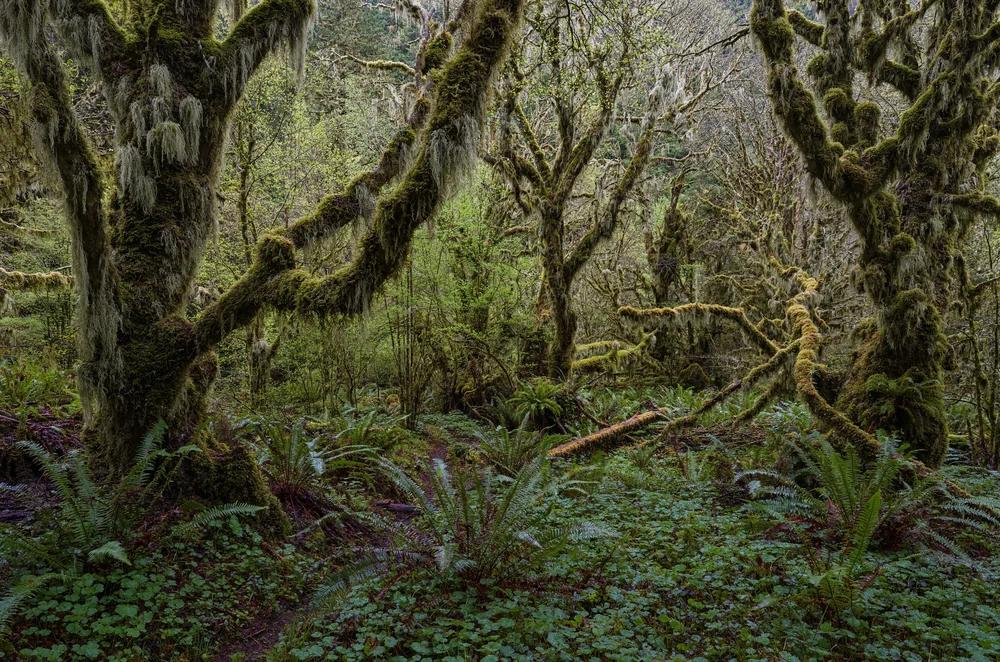
Verwenden Sie Referenzen, um das gewünschte Ergebnis zu erklären
Beschreiben Sie für Ihr Video-Briefing, wie sich das Motiv aus seiner Ausgangsposition bewegen soll. Wenn das ausgewählte Modell ein Bild oder einen Endframe unterstützt, nutzen Sie dies, um Komposition und Kontinuität zu erklären. Nehmen Sie nicht an, dass jeder Referenztyp akzeptiert wird.
Beschreiben Sie für Ihr Video-Briefing, wie sich das Motiv aus seiner Ausgangsposition bewegen soll. Wenn das ausgewählte Modell ein Bild oder einen Endframe unterstützt, nutzen Sie dies, um Komposition und Kontinuität zu erklären. Nehmen Sie nicht an, dass jeder Referenztyp akzeptiert wird.
Schreiben Sie Ihr Video-Briefing rund um eine sichtbare Aktion. Fügen Sie die Umgebung, die Einstellungsgröße, die Kamerabewegung und die Beleuchtung hinzu. Halten Sie Dialog und Tonhinweise getrennt von den visuellen Anweisungen, damit die beabsichtigte Szene leicht zu verstehen ist.
Beschreibe das gewünschte Ergebnis, wähle ein verfügbares Veo-Modell und sende deine Anfrage über den Generator. Prüfe fertige Videoergebnisse in deinen Assets, verfeinere den Prompt bei Bedarf und lade die Version herunter, die zu deinem Projekt passt.
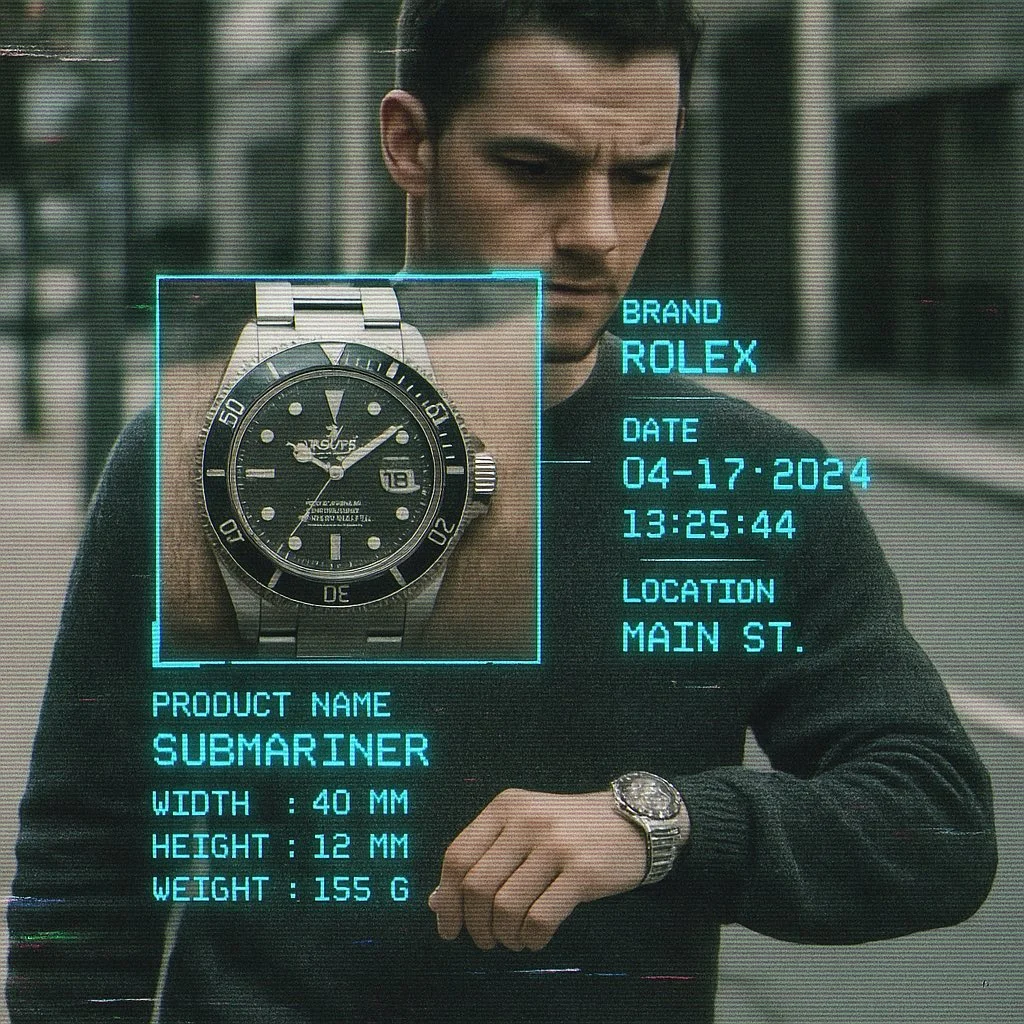
Fertige Ergebnisse prüfen und herunterladen
Wählen Sie nur die Auflösung und das Seitenverhältnis, die für das ausgewählte Modell angezeigt werden. Prüfen Sie Bildausschnitt, feine Details und eventuellen Text im fertigen Video. Eine größere Ausgabegröße garantiert kein genaueres Ergebnis.
Geben Sie für ein Video-Produktkonzept die Produktform, das Material, ein wichtiges Detail und die Umgebung an. Halten Sie Logos und Aussagen korrekt, lassen Sie Platz für Ihre eigene Typografie und prüfen Sie das Ergebnis, bevor Sie es in einer Anzeige verwenden.
Wählen Sie nur die Auflösung und das Seitenverhältnis, die für das ausgewählte Modell angezeigt werden. Prüfen Sie Bildausschnitt, feine Details und eventuellen Text im fertigen Video. Eine größere Ausgabegröße garantiert kein genaueres Ergebnis.
Planen Sie Zeit ein, um jedes Videoergebnis zu prüfen und Ihr Briefing zu verfeinern. Die Verarbeitungszeit variiert je nach Modell, Anfrage und Serviceauslastung. Ändern Sie jeweils nur eine Richtung, damit Sie beurteilen können, welche Bearbeitung das Ergebnis verbessert.
Ein klareres kreatives Briefing für Veo
Geben Sie für ein Video-Produktkonzept die Produktform, das Material, ein wichtiges Detail und die Umgebung an. Halten Sie Logos und Aussagen korrekt, lassen Sie Platz für Ihre eigene Typografie und prüfen Sie das Ergebnis, bevor Sie es in einer Anzeige verwenden.
Planen Sie eine klare Aktion pro Aufnahme
Listen Sie die Details auf, die in Ihrem Video-Briefing wichtig sind: Identität, Form, Farben, Kleidung und Hintergrund. Verwenden Sie unterstützte Referenzen, wo passend, und vergleichen Sie jedes Ergebnis; exakte Konsistenz ist nicht garantiert.

Flexible Produktionsmodi
Geben Sie für ein Video-Produktkonzept die Produktform, das Material, ein wichtiges Detail und die Umgebung an. Halten Sie Logos und Aussagen korrekt, lassen Sie Platz für Ihre eigene Typografie und prüfen Sie das Ergebnis, bevor Sie es in einer Anzeige verwenden.
Formuliere präzise Bearbeitungs- und Stilvorgaben
Geben Sie für ein Video-Produktkonzept die Produktform, das Material, ein wichtiges Detail und die Umgebung an. Halten Sie Logos und Aussagen korrekt, lassen Sie Platz für Ihre eigene Typografie und prüfen Sie das Ergebnis, bevor Sie es in einer Anzeige verwenden.

Variationen mit einem fokussierten Briefing erkunden
Erkunden Sie verfügbare Video-Workflows und vergleichen Sie sie mit den verwandten Videoseiten. Der Generator ist die maßgebliche Quelle für aktuellen Modellzugriff und Einstellungen. Nutzen Sie die Prompt-Bibliothek, um veröffentlichte Ergebnisse und das Modell, das sie erstellt hat, zu studieren.
Wählen Sie ein aktiviertes Modell auf der AI Video-Seite. Prüfen Sie seine unterstützten Einstellungen und den Credit-Kostenvoranschlag, bevor Sie einen Clip aus Text oder einem Bild generieren.
Geben Sie dem Hauptmotiv eine klare Aktion. Für ein Videokonzept ist ein präzises Briefing leichter zu beurteilen als eine Liste konkurrierender Effekte.
Veo Video-Workflow: Fragen und Antworten
Geben Sie für ein Video-Produktkonzept die Produktform, das Material, ein wichtiges Detail und die Umgebung an. Halten Sie Logos und Aussagen korrekt, lassen Sie Platz für Ihre eigene Typografie und prüfen Sie das Ergebnis, bevor Sie es in einer Anzeige verwenden.
Heydots bringt den Video-Workflow in einen Arbeitsbereich: Schreibe deinen Prompt, wähle ein verfügbares Modell, prüfe die Credit-Kosten und generiere. Fertige Ergebnisse bleiben in deinen Assets zum Prüfen und Herunterladen. Der Generator zeigt, welche Modelle und Eingaben Anfragen akzeptieren.
Schreiben Sie Ihr Video-Briefing rund um eine sichtbare Aktion. Fügen Sie die Umgebung, die Einstellungsgröße, die Kamerabewegung und die Beleuchtung hinzu. Halten Sie Dialog und Tonhinweise getrennt von den visuellen Anweisungen, damit die beabsichtigte Szene leicht zu verstehen ist.
Beschreibe das gewünschte Ergebnis, wähle ein verfügbares Veo-Modell und sende deine Anfrage über den Generator. Prüfe fertige Videoergebnisse in deinen Assets, verfeinere den Prompt bei Bedarf und lade die Version herunter, die zu deinem Projekt passt.
Wählen Sie nur die Auflösung und das Seitenverhältnis, die für das ausgewählte Modell angezeigt werden. Prüfen Sie Bildausschnitt, feine Details und eventuellen Text im fertigen Video. Eine größere Ausgabegröße garantiert kein genaueres Ergebnis.
Beschreiben Sie Sprache, Umgebungsgeräusche und Musik als getrennte Anweisungen in Ihrem Video-Briefing. Die Audioausgabe hängt vom ausgewählten Modell und den im Generator angezeigten Optionen ab; prüfen Sie den fertigen Clip, statt anzunehmen, dass Ton enthalten ist.
Listen Sie die Details auf, die in Ihrem Video-Briefing wichtig sind: Identität, Form, Farben, Kleidung und Hintergrund. Verwenden Sie unterstützte Referenzen, wo passend, und vergleichen Sie jedes Ergebnis; exakte Konsistenz ist nicht garantiert.
Du kannst innerhalb von 10 Tagen nach dem Kauf eine Rückerstattung beantragen, wenn du ungenutzte Guthaben aus diesem Kauf hast und einen klaren Grund angibst, vorbehaltlich unserer Rückerstattungsrichtlinie. Wenn du berechtigt bist, kann ein ungenutzter Kauf vollständig erstattet werden; ein teilweise genutzter Kauf wird im Verhältnis zu den verbleibenden ungenutzten Guthaben erstattet. Vollständig genutzte Käufe sowie kostenlose oder Aktionsguthaben sind nicht erstattungsfähig.
Die Gültigkeit von Guthaben hängt vom Paket, Abonnement oder der Aktion ab, durch die sie ausgegeben wurden. Prüfe die Kaufbedingungen und Ablaufdaten unter Einstellungen > Guthaben. Eine Verlängerung oder ein neuer Kauf verlängert ältere Guthaben nicht. Nutze Guthaben vor ihrem angegebenen Ablaufdatum; gehe nicht davon aus, dass ungenutzte Abonnement-Guthaben unbegrenzt übertragen werden.
Credits, die für eine Aufgabe berechnet wurden, die als aufgrund eines Systemfehlers fehlgeschlagen bestätigt wurde, werden automatisch zurückerstattet. Eine Aufgabe, die noch in Bearbeitung ist, wurde noch nicht als fehlgeschlagen bestätigt. Prüfen Sie ihren Status und Ihren Guthabenverlauf, bevor Sie erneut einreichen. Wenn bei einem bestätigten Fehler weiterhin eine ungeklärte Belastung angezeigt wird, senden Sie eine E-Mail an support@heydots.app mit der Task-ID.
KI-Ergebnisse können variieren, daher wird ein abgeschlossenes Ergebnis, das von Ihren Erwartungen abweicht, nicht automatisch als technischer Fehler behandelt. Berechtigte abgeschlossene Bildaufgaben können über die Rückerstattungsoption, wo verfügbar, zur Prüfung einer Credit-Rückerstattung eingereicht werden; eine Genehmigung ist erforderlich. Bei einem Video oder einem anderen Problem wenden Sie sich mit der Task-ID und Details an support@heydots.app. Eine Credit-Rückerstattung erstattet Credits, kein Geld auf Ihre Zahlungsmethode.
Senden Sie eine E-Mail an support@heydots.app. Geben Sie bei Abrechnungsfragen Ihre Konto-E-Mail-Adresse und Bestell-ID an; bei der Generierung geben Sie die Task-ID, eine Beschreibung des Problems und relevante Screenshots an. Wenn Sie als Gast gekauft haben, bewahren Sie die ursprünglichen Browserdaten und den Zahlungsbeleg auf, damit wir den Kauf leichter finden können.
Erkunden Sie Ihre nächste Veo Video-Idee
Wählen Sie nur die Auflösung und das Seitenverhältnis, die für das ausgewählte Modell angezeigt werden. Prüfen Sie Bildausschnitt, feine Details und eventuellen Text im fertigen Video. Eine größere Ausgabegröße garantiert kein genaueres Ergebnis.
heydots.app · Aktualisiert
Änderungsverlauf anzeigen
- — Bearbeitbare Beispiel-Prompts, getrennte Entwürfe für Text- und Referenzmodi sowie eine Funktion zum Wiederherstellen des Beispiels hinzugefügt.
- — Texte und Inhalte der Seite aktualisiert.
- — Seiteninhalt veröffentlicht.