South Park Characters: Names, Outfits and a Better Character Prompt
Identify South Park characters by their hats, hair and outfits, then use five original prompt examples to plan a distinct paper-cutout cartoon character.
What's new on this page
- — Page published.
Watch the illustrated guide
Original illustrated planning guide with English on-screen text and captions. No audio. Not a product recording or generation test.
English transcript
Original code-rendered planning illustration. No audio. English text appears on screen; not a product recording or tested generation. 0-4s: Name the visible details. Hat shape + coat color + silhouette. Attach each color to a garment. Check the pictured outfit version. Identify characters from several cues, not one color. 4-8s: Build an original person. Role: rainy-day commuter. Outline: square yellow rain hat. Prop: one blue lunch bag. Give the original character one role and one useful prop. 8-12s: Write a brief you can inspect. Front view; whole head visible. Charcoal coat; pale background. Flat shapes; one person. These are suggested design instructions, not a tested output. 12-16s: Revise the specific mismatch. Wrong color? Name its garment.. Crowded? Remove competing props.. Bad crop? Leave headroom.. Compare the actual image with the written brief.
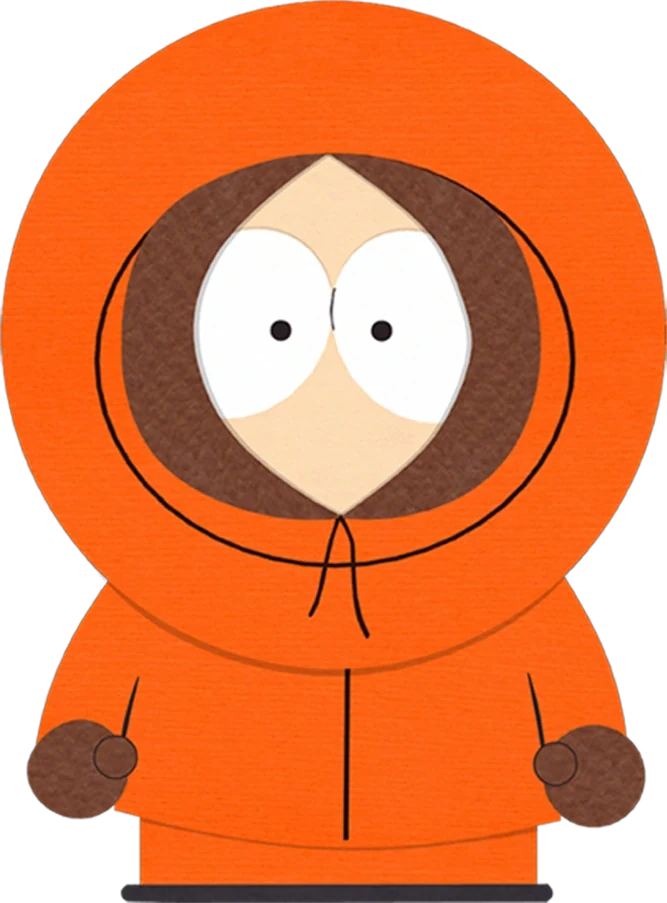
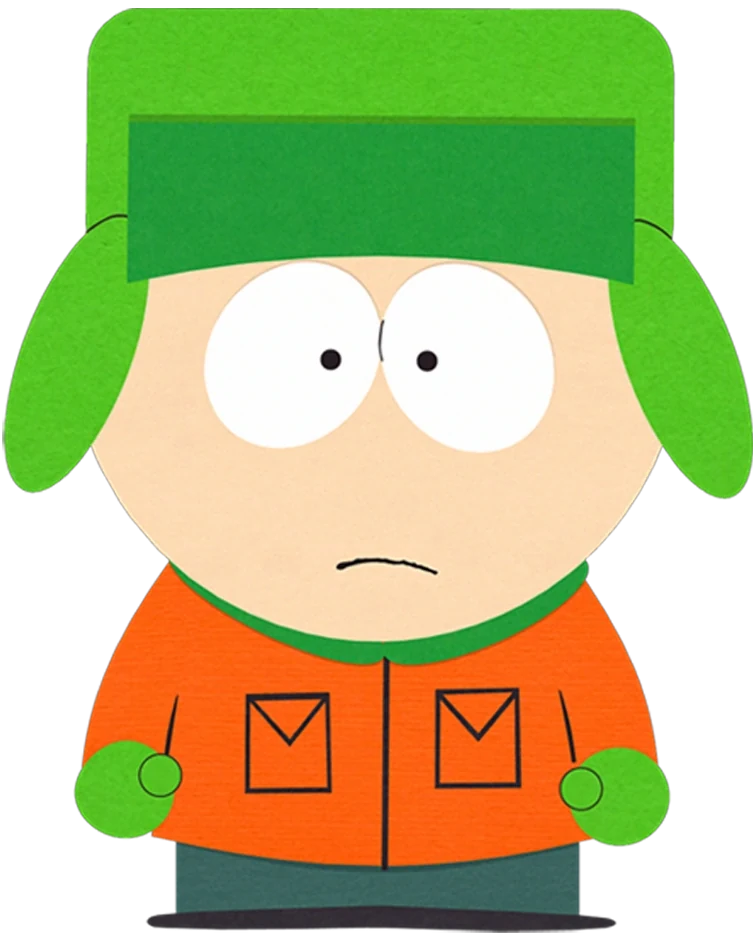
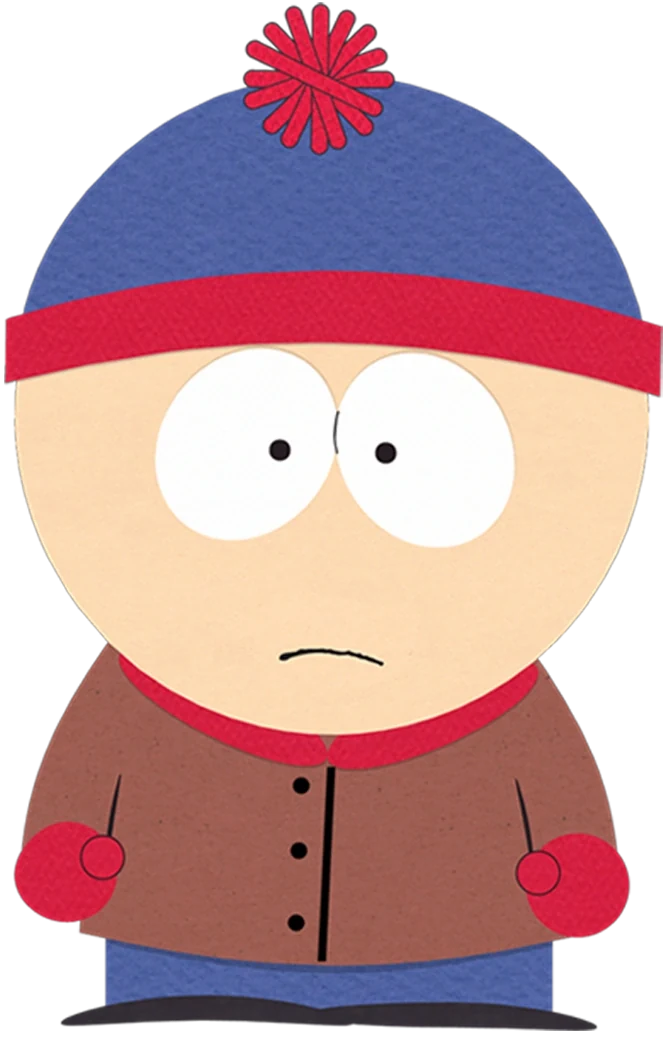
South Park characters are easiest to tell apart by combining three clues: headwear or hair, coat color, and body shape. Stan has a blue-and-red cap and brown coat; Kyle has a green earflap hat and orange coat; Cartman has a turquoise-and-yellow cap and a much wider red jacket; Kenny is enclosed in an orange hood. Color alone is a weak identifier because several characters share it.
This guide starts with a quick visual reference, then shows how to turn those observations into a brief for your own cartoon character. The original prompts below are writing examples, not tested generation results. For the image tool, open the South Park Character Creator.
South Park characters at a glance
These notes describe the familiar outfits shown in the existing reference gallery. Costumes can change; identify a specific picture from what it actually shows.
| Character | Head or hair | Clothing cue | Useful distinction |
|---|---|---|---|
| Stan Marsh | Rounded blue cap, red band and pom-pom | Brown coat, red gloves | Rounded cap rather than earflaps |
| Kyle Broflovski | Green earflap hat | Orange coat | Broad, squared upper outline |
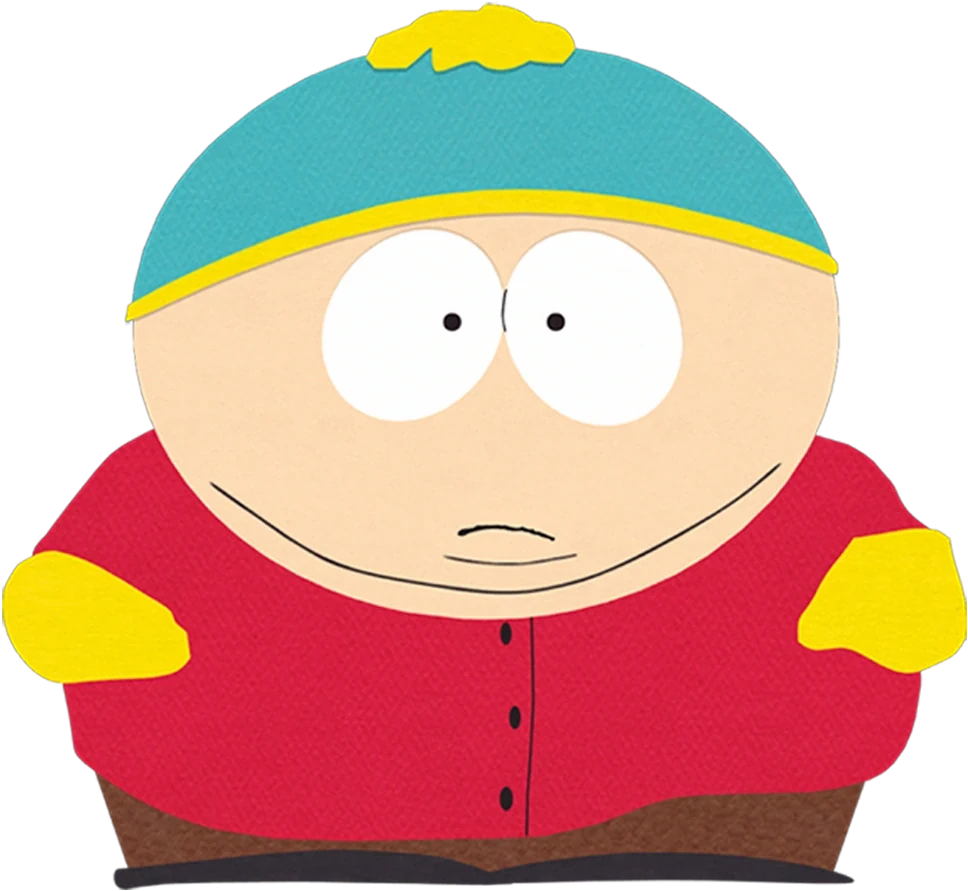
| Eric Cartman | Turquoise cap with yellow trim | Wide red jacket, yellow mittens | Body width is a major clue |
| Kenny McCormick | Orange hood around a dark face opening | Orange outerwear, brown gloves | Hood encloses most of the face |
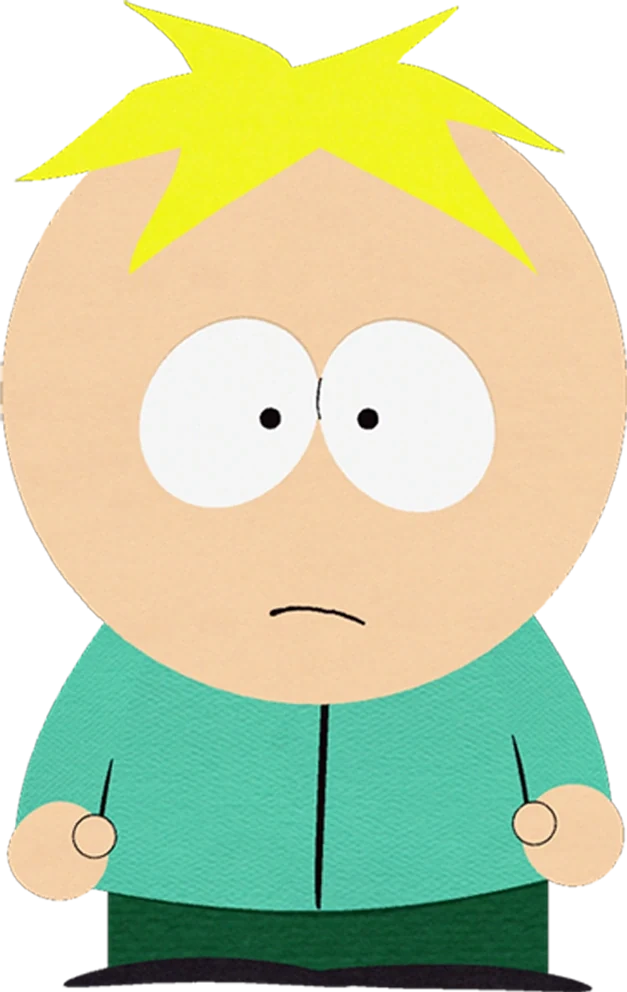
| Butters Stotch | Small blond tuft | Turquoise shirt | Compact hair shape |
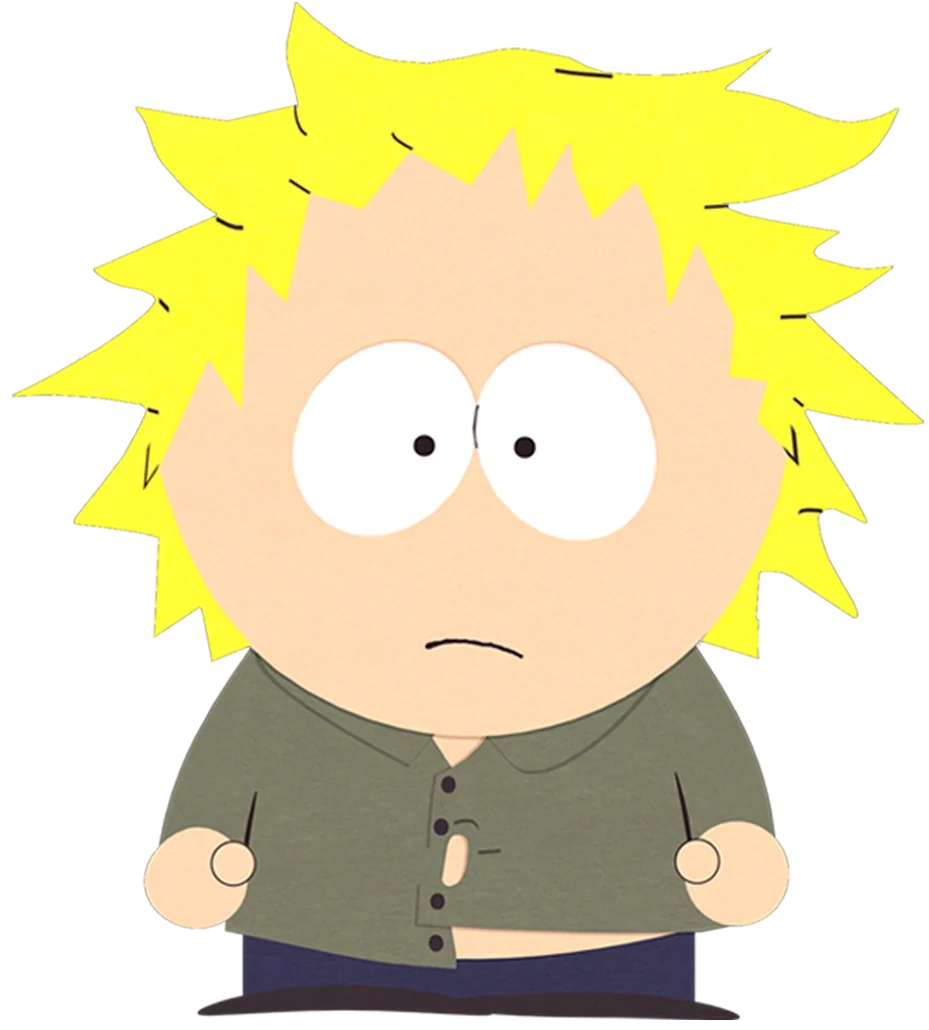
| Tweek Tweak | Blond spikes spreading outward | Olive shirt | More irregular outline than Butters |
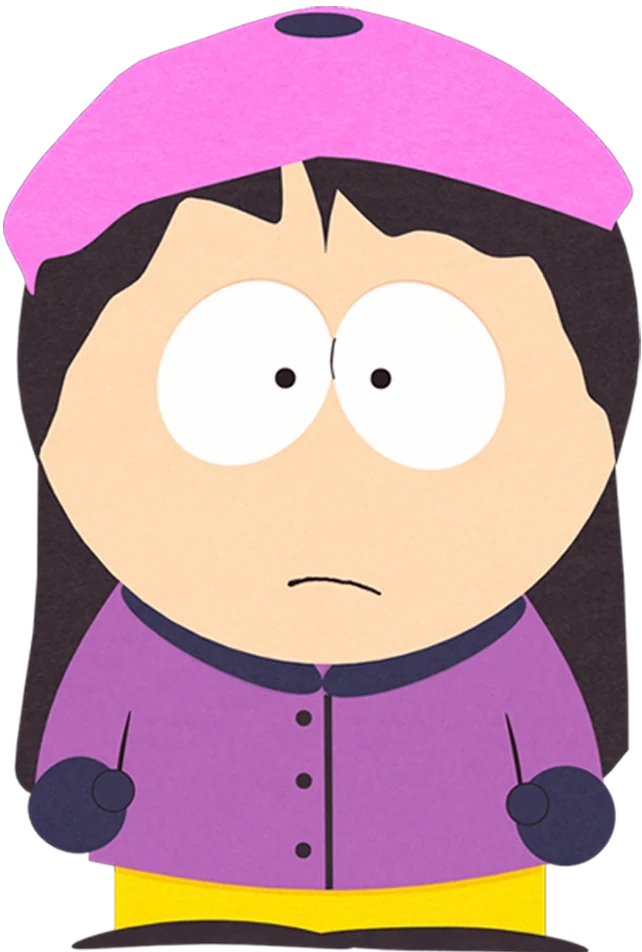
| Wendy Testaburger | Pink beret, long dark hair | Purple jacket | Hair extends beside the torso |
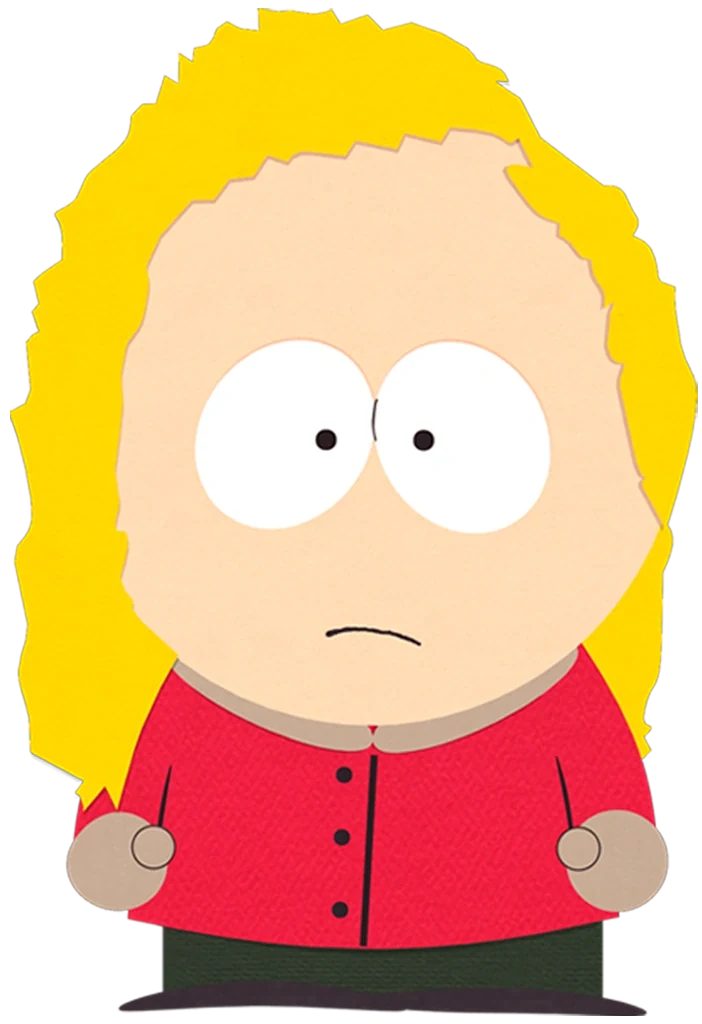
| Bebe Stevens | Full blond hair | Red top | Wide hair mass around the shoulders |
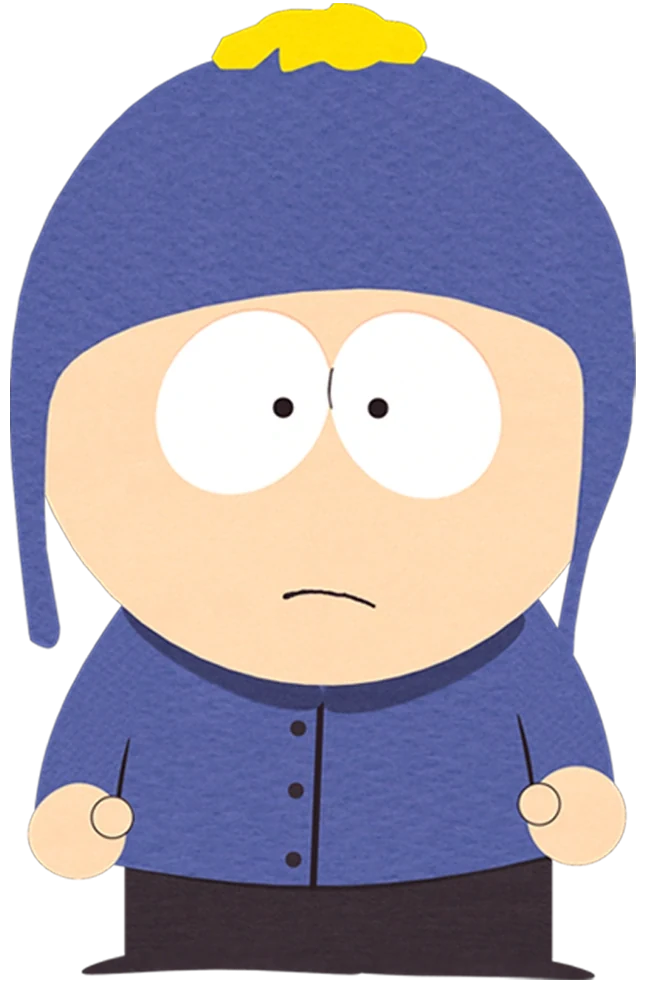
| Craig Tucker | Blue earflap hat, yellow pom-pom | Blue coat | Blue-on-blue differs from Kyle's green and orange |
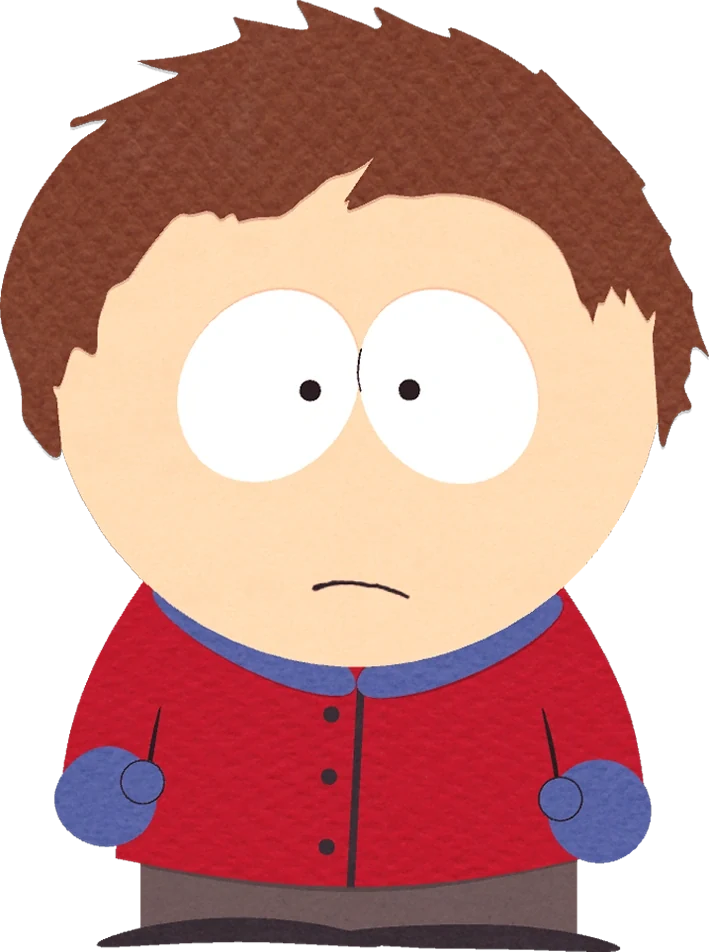
| Clyde Donovan | Uncovered brown hair | Red jacket with blue accents | No cap; narrower outline than Cartman |
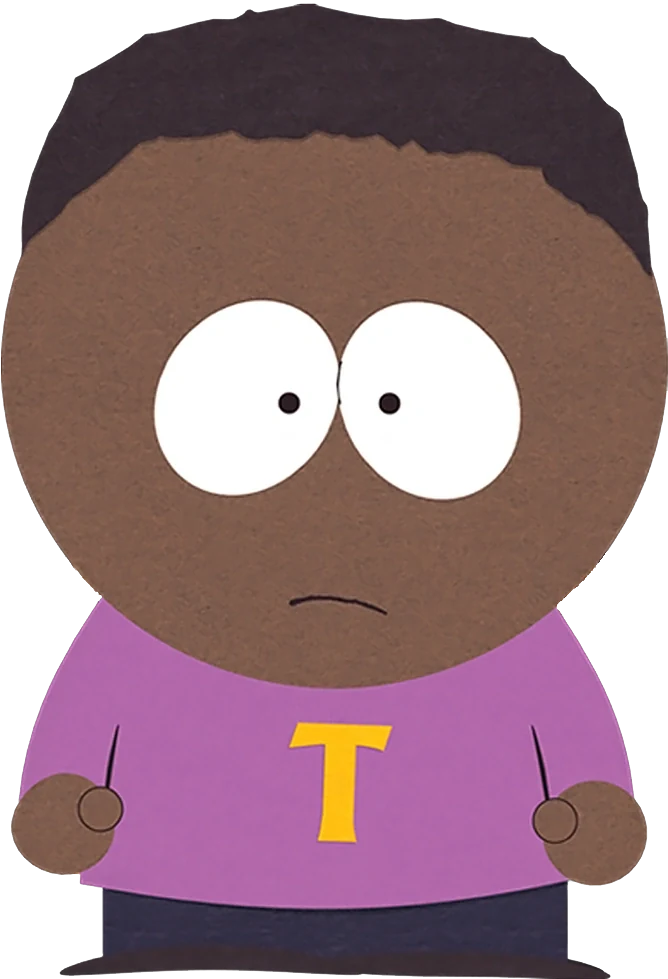
| Tolkien Black | Dark hair | Purple shirt with a yellow T | Large purple block matters before the small letter |
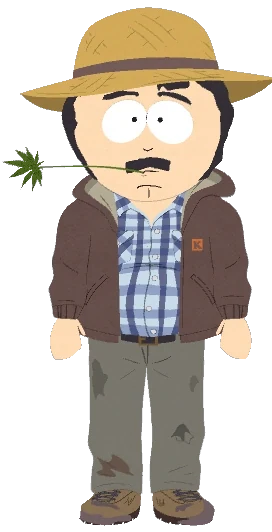
| Randy Marsh | Dark hair and mustache; costume varies | Check the pictured outfit | A farmer outfit is a version, not a universal costume |
The four main boys: what people mix up
Stan and Kyle: start at the hat
Both wear winter clothes, but their head shapes differ. Stan's cap follows the head; Kyle's hat adds side flaps and a broader top. If a reference is small, identify that contour before checking the jacket. A green patch somewhere in a picture is less informative than a green earflap hat located around the head.
Cartman and Clyde: a red coat is not enough
Look above and around the coat. Cartman's cap and broad rounded torso form a different design from Clyde's uncovered hair and narrower jacket. A prompt that says only “boy in a red coat” leaves those decisions open. Specify proportions and headwear when they matter to the picture you are planning.
Kenny: the hood changes the face brief
Kenny's hood is a large part of his identity. If you are studying the pictured design, describe the face opening rather than inventing visible hair or an exposed mouth. For an original avatar, decide whether a hood should conceal the face or simply frame it. Those are different instructions and lead to different ways of showing expression.
Write an original character in five decisions
Choose a role, an outline, a main garment, an expression, and one useful prop. Write each in concrete language. “A tired commuter with a square rain hat” gives an illustrator more to work with than “a hilarious iconic character.” The prop should support the role: a lunch bag explains a commute; unrelated trophies, instruments, and pets compete for attention.
Keep traits that make the character yours. Do not simply assign an existing character a different name. A short brief can still describe a distinct person through posture, occupation, clothing, and the object they are using.
Five original prompts you can adapt
A rainy-day commuter
Original adult commuter in a flat paper-cutout cartoon illustration. Square yellow rain hat, short dark hair, charcoal coat and a small blue lunch bag held at waist height. Slightly tired eyes, front view, plain pale-gray background. One person, simple shapes and flat colors.
A weekend gardener
Original older gardener with short silver hair, round glasses and an orange apron over a teal shirt. Hold one small watering can beside the body. Relaxed smile, full figure, uncluttered garden path, flat 2D shapes with clear clothing boundaries.
A late-night baker
Original adult baker with a short violet headscarf, cream apron and rolled sleeves. Carry one tray with three round rolls. Calm expression, waist-up view, simple dark-blue kitchen background, paper-cutout cartoon treatment without lettering.
A student with a hobby
Original cartoon student wearing a rust knit cap and olive coat, holding a folded star chart. Round glasses, curious expression, front three-quarter view. Large simple color areas, plain winter sky, one person and one prop.
A neighborhood delivery rider
Original adult delivery rider with a square teal helmet, orange vest and one navy shoulder bag. Stand beside a parked bicycle with both hands visible. Flat cutout illustration, clean silhouette, quiet sidewalk background, no logos or written signs.
These are suggested creative briefs. Choose a supported mode and aspect ratio in the tool; a written request does not add a control the selected model lacks.
Fix the description before making it longer
| What looks wrong | First revision to try |
|---|---|
| Clothing colors are swapped | Attach every color directly to its garment |
| The character looks generic | Add one distinguishing contour or occupation detail |
| Too many props appear | Name one object and remove competing activities |
| The face is lost in the crop | Request a view that includes the whole head and leave headroom |
| The image becomes realistic | State flat 2D shapes and remove conflicting photographic instructions |
Inspect the result against the brief, not against a promise of perfect similarity. Save the prompt with the image you choose so the next revision has a clear starting point.
Common questions
Are these official character designs or an official creator?
The names refer to the television characters. This article is an independent visual guide; the linked image tool is not presented as an official character editor. Existing reference artwork and an original AI image serve different purposes.
Should I upload a selfie or start with text?
Text is useful when you are inventing a person. A permitted photo can help communicate appearance if the selected mode accepts reference images. Check the actual upload controls and review the result rather than assuming exact likeness.
Where should I begin?
Pick one prompt above and replace the role, garment, expression, and prop with your own choices. Use the character creator for the image, then return to the blog for another visual-planning task.
Character reference gallery
Existing character reference images retained for the visual comparisons above. These are reference artwork, not outputs from the suggested prompts.